RDM not responsive

Since a few releases, we have the problem that RDM is just not responsive anymore when we let it open overnight.
It's still running and does not seem to be freezed, but it won't accept any inputs, it's like there is a window in the background which we don't see.
We can't shut it down normally, and have to kill it via the taskmanager.
Sometimes after shuting it down and open it again, it open a browser where we need to logon again, so the license is active again. And we can't use RDM until we logged in there. Perhaps it wants to open this window als when it freezes and can't and so it just blocks RDM. But we never had to authenticate our license so many times.
It's just getting very frustrating for the whole team. We are on 1.27 since today, and had problems up to 1.26. But I don't see anything in the release notes, that this problem has been addressed.
All Comments (53)
Can you please perform the following:
- Download Process Explorer here: https://docs.microsoft.com/en-us/sysinternals/downloads/process-explorer
- Run RDM
- Wait for it to freeze
- Start Process Explorer (procexp.exe)
- If RDM is running with elevated privilege, then you will need to start procexp elevated
- Find RemoteDesktopManager.exe in the tree
- Right-click > Create Dump > Create Minidump
Send us the mini-dump (about 50 MB) via the file share URL I will send you via private message.
Stéfane Lavergne
Hi,
exactly the same phenomenon here, also for quite some time (estimated: 2-5 months) and only solvable by closing via Task Manager.
@Stéfane:
MiniDump will be created soon, please PN with FileShare URL.
Thanks for support.
Regards
Adriano
Hi all,
I didn't get any minidump files yet. So, if you sent them please let me know, I will ask the support team to find them for me.
Here is another test you can try, with version v2021.1.27
- File > Options > Advanced > Check “Disable system event handlers“
- you will need to do this on every machine that has the freeze issue
- Restart RDM
- Run for a few days and please let us know if you still experience any freezing
Best regards,
Stéfane Lavergne
Hello Stéfane
It seems I never get an update topic email, when someone of you guys reply the same day. That's why I just saw your update now.
I will change the setting now and see if it freezes again, and send you the minidump if it does.
Best regards.
Patrick
@mad,
No problem, I figured that might be the case. That or a crazy busy work week.
No rush. If you do freeze, go to your Forum inbox, you have a direct message from me with the ShareFile URL for the upload.
Best regards,
Stéfane Lavergne
Hi Stéfane,
thanks for your support!
I just sent you the file after RDM froze again.
Unfortunately I can't find the item "Disable system event handlers" in Options -> Advance. However, I use the 64-bit version, if it should be relevant.
Regards
Adriano
Hi Adriano,
Thank you for the mini-dump, it confirms that the freeze is in fact "the freeze" we are trying to resolve.
As for "Disable system event handlers" it's available as of v2021.1.27. According to your mini-dump you are still on .26. You can download the .27 from the website (or app).
Finding options can be tricky (we have so many). The search at the bottom of the form is very useful.
Make sure you restart RDM after you toggle the option. I forgot to warn you via the application (next version). If you don't restart the option will not be taken into effect.
Best regards,
Stéfane Lavergne
Hi Stéfane
RDM freezes now, even with the Handlers disableded. I've sent you the MiniDump.
Cheers
Patrick
Hi Stéfane,
same problem here as well, also with disabled system event handlers. I have just sent you the MiniDump.
Regards
Adriano
Most of the time, after I had to kill RDM, I get this message when opening it again. Could it be that this blockes RDM because of some licens check, which blocks the whole program?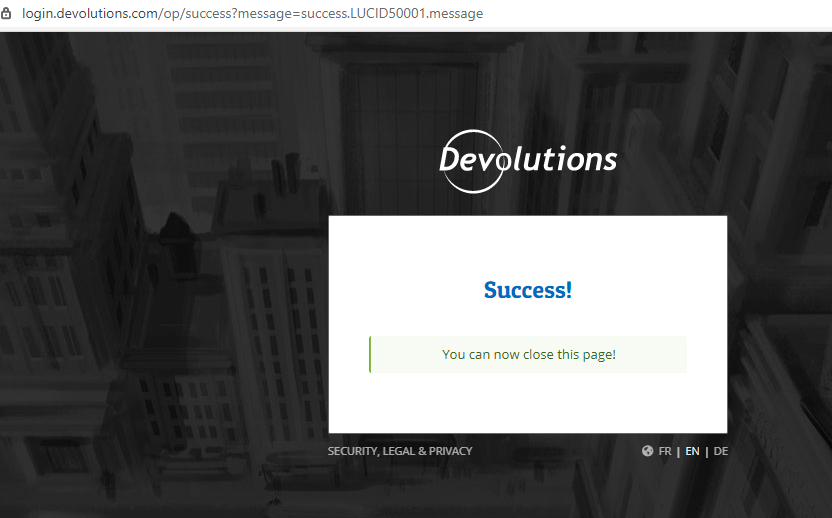
license.png
@all
So to update the situation. All of the mini-dumps we've received from here and other from clients over the last 3-4 months all point to the exact same issue. Windows is calling RDM to notify of a system event (UserPreferenceChanged) and due to a bug somewhere (yet to be identified) this is causing a thread deadlock with the main thread. Main thread locked means the application is completely frozen.
I'm working at adding code that would detect such a situation, prior to the freeze, that would help identify the control at the root of this issue.
To help our QA team, can you please tell me a few things about your setup?
- Data source type (SQL, MySQL, Devolutions Online Drive, Devolutions Online Database...)
- Running on Terminal Server (TS) or other hosted environment
- top 2-3 used session types (RDP, SSH, WebBrowser...)
With the code detection in place I will ask our QA team to run scenarios that closely match your setups and try to reproduce the issue once and for all so that we can finally get a definite fix for this issue.
Sorry for the inconvenience and hang in there we won't rest until we've fixed this pesky bug.
Best regards,
Stéfane Lavergne
Hi Stéfane,
thanks again for your support.
1. MariaDB (Enterprise)
2. Running on local Windows 10 Pro machine as portable version (in OneDrive folder, should not matter, but mention it anyway)
3. RDP, SSH; which also often remain open
Regards
Adriano
Hi Stéfane,
Thanks and here you go:
- MS SQL
- Local Machines Win10 Pro (German)
- RDP / HTTP / SSH
Regards
Patrick
@all
Any of you running bginfo (sysinternals)? If so can you try stopping it to see if it reduces the freezing?
Stéfane Lavergne
No bginfo here.
Here also no bginfo.
Regards
Adriano
@all, thank you for the replies
Quick update, the next version will have two new tests/adjustments/diagnostic tool.
The first is more code was added to the "Disable system event handlers" (when checked) option.
We will now filter out the system event that is causing the freeze. For the time being I was able to reproduce the system event by changing the Windows background image (manually). Hence the "Are you using bginfo?" question. This might also be triggered by the Windows 10 Background Slideshow, automatically changing the background image. If you have it set, you could try to disable it as it might actually help. So the next release will filter out this system event long before it gets to RDM and the hope here is that it prevents RDM from freezing.
The second will be a new profiling option that tries to identify any background thread that has subscribed to the event and identify the thread ahead of time, long before the freeze. This wouldn't stop the freeze but like an early earthquake warning system would alert you/us of a potential problem so that we can fix the code. More on how to activate this profiler option once the build is available.
Best regards,
Stéfane Lavergne
Sounds good, thanks!
We don't do any slideshow stuff or anything else fancy. Very standard installations.. 😉
Cheers
@all,
RDM v2021.1.32 is now available for download : https://remotedesktopmanager.com/home/downloadenterprise
- Install v2021.1.32
- Start RDM, verify that
- File > Options > Advanced > Check “Disable system event handlers“
- If need, check the option and restart RDM
- RDM should no longer freeze
Optional, run RDM with the diagnostic checks:
- Close RDM
- Open a command line (cmd)
- if you usually run RDM elevated, make sure you start cmd elevated.
- Execute the following
"C:\Program Files (x86)\Devolutions\Remote Desktop Manager\RemoteDesktopManager64.exe" /Profiler -8192- your install path may vary.
This will start RDM with the "Deadlock detection" profiler enabled. It scans the application and will log any controls/forms that have been created on a non-UI thread. You can now minimize the profiler window. A few times day please have a look at the window, if anything appears, click send trace to support so that we can investigate. You can add Attn:Stefane Forum: 35560 to the message body.
Best regards,
Stéfane Lavergne
I'm having the same issue since some months ago every night I left the software running in the background. I will now do your diagnostics steps to see if something appears in the profiler window.
- Data source type: Google Drive database
- Windows 10 21H1, but it happened with 20H2 as well
- RDP and SSH (sporadically)
Regards.
I'm unable to get useful information as this new version is constantly crashing when I'm opening an SSH connection.
@caraesjm
Crash or freeze?
Are you seeing an error message? If so can you please post it here?
Anything relevant in Help > Application Logs?
Best regards,
Stéfane Lavergne
It crashes, I mean it closes itself and when I run it again it asks to restore last opened connections. If I keep the SSH one it crashes again.
I do not see anything in the log after starting without opening the previous sessions.
This is what I get in Event Viewer:
Application: RemoteDesktopManagerFree.exe
Framework Version: v4.0.30319
Description: The process was terminated due to an unhandled exception.
Exception Info: exception code c0000005, exception address 00007FF8D38A9527
Followed by:
Faulting application name: RemoteDesktopManagerFree.exe, version: 2021.1.32.0, time stamp: 0x60afef55
Faulting module name: DevolutionsProtocols.dll, version: 2021.5.26.1, time stamp: 0x60ae50b7
Exception code: 0xc0000005
Fault offset: 0x0000000000059527
Faulting process id: 0x54d0
Faulting application start time: 0x01d757bb4c3b9cfd
Faulting application path: C:\Program Files\RemoteDesktopManager\RemoteDesktopManagerFree.exe
Faulting module path: C:\Program Files\RemoteDesktopManager\x64\DevolutionsProtocols.dll
Report Id: 8ee55535-b292-4e67-b9f5-7b9de8db5eec
Faulting package full name:
Faulting package-relative application ID:
@casaresjm,
Thank you for the detailed error report. As I suspected your crash is not related to the "freezing" the others here are experiencing in the this tread but the good news is that the team was able to fix your issue. A new build v2021.1.33 should be available shortly.
Sorry for the inconvenience.
Best regards,
Stéfane Lavergne
I was unable to reproduce while left sitting overnight with an open RDP session as I did routinely before.
Only change so far is running with Disable system event handlers checked and with the profiler in the background.
Been using v2021.1.33 for the last 3 days and no Freezes so far. I have been running with the profiler (nothing appeared) and I have not checked “Disable system event handlers“. One oddity I have noticed is that the Icon in the task bar changed to a Grey color overnight and does not returned to the normal blue. Is it possible that the Icon getting changed could be causing the lockup rather than the windows background itself?
- Data source type: Devolution Server with SQL
- Windows 10 Build 18363
- RDP, Web Browser
@casaresjm,
Thank you for the detailed error report. As I suspected your crash is not related to the "freezing" the others here are experiencing in the this tread but the good news is that the team was able to fix your issue. A new build v2021.1.33 should be available shortly.
Sorry for the inconvenience.
Best regards,
Do you happen to know when that will be? While scarcely I still need to connect to SSH hosts.
And again, no crash over the night, so nothing to report. I will try removing the profiler as that might be changing the behavior of the app.
Had another freeze today, after a few days of no problems.
Version: 2021.1.32 (just installing 2021.1.34 now)
I did another minidump if you want?
@mad
Yes, please do send us your minidump.
Sent you the file drop url.
Best regards,
Stéfane Lavergne
@casaresjm
v2021.1.34 is available for download.
https://remotedesktopmanager.com/home/downloadenterprise
Best regards,
Stéfane Lavergne
Still crashing on SSH connection with revision 2021.1.34
Had a freeze today with version 2021.1.32. I sent a profiler trace through with the subject "Attn:Stefane Forum: 35560" prior to the freeze happening. I also have a minidump if you want more of those.
Hello Stephen,
Thank you for this profiler log, I will provide it to our Engineering Department and we will get back to you once we have an update on that matter.
Best regards,
James Lafleur
@casaresjm,
Please go in File -> Options -> Types -> Terminal and turn off the Enable remote monitoring option
Best regards,
Jeff Dagenais
Since version 1.34 we now have the issue that RDM freezes, but the active tab with the server is still responding. We just can't click anything from the menu bar or another server. We still have to kill the RDM process and restart RDM to get it working again.
Also I want to mention the Browser license Login window again, every time we shut RDM down. https://forum.devolutions.net/topics/35560/rdm-not-responsive#151815
Why does this window appear all the time? Could it be that RDM freezes while it waits that we log in there but does not show the window?
Hi,
unfortunately, there is no end to this, just now with only one RDP tab open, after RDM was open for a few days it happened twice and last time overnight (not responsive).
Hints:
- I was able to get focus this time for password and then TOTP input. Afterwards, the open "Performance Profiling" window (Profiler level 8192) also appeared, but just like RDM, it was not responsive. Entries were also not visible.
@Stéfane:
I have just sent you two MiniDumps.
Best Regards
@All,
I feel your pain, believe me, we've been hunting down this freeze for some time now. I'm personally full-time on this issue and we are doing trying everything we can.
As for an update, we are currently running a new build internally with a ton of logging, so much logging that RDM is sluggish. We have yet decided if we are going to release this "special" build because of the performance degradation. We will give it a few days while we run this build internally (we have a few employees that reproduce the issue) and we will see where we go from here next week.
I do appreciate your patience and understanding with this issue.
I will keep you all updated as new information is available.
Best regards,
Stéfane Lavergne
@mad
If you close the login window (browser tab) does RDM start responding to clicks again? I will have to ask the team about this one. The login window usually happens when you session is expired and we need to re-authenticate you.
Stéfane Lavergne
It does not show me this windows while it hangs. Only after I restart RDM it's the first thing I need to login before I can start use RDM at all.
@mad
Can you please go to File > Devolutions Account, what do you have checked in the settings section? If you are not using your Devolutions account uncheck both, if you are checking both should make it so the browser tab doesn't open every time.
Best regards,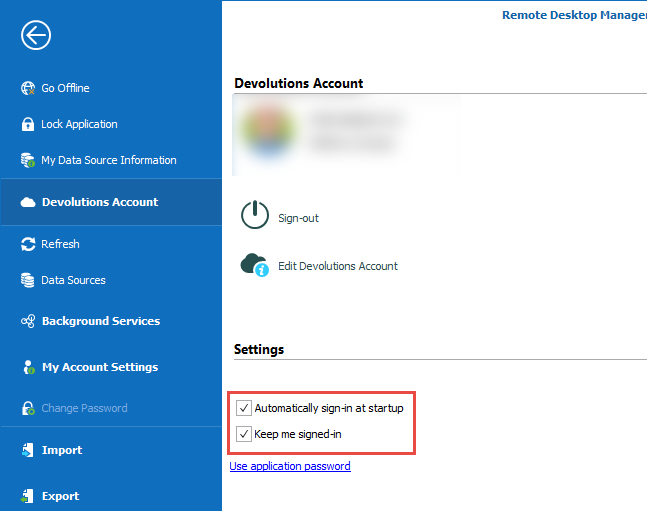
Stéfane Lavergne
2021-06-11_10-43-58.png
@all,
A new build is now available v2021.1.38. This build contains a few potential fixes to the freeze issue and even more debugging code.
https://remotedesktopmanager.com/home/downloadenterprise#Beta
Please install it and run it. We've been running this build in house for over a week and none of our testers were able to reproduce the freeze (yet).
I would suggest you run it normally. Only if you still freeze, then start it with the command line (below). This will enable the advance deadlock detection code that should help us find the freeze. It will run an analysis thread in the background, while RDM runs. This thread will try to detect potential freezes before the actual freeze. If it finds something, it will do the following:
- Automatically generate a minidump file (5-10MB) in your temp folder.
- Prompt you with a message to notify that it found something and to contact Devolutions support (including the full path/file name of the minidump).
- Open Windows Explorer to the minidump file so that you send us the file.
If any of you are prompted with this dialog please send us the minidump and try to remember what you did in the last 30 seconds prior to the popup.
Note: running with the /Profiler -8192 command line will slow down your system. The thread, when your PC and RDM are idle, will take about 5-10% of your CPU. Under load, the thread it will pull back somewhat since it is set to low-priority with the OS. So overall, you shouldn't see a big performance difference.
Command line, fix path for your install directory
"C:\Program Files (x86)\Devolutions\Remote Desktop Manager\RemoteDesktopManager64.exe" /Profiler -8192
Thank you all for your patience and understanding with the issue. It's a difficult one and I can't wait to have it resolved for good.
Best regards,
Stéfane Lavergne
I did not get any more freezes or crashes since with 36 revision.
Me too. No freezes since revision 36.
@mad & @casaresjm
Thank you for the update
Stéfane Lavergne
Hi,
I am happy to report that I was able to work without a freeze for about two weeks and that another one occurred, but was caught by RDM (see screenshot).
The corresponding ThreadDump I have just sent you @Stefanè.
Thanks & best Regards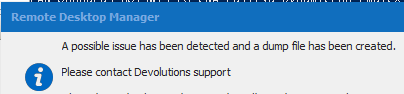
RDM_freeze_catched.png
Hello Adriano,
Thank you for sending that file, it has been provided to our Engineering Department and we will get back to you once we will have an update on that matter.
Best regards,
James Lafleur
@Adriano,
Nice catch. According the dump, the issue is with the "new version" detection code. I've fixed it internally but I'm not sure when/if a new 2021.1 will be released.
@All,
For those still running with the "/Profiler -8192" switch be aware that you will eventually get the same error/warning. You can stop RDM and start in without the switch until this is fixed.
Just a quick reminder, the command line switch is for diagnostic only. I'm grateful for any or all of you that are running with the switch but just to be clear RDM won't freeze less with it activated. So do feel free to stop running with the switch.
Best regards,
Stéfane Lavergne
I somehow did not get notified about new posts here. These two checkboxes are already checked, and still it asks me for another login after a crash, when I have to close RDM.
@mad
Can you please go to File > Devolutions Account, what do you have checked in the settings section? If you are not using your Devolutions account uncheck both, if you are checking both should make it so the browser tab doesn't open every time.
Best regards,
When I do updates I get a lot of errors with files that are saved. Here is a screenshot of the files that are dumbed after the error message.
Could that be because of something we activated to find out what the problem of the freezes were? I start RDM without any options anymore.
When I get the errors, one after the other, after the other.. I need to kill RDM and restart it, and afterwards everything is fine again.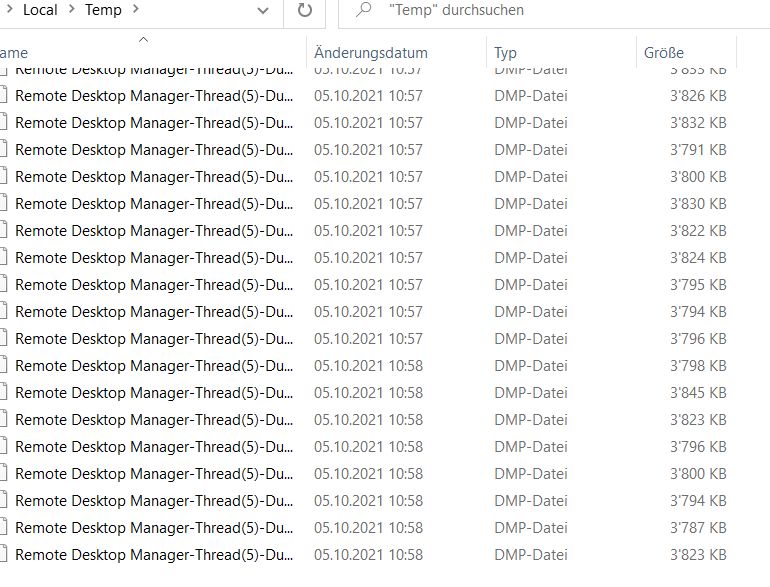
error-files2.jpg
Perfect,
Thank you I will look into it and resolve the issue. I have a pretty good idea what is going on.
Please double-check that the Profiler Level is back down to 1 (Help > Profiler > Profiler Level == 1). Once you start RDM with the flag (/Profiler -8192) it sticks and has to be disabled manually via the UI or via starting the application with a different profiler level. Such as (/Profiler 1) for example.
Best regards,
Stéfane Lavergne
Hi Stéfane
Yes the level was still on 8192. I put it down to 1 now. Hope that helps :-)
Best regards.
Patrick
Hello, I came across this thread because I've been experiencing the same issue for awhile now. I use RDM from a Windows 11 machine that connects to a SQL datasource over a VPN connection. I leave RDM open at all times, and it seems that when I come back the next day, half the time RDM is frozen and I have to use Task Manager to kill it. I will say that I use RDM on another Windows 11 machine that is local to the datasource and I don't have this problem. Any ideas?
Hello,
Would it be possible for you to validate that your VPN connections didn't drop while you were away from your workstation? I suspect that this issue could be caused by the fact that you have multiple connections open when you leave your workstation and that your VPN connection eventually drops, making some of your connections unresponsive and eventually freezing RDM.
Best regards,
James Lafleur