Remote Desktop Manager 2021.1 BETA

Hello everybody,
We are really happy to release RDM 2021.1 beta version. Firstly, we are releasing the Beta of RDM Free Edition. This is a major update and requires a database update. Please backup your database before installing this beta for a maximum of safety.
FREE
Please download the official version here:
https://remotedesktopmanager.com/home/downloadfree
Release Note:
* Added Secure desktop for masterkey prompts
* Added support for embedded Microsoft Edge (Chromium)
* Added support for Microsoft L2TP VPN
* Added support for Smartcard authentication in SSH Shell, SSH Tunnel and SSH Port forward entries
* Added the Door Codes Information type entry
* Major security improvement of the DWL integration
https://remotedesktopmanager.com/release-notes/free/beta
Post any issue in a separate thread since it's much easier for us to answer you and keep track of it.
David Hervieux
All Comments (49)
Hello everybody,
We are really happy to release RDM Enterprise 2021.1 beta version.
PLEASE backup your database before installing this beta version for a maximum of safety since this version contains some breaking changes.
It contains some breaking changes and a major upgrade to the User Vault structure.
This user vault will feature all possibilities as the shared vault: attachment support, deleted entries, entry history and an improved encryption.
Plus, your license of the Enterprise edition will be encrypted by default.
Since this major update will change the User Vault structure, no rolling back to the previous version will be possible on less you restore a backup.
Limitations:
DVLS 2021 Beta is required if you use the Devolutions Server data source. Contact our support to get access to this beta.
Download:
https://cdn.devolutions.net/download/Devolutions.RemoteDesktopManager.Bin.2021.1.19.0.zip
https://cdn.devolutions.net/download/Setup.RemoteDesktopManager.2021.1.19.0.exe
Features:
* Added support for attachment in User Vault
* Added support for entry history in User Vault
* Added ITGlue credential type
* Added Kaspersky Password Manager credential
* Added Secure Desktop for masterkey prompts
* Added support for a plugin-less mode in KeePass
* Added support for attachments, documentation, entry history, tasks & logs in User vault (SQL Server, MySQL & MariaDB)
* Added support for embedded Microsoft Edge (Chromium)
* Added support for Microsoft L2TP VPN
* Added support for RSA SecurID in CyberArk PVWA
* Added support for Smartcard authentication in SSH Shell, SSH Tunnel and SSH Port forward entries
* Added the data source security report
* Added the Door Codes information type entry
* Added Wayk Bastion data source
* Major security improvement with the Devolutions Web Login integration
David Hervieux
Hi there,
we are testing the new version on an seperate "DataSource" (copy of our production).
We are looking at the keepass implemtaition. So DB Upgrade was okay.
Setup the Keepass Entry as Direct but we can not connet to a *.kdbx file on an share. (Alway ask for Password set to yes).
Edit an RDP Entry.... to the new Kepass entry.... open session .... Enter Passwort ..... -> error <-
There was an eror connenting to the database. Please make sure your credentials are correct. -> OK
Cannot find matching credentials -> ok
Enrty does not open.
Hello Michael,
I've opened a ticket to take a look at why this isn't working. Thanks for the feedback!
Regards,
Hubert Mireault
Hello Michael,
From what we can see, the Direct mode should in fact work with the .kdbx on a fileshare. One thing that could cause this issue is a .kdbx version earlier than 4. You can check out here how you can make sure to have it set to that version : https://keepass.info/help/kb/kdbx_4.html#intro
You can also take a look at your application logs, it should give you more information about the error you're getting.
Regards
Jonathan Del Signore
Hi,
we migrated to the Version 4.
And now keepass is working like aspected.
thx Michael
Hi,
Would it be possible to have an option like .... once opend, leave keepass open. That we do not have to enter the password all over again.
We are working that way with old way via Plugin.
thx Michael
Hello,
When using the "direct" mode, RDM doesn't use Keepass at all (you only need the KDBX file). If you want to not be prompted for the password, you would need to save it in the appropriate field in RDM. If this doesn't work like you'd like, I suggest creating a new post in the feature request forum so that it's easier for us to track demand for this functionality.
Regards,
Hubert Mireault
1) I'm missing the Dashboard since the update to this beta. All computers. Pressing Dashboard on the View Menu does nothing.
2) Since previous beta, .8, variables are broken: I am using $NAME$ $DATE_YEAR$-$DATE_MONTH$-$DATE_DAY$ $TIME_TEXT$ and it doesn't produce what it used to procude. Instead:
#546804 Customer 2021-2-25 135512 I get
522798-2021-03-08T10_31_37-1 (as an example)
3) Ctrl+- produces an error in RDM .9, worked in .8 I believe.
I reported all via Ticket I think, but possibly makes sense to put it here too for others to read.
Hello,
I think I know what your issue could be. I had to rollback (Microsoft.Web.WebView2.WinForms.dll) a lib and it seems that the installer does not replace it after an update. Could you try to do a repair or just re-install. Let me know which issue a still there after that.
You can also verify that the lib is added.
Regards
David Hervieux
Indeed. Repair done. Dashboard is back and no more error with Ctrl+-!
Session-Naming-Issue remains.
Hello,
Regarding the variables issue, using the same ones you provided with the 2021.1.9 beta, I get the expected result. For example (I set the name of the entry as Entry_name):
I get the following prompt when opening the entry:
If $TIME_TEXT$ is not working for you, can you try to use $DATE_TEXT$ instead?
Best regards,
Richard Boisvert
Shouldn't $NAME$ variable return the name of the session? Because it doesn't here... it used to, but since 2021.1.*, it returns some funny numbers...
And btw. it's about Wayk Session recording, not what you presented.
If I do what you did, I get the correct variable-readout.
Hello,
You are right, there seems to be an issue with the resolving of variables and the Wayk session recording. We'll log this as a bug and come back to you as soon as we have an update on the matter.
Regards
Jonathan Del Signore
Great, thank you!
Hello,
We've implemented a fix for the Wayk session recording variable issue. It will be included in version 2021.1.10.
Regards
Jonathan Del Signore
When is it scheduled for release?
Hello,
I did a small build for a crash yesterday and the version was set to 2021.1.10. I hope to release a new official beta version later today.
Regards
David Hervieux
Any updates on .10? I have same errors on other computers, so I wanted to make sure I have a fixed version.
Hello,
I just have release the new version:
https://cdn.devolutions.net/download/Devolutions.RemoteDesktopManager.Bin.2021.1.11.0.zip
https://cdn.devolutions.net/download/Setup.RemoteDesktopManager.2021.1.11.0.exe
Regards
David Hervieux
Awesome... now my RDM is constantly crashing. It seems I closed RDM with wayk bastion data source open, so it's attempting to open it again. It requests the wayk login via a website, then goes into RDM, starts loading, and then it just crashes. Right now, I have no idea how to start RDM on my computer any more - possibly downgrading...
Or maybe how do I force it to open the SQL data source?
I tried a repair, no success.
But first, I'll wait for your reply until latest tomorrow morning (about 12 hours from now). See if you have magic up the sleeve :)
Application: RemoteDesktopManager64.exe
Framework Version: v4.0.30319
Description: The process was terminated due to an unhandled exception.
Exception Info: exception code c0000005, exception address 00007FFAC0B73416
Stack:
Faulting application name: RemoteDesktopManager64.exe, version: 2021.1.11.0, time stamp: 0x6048254e
Faulting module name: ntdll.dll, version: 10.0.19041.844, time stamp: 0x60a6ca36
Exception code: 0xc0000005
Fault offset: 0x0000000000063416
Faulting process id: 0x16f8
Faulting application start time: 0x01d716a9c05d2c3d
Faulting application path: C:\Program Files (x86)\Devolutions\Remote Desktop Manager\RemoteDesktopManager64.exe
Faulting module path: C:\WINDOWS\SYSTEM32\ntdll.dll
Report Id: 56de5dbd-3329-40c6-8bcd-a5014f41a2fd
Faulting package full name:
Faulting package-relative application ID:
EDIT:
I tried something... uninstalled .11. Installed .9. Was able to open RDM, opens into Wayk Bastion source. Switch to SQL. Close. Upgrade to .11. Open RDM, starts with SQL. Switch to Wayk data source. Asks for password on the webpage. Enter it... RDM crashes. Maybe that helps. I'll uninstall .11 again and put back .9.
Oh and btw, it doesn't ask for any database upgrade, as noted in the release notes.
Hello D_Admin,
Thank you for reporting the crash! The engineering team was able to pinpoint the issue and a fix has been committed. It should be available in the 2021.1.13 version of RDM.
Best regards,
Richard Boisvert
Anonymity in forums heh (Srdan). Thanks for the update.
Hello,
We just have released RDM 2021.1.18. This is the release candidat and the final version is expected early next week.
https://cdn.devolutions.net/download/Devolutions.RemoteDesktopManager.Bin.2021.1.18.0.zip
https://cdn.devolutions.net/download/Setup.RemoteDesktopManager.2021.1.18.0.exe
Thank you all for your help. We will continue to fix bugs after the final release.
Regards
David Hervieux
I'm sorry, but how can this be an RC if a reported issue of session naming with variables is not fixed? Somewhat important, I would guess variables are used a lot? James told me he'll keep me updated, I just though this will land in .18.
Because this is really a no-go.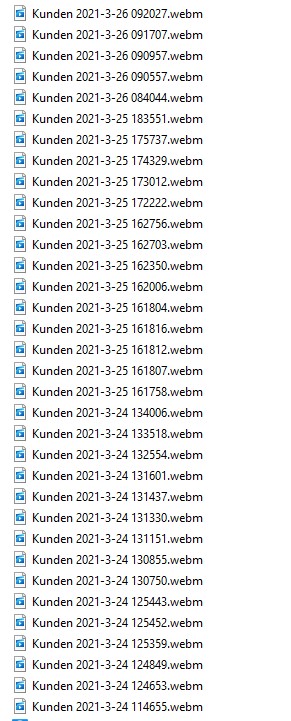
Screenshot 2021-03-26 115831.jpg
We have 2 or 3 bugs that will be fixed before the release. There will be no new features.
Regards
David Hervieux
I didn't expect any features. Just fixes. Thank you.
Hello,
A fix has been made for the session recording variable issue. It will be included in version 2021.1.19.0.
Regards
Jonathan Del Signore
Hello,
You will be happy to know that finally the .18 was not the RC. We have deployed a new version with the fix for the session recording. Could you give it a try?
https://cdn.devolutions.net/download/Devolutions.RemoteDesktopManager.Bin.2021.1.19.0.zip
https://cdn.devolutions.net/download/Setup.RemoteDesktopManager.2021.1.19.0.exe
Regards
David Hervieux
Ohhh finally! Variable-issue is fixed! Thank you!!
Is there any ETA for the release?
Best regards,
Kaj Graficom
Hello,
We just had our meeting and the official release is tomorrow morning.
Regards
David Hervieux
Nice to see version 2021 is released. When will the corresponding DPS version being released?
Hello Rene,
Devolutions Server version 2021.1.7 is now available.
Download: https://server.devolutions.net/home/download
Release notes: https://server.devolutions.net/release-notes
Upgrade procedure: https://helpserver.devolutions.net/upgrade_rdms.html
Best regards,
Richard Boisvert
Amazing...
I don't see information on how to upgrade DPS and RDM. Is it possible to upgrade DPS first to 2021 and 2020 RDM clients can still connect?
Or do we have to upgrade DPS and RDM all at the same time?
Hello Rene,
You will need to upgrade both Devolutions Server and RDM at the same time. If one is at version 2020.x and the other 2021.1, you will receive a prompt saying you need to upgrade to be able to connect.
Best regards,
Richard Boisvert
Hello Rene,
You will need to upgrade both Devolutions Server and RDM at the same time. If one is at version 2020.x and the other 2021.1, you will receive a prompt saying you need to upgrade to be able to connect.
Best regards,
Hi Richard
Thanks for the info. Then we have to wait, until RDM 2021 is released for Custom Installers, since we have around 40 clients using RDM and we need to deploy it using our internal software deployment tool with custom msi.
Best regards
Hello,
The custom installer for 2021.1.20 is now available!
Best regards,
Richard Boisvert
Unfortunately, the custom installer for 2021.1.20 produces 0 KB msi and exe files at the moment.
Hello,
We are currently investigating why the custom installer is not functioning properly, I will report back when it is fixed.
Best regards,
Richard Boisvert
Hello,
Our Engineering Department has just informed us that this issue has been fixed internally.
You will need to generate a new custom installer and this one should work without issues.
Best regards,
James Lafleur
Can confirm, it's fixed. Thank you very much.
Updated to 2021.1.20.0 On the VPN tab, we configure L2TP and after we have an error or 703 or 868. Please make a detailed isntruction with screenshots how to configure an RDP connection from scratch via Microsoft VPN L2TP ??? A lot of people need it, and we've been waiting for this feature... but the first time it does not work for us ((((
Hello @vitexeon
As per answered in this forum, we do actually have a step by step topic with screenshots: Create a Microsoft L2TP VPN Entry in our Knowledge base.
I hope this will help you out.
Best regards,
Christine Breault
Following these instructions, Microsoft VPN L2TP connections that use the Secret key of the L2TP connection in addition to the user's Username and Password do not work !! You can see standard examples of setting up thermal VPN servers with a secret key here
https://www.youtube.com/watch?v=xOyS1gZ0Lrg
https://www.riptidehosting.com/blog/how-to-install-vpn-server-on-windows-server-2019/
Connecting to such configured servers in RDM does not work !!! We hope to fix these errors in RDM as soon as possible
Morning,
Picked up an issue with the latest beta when connecting to Thycotic Secret Server with SSH keys.
I'm glad to see that SSH key inheritance is now working! However, and SSH Shells that have a "Linked (Vault)" credential don't seem to pass the SSH key correctly:

If I set the credential to "Inherited" and inherit the SSH key from a Folder, the SSH key is passed correctly and the SSH shell authenticates as expected.
Hello Steven,
Thanks for the report, I've opened a ticket and we'll work on fixing this.
Regards,
Hubert Mireault
Hello Steven,
This will be fixed with our release of RDM 2021.1.26.0 (our next minor patch).
Regards,
Hubert Mireault