Unable to register for free version due to JS script error on the login page
Unable to register for free version due to JS script error on the login page


All Comments (9)
Hello,
Thank you for reaching out to us. We are currently having an issue with the login in RDM, here is a workaround.
If you haven't yet, please start by creating a Free Devolutions account here: https://login.devolutions.com/op/login
When done, retrieve you Free RDM serial from this link: https://customer-portal.devolutions.com/serials
And from there register/login with the serial option in RDM, and you should be all set!
Best regards,
Richard Boisvert
I have used this method to register the application after reinstalling my laptop, the problem I now have is that I can't restore my backup, when I sign into backup I get the same script issue. Is there a workaround for that?
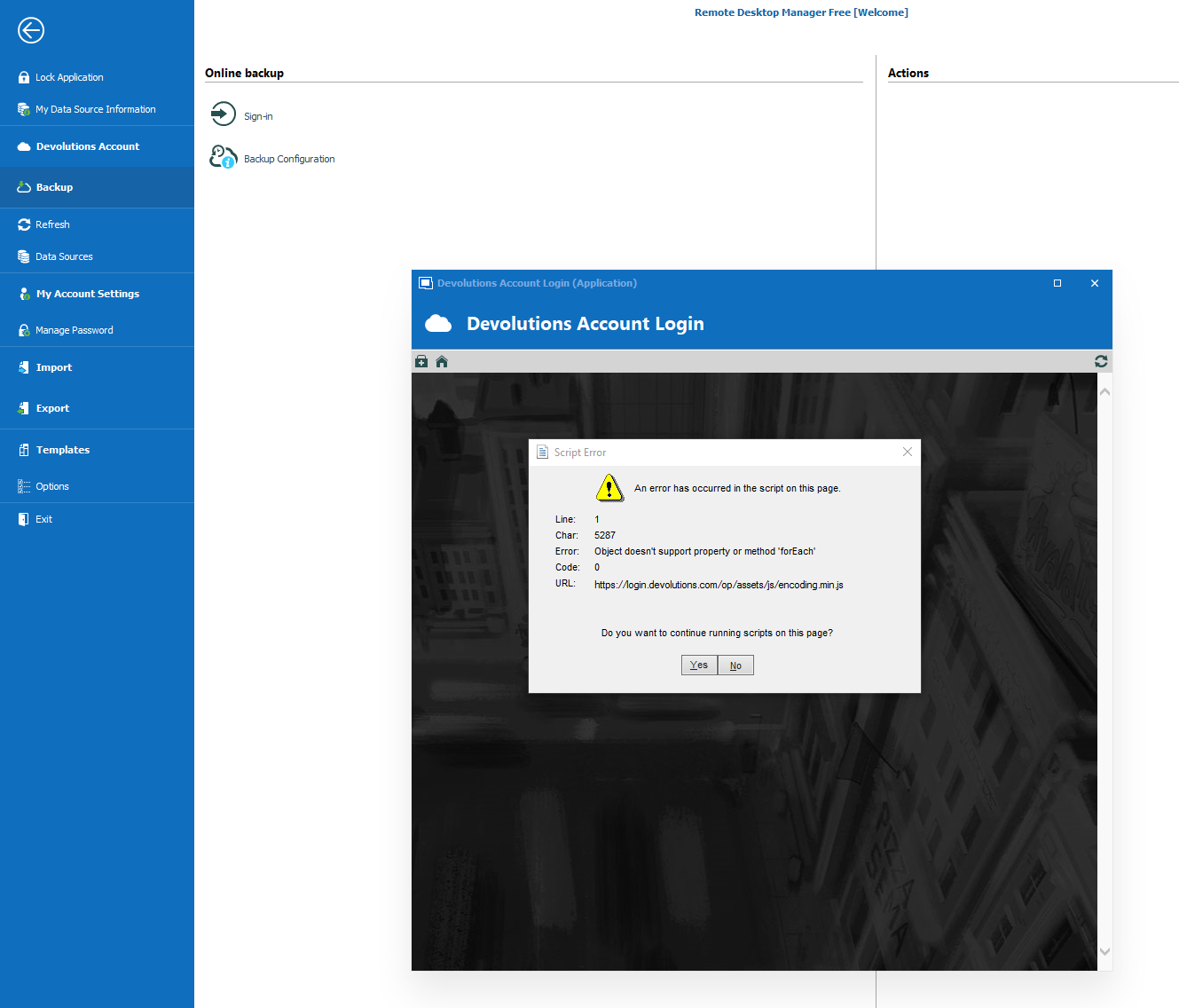
Hello @darrin,
The Online Drive backup feature is link to the Devolutions account, and so will not work with the current ongoing issue. So it is not possible at this moment for you to restore a backup from the Online Drive.
We recommend for current backup, as a workaround, to switch to a local one. To do so, go in File -> Data Sources -> Edit -> Backup tab and select File Backup.
Do you happen to have your entries on another RDM installation?
Best regards,
Christine Breault
Unfortunately not, I was relying on the online backup, I guess I'll have to start over, next time I will try and remember to backup to file and cloud.
Sorry about this, we will post in this thread when the fix will be available.
Best regards,
Christine Breault
Hello,
After having a quick discussion on that matter with our Engineering Department, they informed me that the new authentication method which rely on your native default browser outside of RDM, has been implemented in the Beta version of RDM Free. For this reason, do you think you could update to the latest Beta of RDM Free and see if you are able to access your online backup without issue?
Here is the link to RDM Beta forum with the direct download.
Best regards,
Christine Breault
@Chritine
Thank you very much for going the extra mile, the beta version was able to restore my backup :-)
Excellent news @darrin 😊 and thank you for taking the time to confirm all is well.
Have a nice day!
Christine Breault
Hello,
In the past, you had encountered an issue with the authentication on our cloud portal via RDM because of errors with our Internet Explorer implementation. This is now resolved in RDM 2021.x, since the authentication method is now completely changed. You can download the proper version (free or enterprise) here https://remotedesktopmanager.com/home/download . Please note that if you are running an advanced datasource, a database upgrade is required - https://help.remotedesktopmanager.com/database_upgrade.html
If you we're using the Online backup with Devolutions and that you had switch to a local backup as a workaround, you can reactivate the Online backup by going in File – Data sources – Edit – Backup tab and select Online backup.
Best regards,
Jeff Dagenais