Macros/Script/Tools using alternate credentials

We have a session entry that uses a specific credential. I'm speaking namely of the Computer Management, Event Viewer, and Services tools - the ones that launch MMC consoles. In the session, under Tools, I specify the same credential entry. When I try to run one of the tools (say, Event Viewer), I get an Access Denied message. However, I can manually run mmc.exe as the desired user, and it connects.
My questions are:
- How do we get the entries in Macros/Scripts/Tools to use that credential?
- If that's not possible, what is the credential setting in the session's Tools section for?
I've searched the forums and came across this post which is essentially the same issue, but it has no resolution.
All Comments (10)
Hello,
What version of RDM are you using?
How did you configure the credentials under Tools exactly? Maybe you can post a screenshot.
Is the remote computer on the same domain as your workstation where RDM is running?
Best regards,
Jeff Dagenais
We're on v2020.3.24.0, and both machines are on the same domain.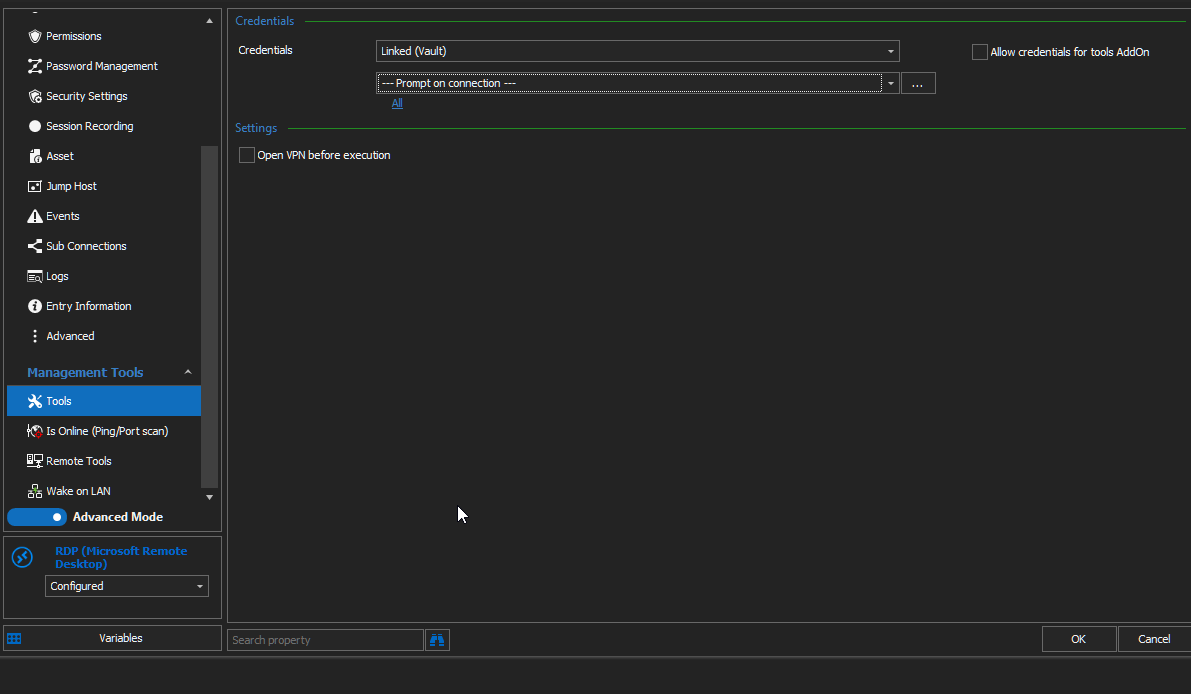
2021-01-14 09_20_54-Clipboard.png
Hello,
Your session is a RDP session right?
If you enter the credentials directly in the tool section, is it working?
Best regards,
Jeff Dagenais
Hi Jeff, no, it doesn't work that way either.
Hello,
You are trying to run these tools on a RDP session right?
Best regards,
Jeff Dagenais
Yes.
Hello,
If you are using the tools under the Management Tools tab, is it working? 
Best regards,
Jeff Dagenais
No - I get an access denied message. I am able to manually run mmc.exe, add the Event Viewer snapin and connect as the user I'm trying to use from RDM and that works fine, so the credentials themselves appear good.
Hello,
Could you go in Help -> Profiler -> Debug tab, set the debug level to 1 and reproduce the issue.
After, send us the logs of the profiler please.
Best regards,
Jeff Dagenais
Hello,
Thank you for profiler us your Profiler log, we will review it and get back to you shortly.
Best regards,
James Lafleur