User Vault incorrectly prompts "This entry has expired" for credential entries in RDM 2020.3.18.0
User Vault incorrectly prompts "This entry has expired" for credential entries in RDM 2020.3.18.0

In RDM 2020.3.18.0 Credentials incorrectly list as expired, while their expiry date is not yet due. Thus, I can't copy and paste these credentials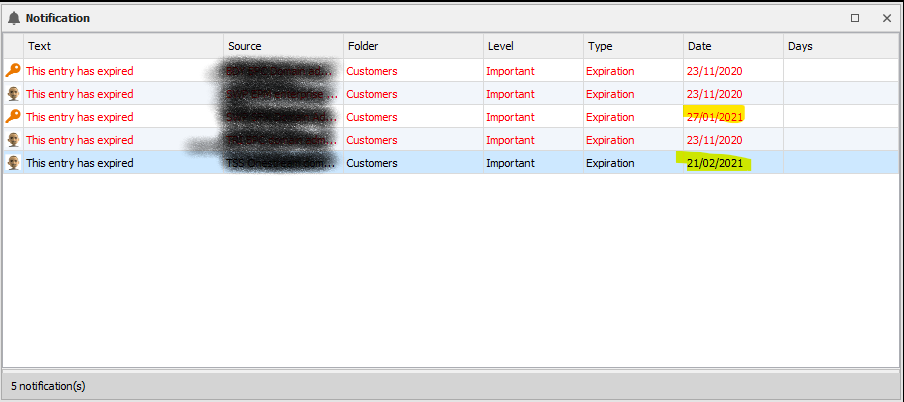
RDM_Screenshot 2020-11-23 115258.png
All Comments (6)
Hello,
Is it possible for you to export one or your entry (without the username and password) so that we can analyze it and see what is going wrong?
Best regards,
Jeff Dagenais
That's possible. Would you like that in .rdm format? And where should I attach this? In this forum thread?
Hello,
Thank you for answering so quickly. I was able to recreate this issue and have open a ticket at engineering, so there is no longer a need for your entry.
As a work around, you can remove the Expired after option by deselecting it in the Description menu of the properties and save the entry. When done reactivate it with a future date and it will be now available.
We will update this forum when the fix will be available.
Best regards,
Christine Breault
Thank you for the workaround, it works!
Excellent 😊have a nice day ReferIT.
Christine Breault
Hello,
Changes have been done internally and this issue should be fixed starting from the next version of RDM.
Regards,
Michaël Beaudin