How to open the Data Source Configuration window?

Hi there,
The manual (https://help.remotedesktopmanager.com/create-a-new-data-source.html) starts with "Open the Data Source Configuration window by clicking the ellipsis button at the top of the Navigation Pane.":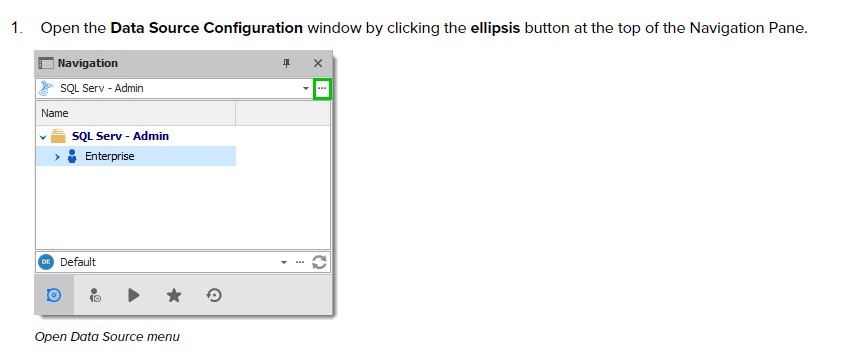
There is no ellipsis button at the top op the Navigation Pane in my RDM: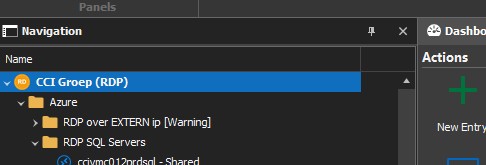
How can I open the Data Source Configuration window?
I'm an administrator.
Thanks & regards,
Jan
RDM2.jpg
RDM1.jpg
All Comments (3)
I use File - Datasources..
I have the impression you need >1 configured datasource (for instance: a local and a shared datasource) before you see the elipsis.
Regards, Ben v Z
Hello,
Ben is right that at least 2 data sources must exist in RDM to see data source selection menu with the ellipsis button.
We will update our online documentation.
Best regards,
Érica Poirier
Ben, Érica, thanks both of you.
Yes, I can use the menu and see ellipsis after adding an additional data source.
Solved!