SSH tab (not closing on session timeout)

Hi ..
Running RDM Windows (Enterprise) v 2020.2.17.0
SSH sessions are not closing their tabs when the timeout is reached (an old bug).
Is there some setting I am missing in the session setup
All Comments (7)
Hello,
Would you be able to give it a try with the latest version (2020.2.19.0) in order to see if the issue persist?
https://remotedesktopmanager.com/home/downloadenterprise
Best Regards,
Etienne Lord
Hi .. I did that after I posted this, still happening.
I clicked around on the tab, pressing buttons (CTRL-C, CTRL-Z) and finally this message appeared (see below).
Then pressing OK caused the tab to close.
But surely shouldn't the tab auto-close when the session is closed at the remote side ?
I know you guys switched to another SSH program, would PuTTY do the same back in the old days ?
I've looked through earlier posts, and saw messages the same, so is this a bug that's come back ?
It's just mildly annoying when you have multiple things opened.
Hello,
I will have to check with the engineering department for that error message. In the meantime, if you head over to File - Options - Types, do you have the "Keep tab page opened on disconnect" set to "False"
Best Regards,
Etienne Lord
I do.
Hello,
Could you also head over to the Advanced tab of your SSH session, hat is the option set for "Disconnect Action"?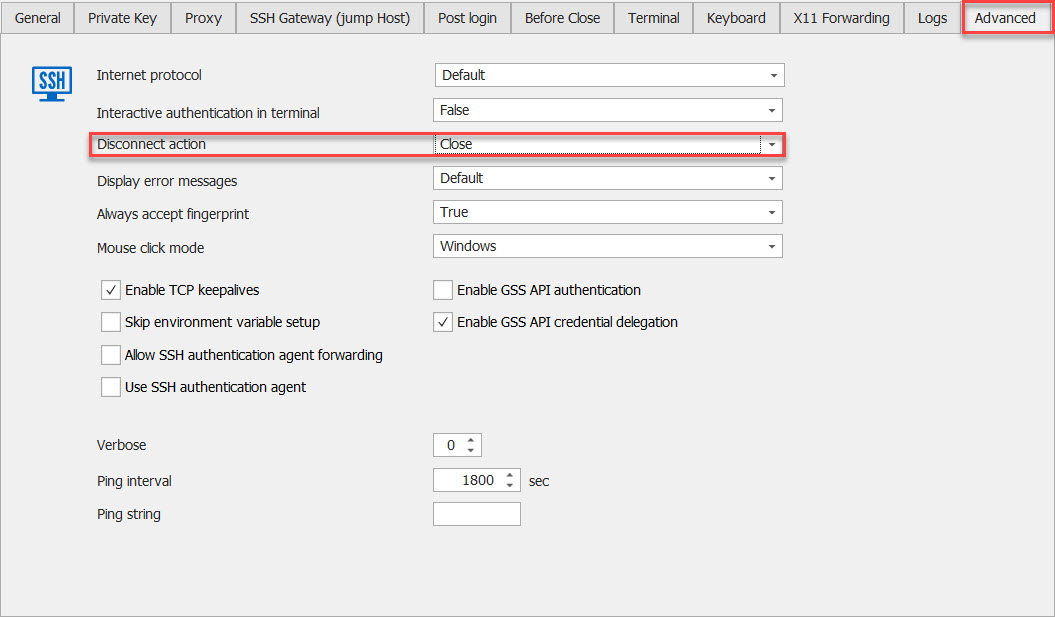
Best Regards,
Etienne Lord
disconnect.jpg
OK, that is not set, as it is set to 'Default' (which is the SSH connection without any changes).
I also notice you have some other settings, any of those pertinent ?
I'll give it a try with that set to Close, what is the 'Default' ?
Hello,
I believe it refers to this option in File - Options - Types - Terminal : 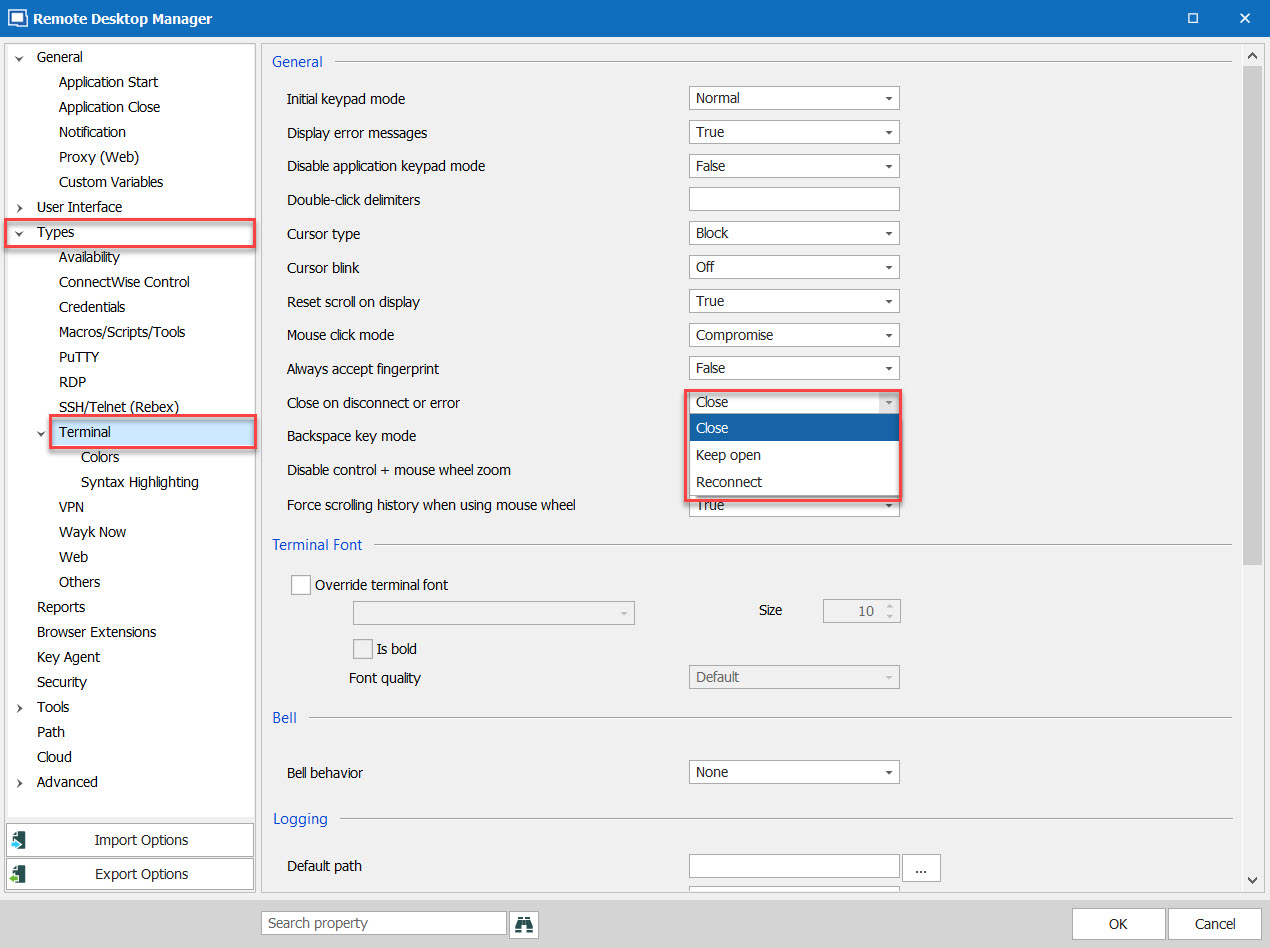
Best Regards,
Etienne Lord
closeondisconnect.jpg