Embedded web browser session - pop-up window blocked

Hello,
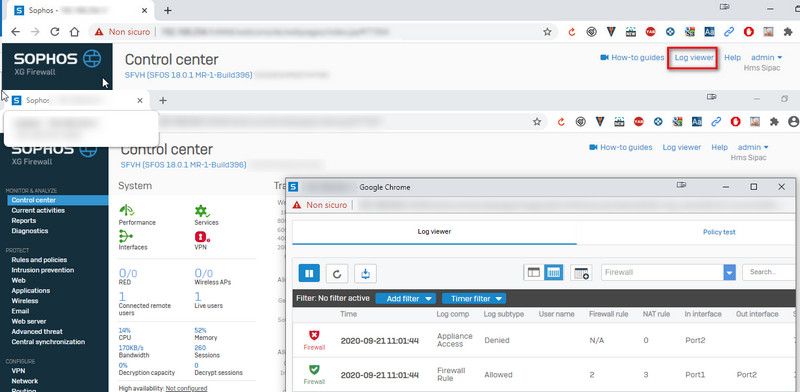
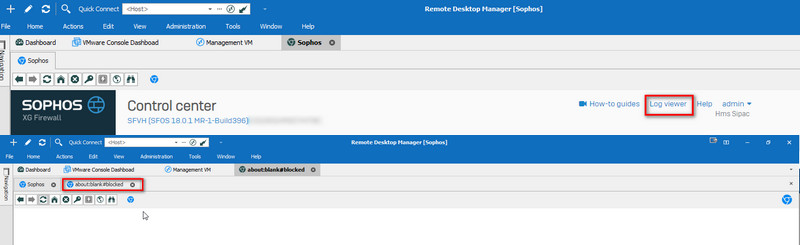
I have configured embedded web session using chrome. My application (firewall console) has a log viewer opening in an external window, that RDM blocks.
I have to use chrome because with other browsers the application is not working well.
Here some screenshots of the issue and session properties.
RDM 2020.2.19.0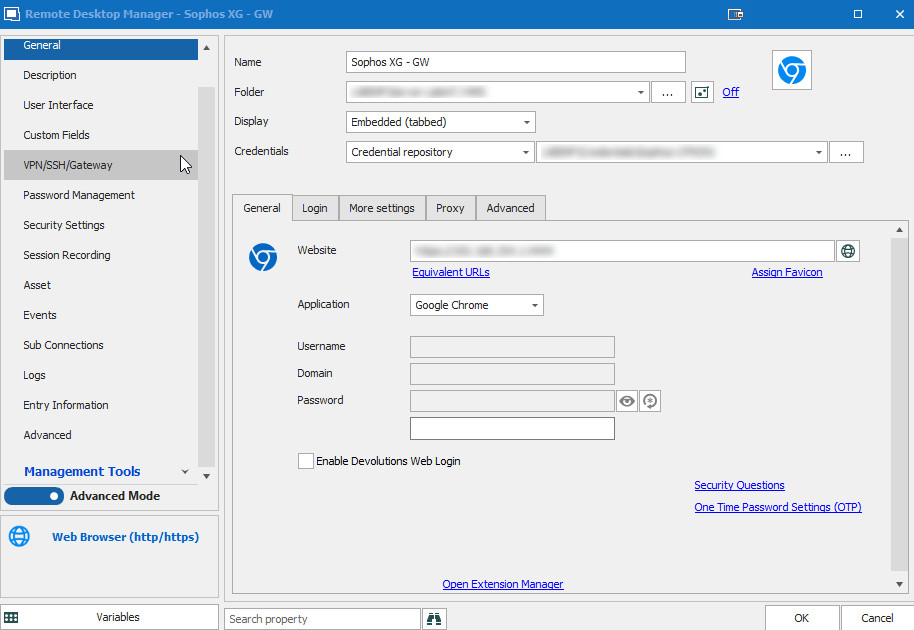
thanks in advance
best regards
Davide
SessionProperties.jpg
ExternalSession.jpg
EmbeddedSession.jpg
All Comments (6)
Hello,
Thank you for contacting us on that matter.
We received a very similar question a few weeks ago :
https://forum.devolutions.net/topics/34235/popup-window-requires-returning-to-last-page-before-showing-up
Unfortunately, at least for the time being, our response remains the same. The issue seems to be caused by a limitation in the third-party components we use for the embedded browser. However, since we don't have access to a Sophos Firewall, we can't do tests on our end to determine the exact cause and see if we could solve this problem.
I suggested to the user in the other thread to try the option "Disable autofill on new tab" found in the "More settings" tab of the Web Browser entry, since it has helped with similar issues in the past. However, I didn't get feedback as to whether it helps in the case of the Sophos pop up specifically.
If this option does not help, the only workaround we can suggest is to launch your website in External mode so you can use it in an actual browser and avoid the limitations of the embedded browser.
Best regards,
Gabriel Degrandpré
Hello Gabriel,
I have just tried the workaround, but also for me is not working. I have modified the session as external.
Thank you
Best regards,
Davide
I've just got the same thing when using the vSphere HTML5 client using Chrome.
I tried launching 'Remote Console' (which spawns a link to launch the VMware Remote Console app), and I get the 'blocked' message also.
This used to work fine, and has only appeared on the latest BETA (2020.3.8.0) that I had to install to resolve the broken SSH.
Can we see some fixes please, you guys have been great about resolving such issues in the past.
We're reproducing the issue
We'll get back with some news soon.
Alexandre Roy
Thanks as always.
I use you guys as a 'case' as to how modern day software development should be, as you're listening not ignoring.
Hello,
The issue has been resolved internally, it should be available in 2020.3.9.0, which should be available in the next hour.
Regards,
Alexandre Roy