Customizable Actions
0 vote

Hello
i'm using RDM mainly with external RDP sessions from MAC and WINDOWS some times directly from notebook display and some times with external display. They have different resolutions and i prefer to use windowed session, not full screen.
For this need it would be useful to be able to add custom actions where I can customize the characteristics of the session - the resolution for example - and have multiple action as "open session 1024 x 768" or "open session 1600 x 1200" etc.there is no possibility to select the credentials.
I try "open with template" and it works well but the template doesn't have the option to "open select credential" as the homonym action and it's very comfortable as a new custom action.
Thanks
All Comments (14)
Hello Maran,
Thank you for contacting us on that matter!
According to your request, you would like to see this feature in RDM Mac, is that correct?
If so, with your permission, I will move this feature request to the to RDM Mac section of our forum.
Best regards,
James Lafleur
Hello
WINDOWS and MAC, i use both.
Thanks
Hello,
I will add this to our todo. I think the first thing we could do is add an setting for Select Credentials in the template. What do you think?
Regards
David Hervieux
Hello,
You could also give this a try : In your RDP template, set the Credential option to "Credential Repository" -> Prompt on connection. This way, it will act the same as "open select credential" when you launch your connections. :) 
Best Regards,
Etienne Lord
template.jpg
thank you for your suggestion.
This work like a charm in Windows RDM paying attention to the checkbox "use credentials from template".
But for Mac RDM this checkbox don't exist.
thanks
Hi,
Are we not referring to this option: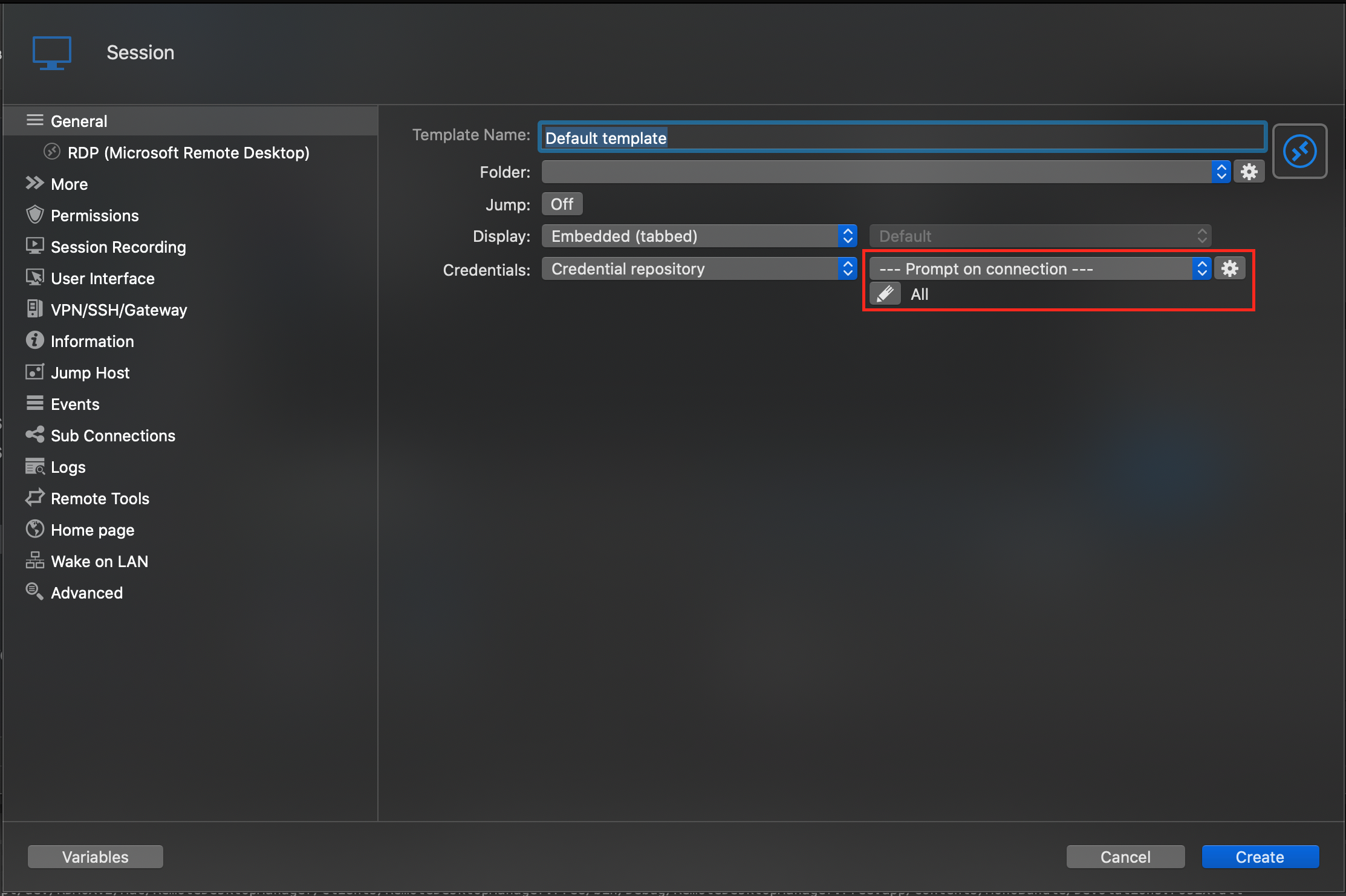
Best regards,
Xavier Fortin
TemplateCredRepo.png
In MAC edition there is a little bug that doesn't permit to save the option as your printscreen.
When i press Create it ask mandatorily for a credential entry.
In the Windows edition doesn't ask for a credential entry.
Well, you are right on this. I'll file the bug.
That being said, you can still save the entry. The selection of a credential is for verification purpose. If you actually select one, it will still save the template with the --- Prompt on connection --- option.
Best regards
Xavier Fortin
Hello Xavier
MAC edition BUG: the open with a RDP template that is configure for use the credential repository => prompt on connection doesn't work.
The credential list doesn't show.
Thanks
Hi Maran,
Is this something that works in RDM Windows for you? I've tried on both RDM Mac and Windows and get the same behavior. I believe this is normal, host and credentials information are taken from the session, not the template. If it's something that works for you in RDM Windows, I'm missing an option somewhere.
Best regards,
Xavier Fortin
Hello Xavier
the behavior is slightly different from MAC to WINDOWS.
In both the templates are configured to use the Credential repository and --- Prompt on connection ---.
I use AZURE SQL Database for each.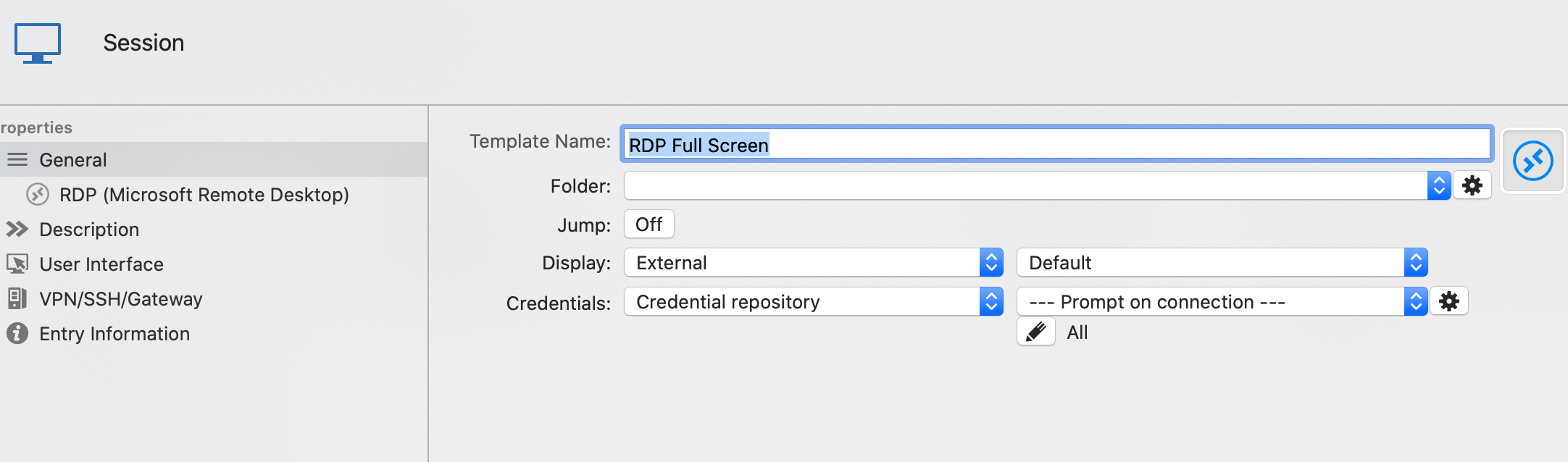
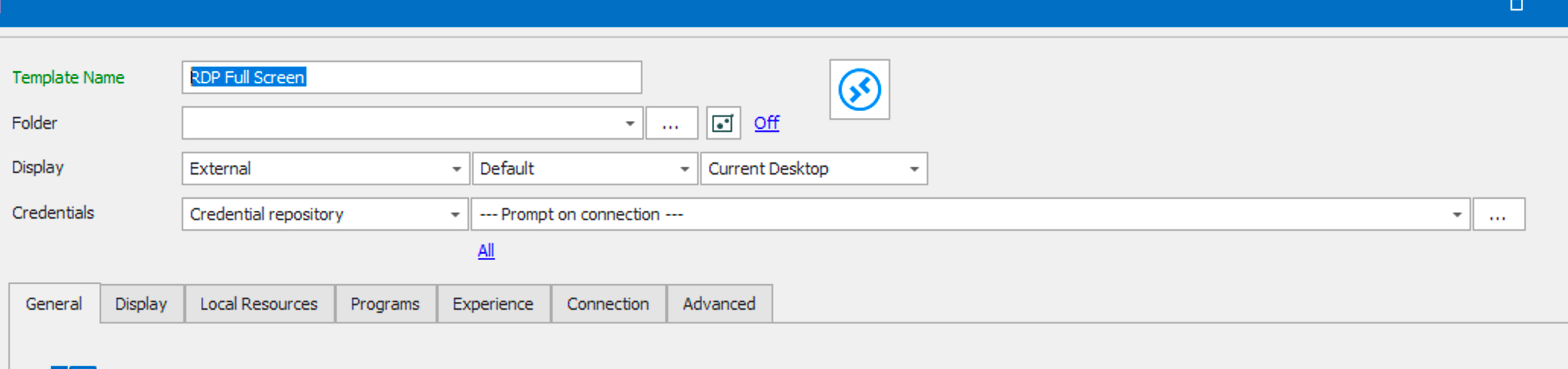
In WINDOWS after launching "open with template" the Credential entry selection appears, in MAC it doesn't.
Thanks
WINDOWS_Template.jpg
MAC_Template.jpg
Hi,
It appears we lack the "Use credentials from template" check box in our template selection. We'll add this to the TODO list.
Best regards,
Xavier Fortin
Hi,
The "Use credentials from template" check box will be available in the next release of RDM and RDM Free (2020.2.3.0).
Best regards,
Xavier Fortin
Hi Michele
to go back to your original question in the 1st post: if you want different resolution on MAC in comparison to when on Windows, on the same connection; why don't you create RDP connections with the desired resolution on one of the 2 platforms, then use Edit - local specific settings on the other platform? This allows you to override a number of things, including the screen resolution. Then you can have the same connection with different screen resolutions per platform. For this to be possible, the entry should be in an 'advanced' datasource if I'm not mistaken.
Regards, Ben van Zanten