Browser Popups Blocked in Tabbed Embedded Sessions

I have same issue in Windows version, like on Mac https://forum.devolutions.net/topic32035-browser-popups-blocked-in-tabbed-embedded-sessions.aspx
Browser, which open some windows by JS, unable to open, RDM latest.
All Comments (7)
Hello,
Are you on the latest non-Beta version of RDM, which is version 2019.1.41.? If not, could you please provide me the Beta version number you are currently on?
Also, would it be possible for you to provide us a screenshot of what you are seeing when you launch your "Web Browser" entry?
Best regards,
James Lafleur
Yes, i'm using 2019.1.41.0
Screenshots attached.
Hyperlink contains JS-code:
<a href="javascript:showMessageDetails('URL)">
Show Details <img src="/scfw/1y-13.0.0-187/images/new_win.gif"></a>
js-code:
function showMessageDetails(url){
//creates a form using the url query string parameters
//and sumbmit the form to a newly opened window
var mform = urlToForm(url);
document.body.appendChild(mform);
nw = window.open('', 'newWin', 'width=950,height=700,resizeable,scrollbars');
nw.moveTo(40,40);
mform.target = 'newWin'
mform.submit();
document.body.removeChild(mform);
nw.focus();
}
scr2.PNG
scr1.PNG
Hello,
Thank you for your quick reply!
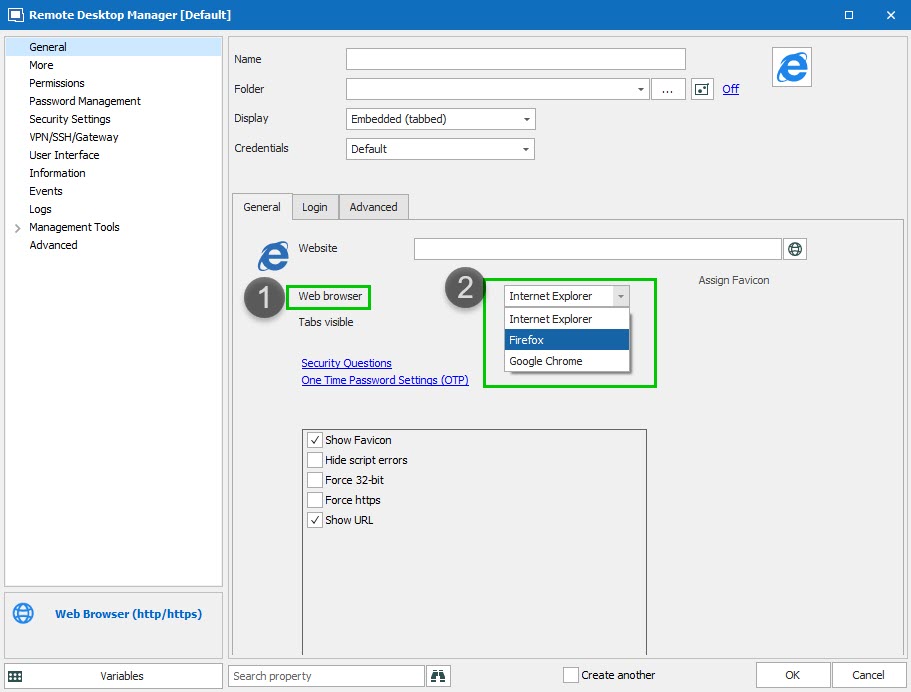
Do you experience the same issue if you go in the properties of your entry and change your Web Browser from IE to Google Chrome or Firefox?
Best regards,
James Lafleur
WebBrowser.jpg
I'm not using FF, but IE and Chrome have same issue.
Some time ago, popups works fine, but after one of release (didn't noticed which one), it stop working.
Hello,
Would it be possible for you to try the latest Beta of RDM and see if this issue still occurs?
I would recommend trying it as a portable version in order to leave your current configuration untouched.
To do so, you will need to download the .zip file below, extract it's content in a newly created folder, enter your current serial and run the executable: https://remotedesktopmanager.com/home/thankyou/rdmbinbeta
Best regards,
James Lafleur
Beta version have same issue.
Hello,
Unfortunately, since the Beta did not fix this issue, I fear that this is a limitation of the third part we are using to launch web pages in embedded mode.
As a workaround, I would recommend to open these web pages in external mode.
Best regards,
James Lafleur