In RDM, is there any way to manually sort/rearrange folders located under other folders?
In RDM, is there any way to manually sort/rearrange folders located under other folders?

In RDM, is there any way to manually sort/rearrange folders located under other folders (nested folders)? By default they are listed in alphabetical order, but sometimes I would like them to be listed in a custom order instead.
For example instead of listing them in this order,
APP Folder
> DV Folder
> PD Folder
> QA Folder
> RF Folder
I would like to rearrange them to be in this order,
APP Folder
> RF Folder
> DV Folder
> QA Folder
> PD Folder
All Comments (7)
Hello,
This can be achieved using the "Sort Priority" option located under the "User Interface" section of the Properties of your Folder.
By changing this value , you will be able to sort them in a custom order.
https://help.remotedesktopmanager.com/settings_userinterface.htm
Best regards,
James Lafleur
Hi James,
I just found this post as I looked for a solution for our actual problem: since the upgrade to 2024.x (actually we use the recent version 2024.1.20.0) one of our folders is shown at the lower end of the navigation pane. By alphabetical order it should be about in the middle of the list - it has NO sort priority and if you set a sort priority this doesn't work! But for example in the 'Move' dialog it is shown right -> please have a look at the screenshot attached.
Is there anything I've overseen? I compared the user interface settings of this folder with some others and there are some with a sort priority (shown at the tip of the list) and most with no (0) sort priority (shown alphabetically) ...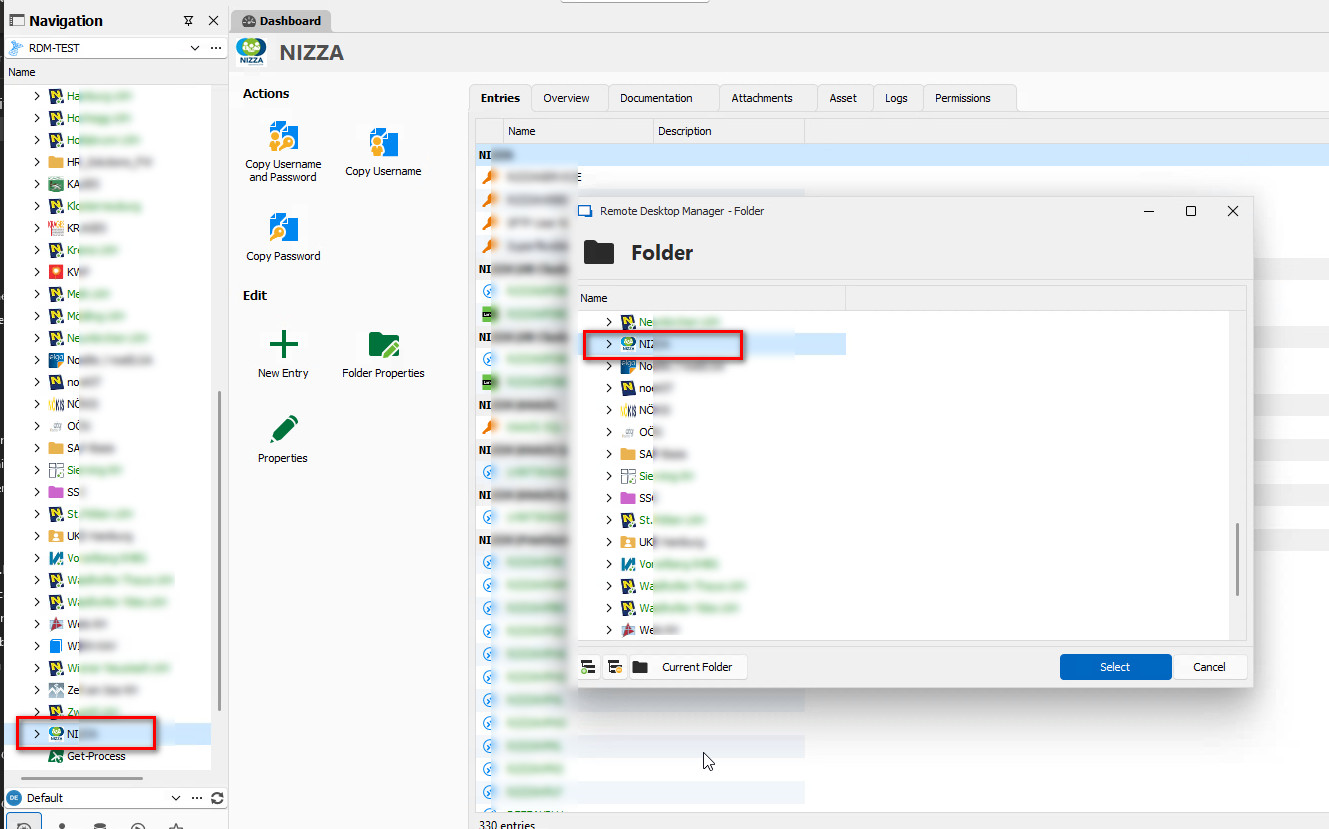
2024-04-02_104925.jpg
Hello,
This is really a strange bug. Could you verify if one the entry inside the faulting folder has a different sort priority? This could help me reproduce the issue.
Regards
David Hervieux
Hi David,
I just checked the several dozens of folders and some connections and found some with sort priority set. I changed them and to be sure, I used Batch Edit to override all the connection sort priority and then Batch Edit Sort Priority (-> screenshots). But nothing changed! The folder still stays at the end of the list. 🤷♂️
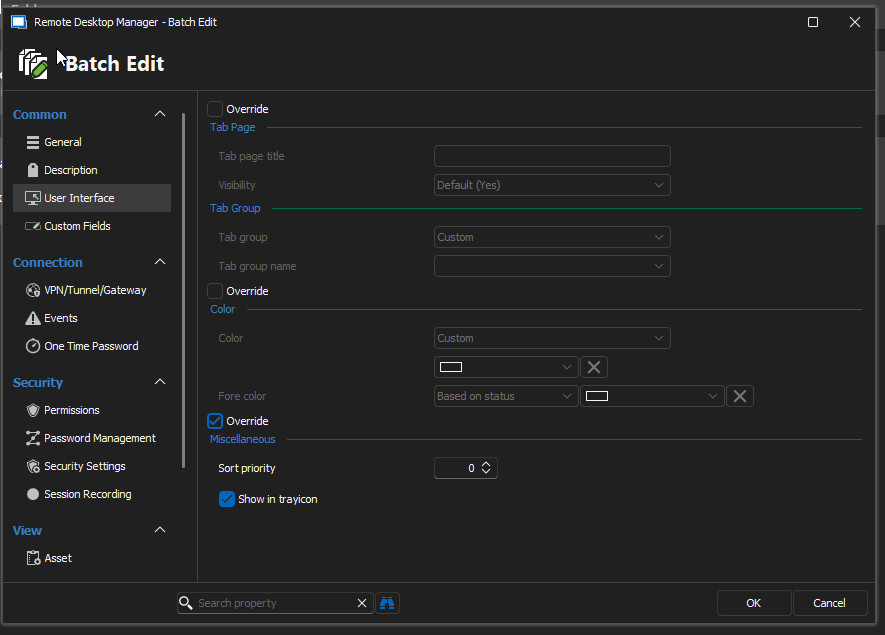
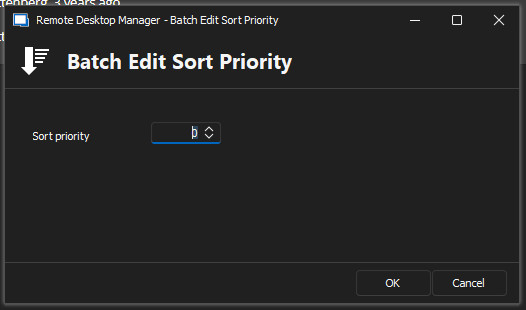
Best regards,
Clemens
Batch Edit Sort Priority.jpg
Batch Edit.jpg
Hi!
My colleague found it accidentally: in advanced properties the Scope was as 'Credentials' set. No idea who, when and why this was set and why it only got a problem after the upgrade to 2024 version. He changed it to Default and the sorting order was right again ...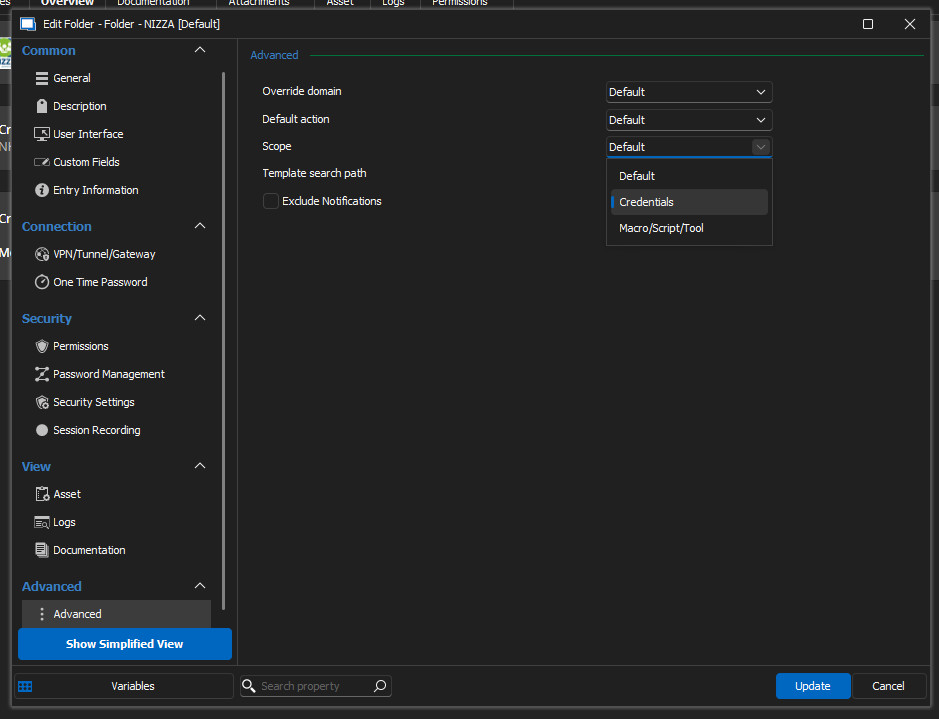
Best regards,
Clemens
advanced folder settings - scope.jpg
Hello,
Thank you for the update. I'm glad it's fixed your issue.
Regards
David Hervieux
Thanks, it still works. I've spent a lot of time figuring this out :)