Installed Setup.RemoteDesktopManagerFree.4.5.2.0.exe

Setup.RemoteDesktopManagerFree.4.5.2.0.exe is installed on Windows 8.1 Pro. Took the "Typical" installation option and no errors during the installation process. Ticked the "Launch Remote Desktop Manager after installation is done" option. The issue is after the successful installation, the Remote Desktop Manager launched and then quickly disappeared, gone. Manually launch it by clicking the desktop icon doesn't make any difference.
Here are the measures I have take/tried but nothing worked
1. Restart Windows and then launch Remote Desktop Manager
2. Reinstall Setup.RemoteDesktopManagerFree.4.5.2.0.exe and using Administrator right and then launch.
3. Double check Task Manager to see if the Remote Desktop Manager is running. No, it's not even running
Are there anything else I should do to make it work? I have heard a lot of good things about the software but I just can't get it to work?
Thanks in advance for your help
Jack W
All Comments (5)
Hello,
Our QA team is currently investigating.
Thank you for reporting this.
Best regards,
Marc Beauséjour
Hello,
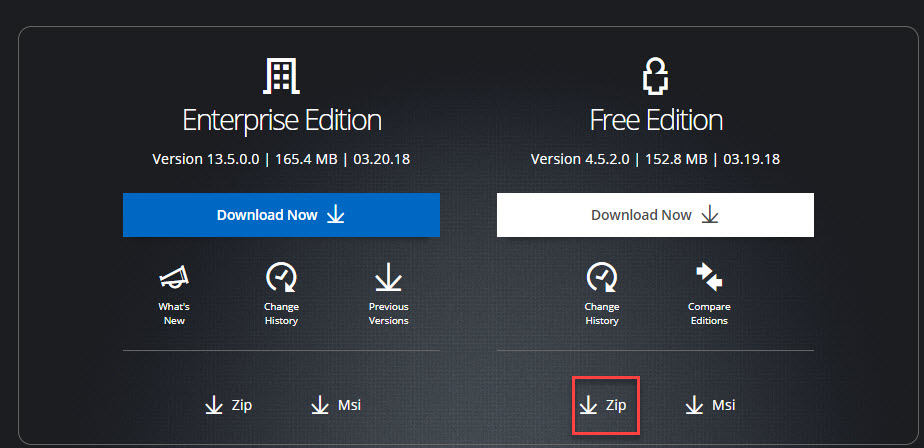
Did you try our portable version here ? ( https://remotedesktopmanager.com/home/download )
Simply go on our Download page and click here
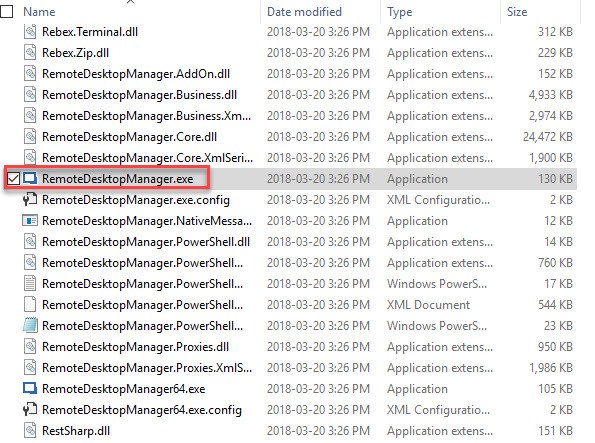
Then simply extract the files in a folder on your desktop and run the "RemoteDesktopManager.exe"
Best regards,
Zacharia Ellaham
ZEXEC.jpg
ZipFree.jpg
Hi Zacharia,
Just tried. After installing Setup.RemoteDesktopManagerAgent.1.3.0.0.exe, it does the same thing -- Nothing happens. Manually launch Remote Desktop Manager Agent and it does the same thing.
Hi Jack,
Make sure you have .NET 4.6.2 installed on your system.
https://www.microsoft.com/net/download/dotnet-framework-runtime/net462
It's a prerequisite to run RDM but no longer flagged within the installer. We are having issues with the installer.
Install it manually and all should be good.
Best regards,
Stéfane Lavergne
Hi Stefane,
Downloaded/installed .net 4.6.2 from the link you provided and reinstalled Setup.RemoteDesktopManagerFree.4.5.2.exe. Rebooted the machine to allow .net 4.6.2 take effect. Launched RDP Manager Free and it is doing the same as before - after the model window with software logo launched, it then disappeared.
Also tried the agent version and it is not launching anything.
Thanks for looking into it and look forward to your further assistance.
Jack W