Documents update and Usage Logs

Hello!
When I update a document stored in a database, no information about it is logged in Usage Logs. Why?
Is it a bug?
This is a very necessary function.
All Comments (12)
Hi
I will verify. I think that his log is simply missing. We will make sure to add it.
Regards
David Hervieux
Thanks for your reply. I'll wait for the solution of the problem in the next version.
Hello,
Just to confirm with you, can you give me a few informations:
1. The datasource type you're using
2. The document entry type has the issue
3. Your version of RDM
When I update the document I see a log saying "entry edited" in the entry's logs. I'm using an SQL Server datasource:
Regards,
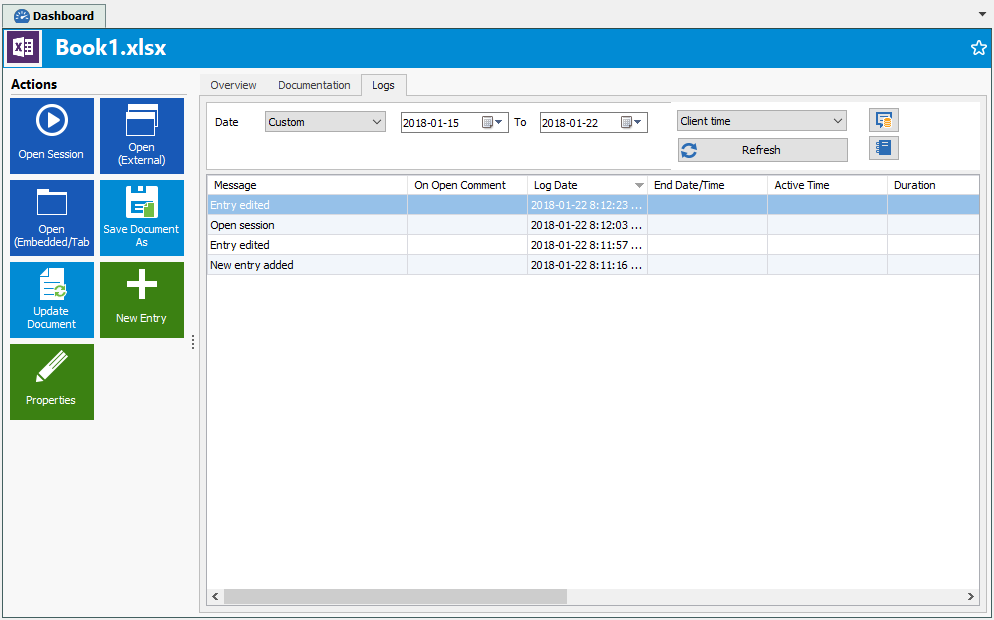
Hubert Mireault
2018-01-22_8-14-45.png
1. MS SQL Server
2. MS Excel or MS Visio.
3. Version 13.0.6.0 64-bit. OS Windows 8.1 64-bit.
And can you confirm that in the logs you see "entry edited" or do you not see that when you update the document?
Since the log itself isn't too clear, we'll change it to something like "Entry document updated".
Regards,
Hubert Mireault
When I create a document, a record is added to the log.
When I open the document, an entry about the opening is added to the log.
When I update the document, nothing is added to the log.
This is strange, I haven't been able to reproduce it but I did add the new logs for a better message when updating the document. It will be available in the next beta version. It might help your issue so I would like if you tried it out when it releases.
Regards,
Hubert Mireault
I have an additional question, are the documents standalone entries, or are they attachments to an already existing entry?
Regards,
Hubert Mireault
The documents are standalone entries. I tried to make attachments to an already existing entry but the journal is also empty.
Can I somehow more help in solving the problem? Maybe you need some more logs? Where can I find them?
Hello,
I could reproduce your issue and was wondering if you were editing your Excel file directly in RDM or if you were using the Update document button ?
Best regards,
Zacharia Ellaham
Excel Update document.png
I'm using the Update document button.
Hello,
Would it be possible for you to try the last beta and let us know if you experience the same issue.
( https://remotedesktopmanager.com/home/download )
Best regards,
Zacharia Ellaham