Screen Connect V5
I recently updated my linux server to screen connect version 5 and now remote desktop manager wont connect screen connect sessions anymore.
Here are the details:
Screen Connect v5 running on Ubuntu Server v14
Remote Desktop Manager v10.0.2.0
Attached is the warning coming up when I try to connect to a Screen Connect Session
Let me know what I can do to help you solve this out. I was using this all the time to connect to screen connect sessions and loved it.
Ian
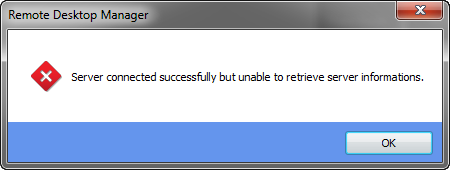
Screen Connect Error.png
All Comments (61)
Hello,
We can see this on the ScreenConnect site[code]Starting in version 5.0, you'll be greeted with the new "WindowsSelector" option.[/code]
We will have to ask a developer to look at this.
edited by mcote on 10/21/2014
Maurice
Thanks Maurice, Let me know what I can do to help.
Hi,
I'm assigned to your issue.
I'm going to investigate it next Monday.
Best regards,
edited by asanscartier on 10/23/2014
André Sanscartier
Awesome,
Let me know if you need anything Andre.
Any luck so far?
Hi,
A meeting has to be scheduled with ScreenConnect development team.
They agreed to help us because this release is probably there most important to date. Almost everything has changed in background.
Stay tuned...
André Sanscartier

Any news ?
Hi,
It's almost done.
We are in the tests phase.
Regards,
André Sanscartier
Hello,
Starting with ScreenConnect version 5, you will need to install the extension we made from the ScreenConnect extension browser. We are currently working out the details with the ScreenConnect team so they can put our extension in their browser. Once this is done, it should be possible to use ScreenConnect version 5 with RDM provided the extension is installed. This shouldn't take too long.
Regards,
Hubert Mireault
Where can i download the extension.
The extension will be downloaded from the ScreenConnect store when it is approved.
They have an approval process which is currently under heavy load, but they assure us that we will be processed quickly.
We will post detailed instructions as soon as we can follow the installation process ourselves.
Best regards,
edited by mcote on 12/3/2014
Maurice
Thanks so Much this is working now.
Screen Connect: V5
Remote Desktop Manager: V10.1
Screen Connect RDM Extension Installed
Also Make sure to change the screen connect version setting. This was the piece I was missing and it took forever to realize.
Its Under File > Options> Types > ScreenConnect > Version
Thank You
Thanks its working fine execept now i receive hundred of email notification, i disable de screen connect plugin and its ok, i think it trigger someting.
Hello,
There was a problem with the extension that we couldn't fix due to some trouble with the ScreenConnect extension development infrastructure. We are now able to work on it and we will push an update today which will fix the issue. I will update this topic when it comes out.
Regards,
Hubert Mireault
@catman: There should also be, in the ScreenConnect connection's Settings tab, a way to change the version. It's set to default by default, which takes the value in the options (the one you mentionned).
@alajoie: The extension in the ScreenConnect extension browser is now updated to version 1.1, which should fix this problem. Please tell us if after updating to this version the problem still occurs.
Regards,
Hubert Mireault
Hello,
Could you take a look in one of your ScreenConnect entries in RDM? By default, in the Settings tab, the ScreenConnect version should be "Default". You can change the default in File > Options > Types > ScreenConnect, and put it to version 5. For more information, you can look at our help topic on ScreenConnect.
Do you have version 10.1.4.0 of RDM? Earlier versions had problems with version 1.1 of our ScreenConnect extension.
Regards
Hubert Mireault
I'm a little confused and hoping you can help me:
1) Where do I download the extension from?
2) Where does this extension need to be installed?
Thanks!
Jeff
Hello,
Its in ScreenConnect extension store directly. We publish our extension to their store.
Please consult http://help.remotedesktopmanager.com/howto_screenconnect5.htm
Best regards,
Maurice
I tried this, and I get this error message:
"Server connected successfully but unable to retrieve server information"
ideas?
Thanks!
Hello,
What is your RDM version, and what is your ScreenConnect version? Make sure to use RDM version 10.1.4.0 or later if you are using version 1.1 of the RDM ScreenConnect extension. Furthermore, be sure to consult the help topics on ScreenConnect to make sure your entry is setup properly.
Regards,
Hubert Mireault
Hi jhamm@logos-data.com,
What version of RDM are you running?
Have you installed the version 1.1 of the ScreenConnect Extension?
Best regards,
Jeff Dagenais
I am using RDM version 10.1.4. I have installed the ScreenConnect Extension 1.1 on my ScreenConnect server. I have rebooted both my laptop with RDM 10.1.4, and also my ScreenConnect server. Still get the same error message:
"Server connected successfully but unable to retrieve server information"
Could you tell us what version of ScreenConnect your server is running, and on what platform (linux/windows)?
Hubert Mireault
Screen Connect version running 5.0.8132.5459
Windows Server 2008 R2
Thank you, I will look into this problem.
Hubert Mireault
I do see there is a ScreenConnect version 5.1.8208.5485 available. Do you think that might help?
Nevermind - that is a beta version
I have a windows server 2008 R2 running my ScreenConnect and the version of RDM that I am using is the latest one 10.1.4.0
I have made sure that I have set the settings tab on the session to extension version 5 or higher.
I have reviewed my ScreenConnect entried in RDM. I've specified ScreenConnect V5 in both the Options for RDM, and also on the tab of the specific ScreenConnect session entry. Still no love :(
@alvarrx and jhamm: Do you have anything related to this issue in the application logs? You can find these logs in Help > View Application Logs. Feel free to post them here or send them to me through the forum's private messaging feature.
I'm unable to reproduce the issue on our Windows Server 2008 R2 machines, but I will do further testing.
Hubert Mireault
@alvarrx and jhamm: What is your ScreenConnect user source? You can check it in the ScreenConnect interface, Admin > Security. Are you using LDAP or Windows Active directory sources? That might be the issue. I will look into it.
Hubert Mireault
My user source is connected to a Microsoft SQL database.
Just sent you a private message with entries from the application log
My user source is internal
Thank you for the logs. It seems that RDM is unable to find the Service.ashx file we use in the ScreenConnect extension.
The URL we use to access the extension is under the format: "http://HOST:WEB_SERVICE_PORT/App_Extensions/EXTENSION_ID/Service.ashx/EXTENSION_METHOD_NAME"
Could you check for a few things?
1. Could you make sure to specify the web service port in the URL for the RDM session? By default, the port should be 8040.
2. In your ScreenConnect installation folder, could you make sure that the folder App_Extensions exists and inside it, the folder a161d6cf-0141-4280-a97c-b84c23e0b3da ? This is the extension's identifier for version 1.1. By default, ScreenConnect's installation path is C:\Program Files (x86)\ScreenConnect . In the extension's folder, is the file Service.ashx there?
3. Could you try using the ScreenConnect Administrator account in the RDM entry?
Regards,
edited by Hubert Mireault on 1/19/2015
Hubert Mireault
I'll try all that out and let you know.
Thanks!
Jeff
My sessions have the http://serverip:8040
The server that is hosting the ScreenConnect has the folder that you are referrencing and contains three files.
Manifest.xml
Promote.png
Service.ashx
The admin account worked! -- The account I was using was in the HOST permission group why is it necessary for the account to be in the admin group?
Hello,
There was something we overlooked while creating the ScreenConnect extension. I will work on updating it so it works with the next version of RDM. It shouldn't take too long but we need to contact ScreenConnect directly to fix another small issue.
I will get back to you when the next version of our extension is available.
Thank you for helping us pinpoint the problem.
Regards,
Hubert Mireault
Thanks!
Hello,
Version 1.2 of the RDM ScreenConnect extension is available in the ScreenConnect extension browser. Could you guys test it out and tell us if it solves the problem? I've not been able to reproduce it on our machines with this newest version.
Make sure to use the latest version of RDM, just in case.
Regards,
Hubert Mireault
I still get the error of "Server connected successfully but unable to retrieve server informations" PMing the application log.
Thank you for the logs.
Could you send me a Screenshot of the privileges the user you're trying to use has? For example, if he's in the HOST group, could you screen shot the HOST group's privileges and send me them?
With the default privileges the HOST group has, it works for me, so I'm not sure where the problem is. Just in case, could you try out the latest version of RDM (version 10.1.6.0).
Regards,
Hubert Mireault
@alvarrx: Could you try using the latest version of RDM? I noticed the logs you sent me were from RDM 10.1.4.0.
Hubert Mireault
You have PM with the logs after the update to RDM 10.1.7.0
Thank you, I will look into this.
Hubert Mireault
This works now for me on a "fresh" install on a different computer running version 10.1.9 with the RDM 1.2 extenstion installed, but when I upgraded my main PC to 10.1.9 it still does not work. Ideas?
PS - If I export all all my entries to a RDM export file, will I lose anything if I uninstall and re install from scratch. How do I do a "complete" uninstall of everything including settings?
What datasource do you use? If you use a SQL server datasource, for example, uninstalling RDM will not touch in any way that database.
If you want to completely remove RDM's files to allow for a fresh start, you can first uninstall the application, then delete the RemoteDesktopManager folder located in %LocalAppData%\Devolutions. This will effectively remove every configuration file RDM has created. If your datasource is an XML file though, for example, and you used the default path when creating it, the database might be located in the same folder (%LocalAppData%\Devolutions\RemoteDesktopManager). You can save it somewhere else if you want to keep it.
Exporting your entries (making sure to include all credentials) should be done just in case something goes wrong, and will contain all your entries' informations.
Could you tell us if doing a fresh install on the machine that used to have the problem fixes it? Thank you.
Regards,
Hubert Mireault
That worked - thanks!
I spoke too soon :(
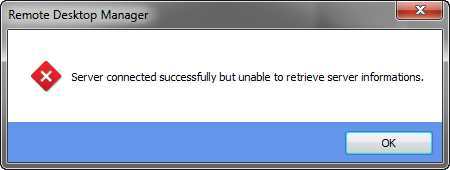
It was working, but after a reboot of my PC it no longer works again. I get the "Server Connected successfully, but unable to retrieve the server informations." error message like before
attached is the error message
Screen Connect Error.png
I am running:
- RDM Version 10.1.9
- ScreenConnect V 5.1.8473.5522
- ScreenConnect RDM Extension Version 1.2
Thank you, I'll be sure to look at it as soon as possible.
Regards,
Hubert Mireault
Any update on this? I am still having issues getting this to work. Thanks!
Hello,
I will get in contact with the ScreenConnect support team to see if they can help us with the problem.
I will get back to you when we have news from them. Thank you for your patience.
Regards,
Hubert Mireault
There should be an update to the extension going up later on today (version 1.3) which should fix the issue while trying to connect as a host.
Regards,
Hubert Mireault
I can confirm that the extension update has been approved by the ScreenConnect team and is now available through the ScreenConnect extension browser. The new version is version 1.3.
Regards,
Hubert Mireault
The new 1.3 extension fixed it - thanks!
I recently upgraded DVLS version to 4.7.0.0 and I am getting the error : Server connected successfully but unable to retrieve server information. Not able to connect to datasource from RDM client not even using Web interface.
@Aammir,
Are you experiencing an issue with ScreenConnect or DVLS?
If it's with DVLS, have you updated RDM on your server to RDM 13 prior to upgrade your DVLS instance?
Best regards,
Jeff Dagenais
Hi Jeff,
Issue is with DVLS, I havent upgraded the RDM Client, Can I upgrade it ow ? and try again ?
@Aammir,
Thank you for the information.
I saw that you also contact us via chat, email and in another forum post. Please use one channel to contact us, it's easier for our team and this will avoid any confusion.
Since you have premium support, my colleague David will provide you the way to contact us since you have paid for premium support.
Best regards,
Jeff Dagenais