[FIXED][9.4.3.0] No longer opens previous sessions

Since upgrading to 9.4.3 RDM is no longer re-opening my opened connections from the previous RDM session - the prompt to do so no longer comes up.
edited by Taomyn on 6/11/2014
All Comments (22)
Hi,
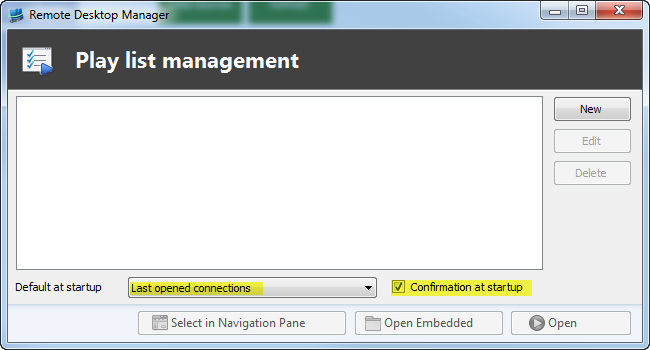
I just verified and it works well here. Did you check your setting in the "Play list management" form. The "Default at startup" has to be "Last opened connections" and optionaly "Confirmation at startup" checked.
Another possibility is that when you close RDM that your are not in the same data source that will open at the next startup.
Best regards,
edited by asanscartier on 5/30/2014
André Sanscartier
I don't recall having set up a "Play list", it was some time ago that I enabled the option to re-open my last opened sessions.
It happens on two systems one that uses a local data source and another that's using MySQL so I do not think it's that.
Hi,
Did you check it ? One of possible bugs is that the update altered that setting.
Regards,
André Sanscartier
PlayList.png
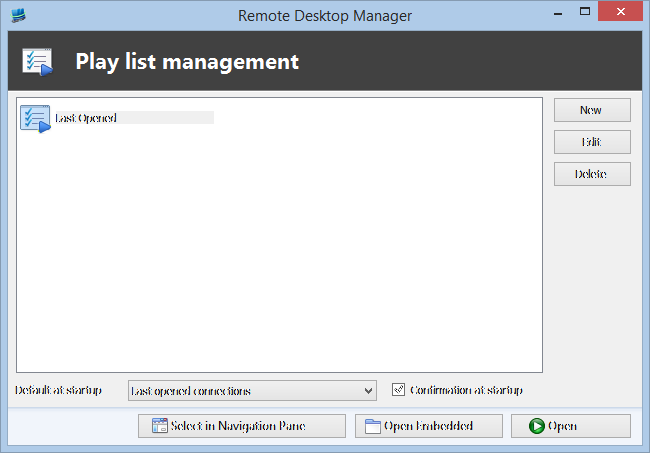
I checked it when first starting RDM with no sessions and it was empty, so I opened an RDP to a server and checked again:
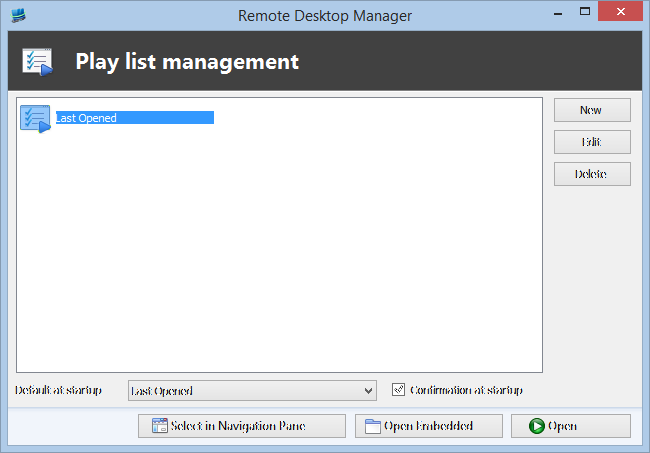
I noticed the names do not match, so with the drop down I changed it, closed the dialogue (no save button):
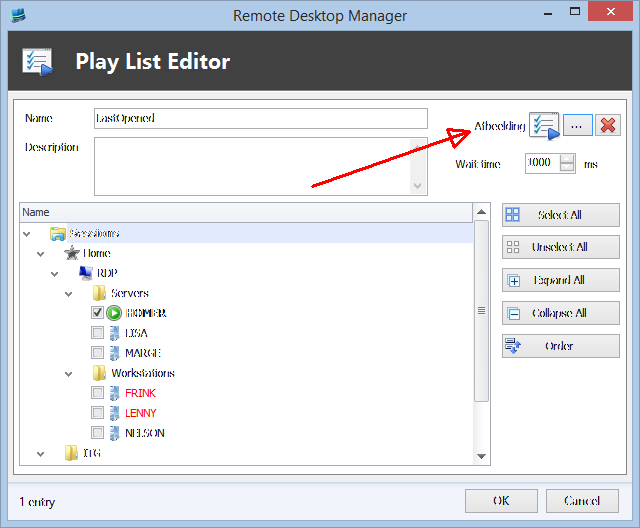
Closed and reopened RDM but still didn't show me the session manager. I did notice as well a missing translation:
Clipboard03.png
Clipboard02.png
Clipboard01.png
Hi,
Your setting was ok. I'm leaving for the weekend.
I'll check your issue first thing monday morning.
Best regards,
André Sanscartier
Any news on this?
I'm on 9.4.5.0 now and it's still the same - I also noticed when closing down the app I get the warning about closing with open sessions, but before I can even answer I can see my sessions being disconnected any way - maybe this is why they're not being re-opened the next time.
Hi,
Effectively it could be à link to the real problem.
I'll investigate this avenue.
Best regards,
André Sanscartier
Hi,
Could you check the application log just in case something appears at startup.
Best regards,
André Sanscartier
Doesn't look like any related problems:
[29/05/2014 13:30 - 9.4.3.0 - 32-bit] Error: MySql.Data.MySqlClient.MySqlException (0x80004005): Unable to connect to any of the specified MySQL hosts.
at MySql.Data.MySqlClient.NativeDriver.Open()
at MySql.Data.MySqlClient.Driver.Open()
at MySql.Data.MySqlClient.Driver.Create(MySqlConnectionStringBuilder settings)
at MySql.Data.MySqlClient.MySqlPool.GetPooledConnection()
at MySql.Data.MySqlClient.MySqlPool.TryToGetDriver()
at MySql.Data.MySqlClient.MySqlPool.GetConnection()
at MySql.Data.MySqlClient.MySqlConnection.Open()
at Devolutions.RemoteDesktopManager.Business.DataSources.DatabaseConnectionDataSource.GetData(String sql, IDbDataParameter[] parameters)
at Devolutions.RemoteDesktopManager.Business.DataSources.MySQLConnectionDataSource.GetDataSourceSettings()
at Devolutions.RemoteDesktopManager.Managers.ConnectionManager.LoadDataSourceSettingsFromDataSource(BaseConnectionDataSource newDataSource)
[31/05/2014 11:20 - 9.4.3.0 - 32-bit] Info: Windows shutdown occurring, closing application.
[04/06/2014 18:57 - 9.4.4.0 - 32-bit] Info: Windows shutdown occurring, closing application.
I put full logging on and tried it again:
[05/06/2014 21:59:55]INFO HttpListener listing at http://localhost:19443/
[05/06/2014 21:59:55]INFO HttpListener thread started.
[05/06/2014 22:02:11]INFO RDP - Disconnect:1 / exDiscReasonNoInfo
[05/06/2014 22:02:23]INFO HttpListener listing at http://localhost:19443/
[05/06/2014 22:02:23]INFO HttpListener thread started.
Yes, that was all that was logged.
Thanks a lot!
I just hoped that it could help.
Best regards,
André Sanscartier
Hi,
Just in case, could you give a try to the last beta version ?
Theoretically there not much about play list but at worst I would test with the same version.
And could you reselect "Last opened connections" in the "Play List Manager". It's supposed to be the right setting to achieve what you want. What you done is supposed to be ok too but to be sure.
Regards,
edited by asanscartier on 6/9/2014
André Sanscartier
Tried it, still the same.
I opened RDM, opened two RDP sessions, hit the close button - it closed both my sessions then asked me if I was sure I wanted to close RDM with open sessions, a bit late a that point as they were already closed. And no, they didn't open the next time.
Hi,
Which data source type are you using when it happens ?
Which UI setting (default menu, ribbon, classic) ?
Regards,
edited by asanscartier on 6/9/2014
André Sanscartier
At the moment I'm at home and using MySQL - the same has been happening at the office but I use a local data source there.
I was too late...
Hi,
Which UI setting (default menu, ribbon, classic) ?
Regards,
André Sanscartier
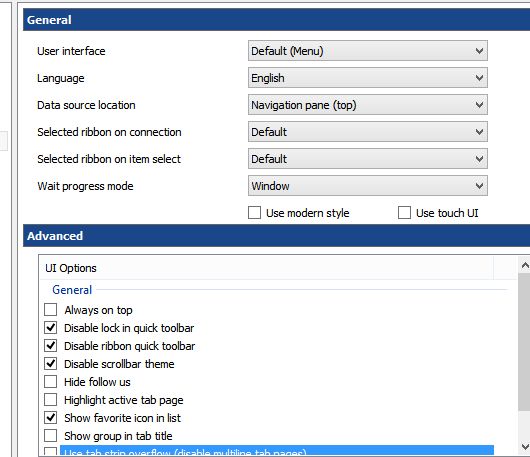
Clipboard01[1].jpg
Hi,
I'm unable to reproduce your issue. Could you export your options setting in a file and send it to me (private message).
The "Export Options" button is at the bottom of the Options settings Windows. This way if it comes from options I should get the same problem.
Best regards,
André Sanscartier
Done
Hi,
I found something. For now just let the Dashboard be visible(Alt+F6). You will have the desired behaviours of playlist.
Best regards,
edited by asanscartier on 6/9/2014
André Sanscartier
Thanks, your workaround resolves the problem.
Thanks for fixing the issue, just updated to 9.4.7.0 and tested that my sessions are saved when the dashboard is switched off.
Now if you can just stop the application taking full focus all the time e.g. during the update download, the dialogue shows above all other windows on system not only RDM.