Unable to open external browser session

Using Standard Edition 9.2.4.0
When I try to open any external browser session with IE or FF, I get:
"Unable to execute the web browser [http://www.google.com]"
Opening embedded works.
I have numerous browser sessions that <used> to work but don't anymore.
Any ideas?
All Comments (11)
Could you try to disable the automation in the login page and use IE
David Hervieux
IE automation is unchecked already.
This is really strange. Could you take a look at the log in Help->View Application Logs
David Hervieux
And a reboot could solve the problem sometime.
David Hervieux
This has been going on for several days. Many reboots.
Here is the log entry:
[2014/04/10 7:41:48 AM]INFO System.ComponentModel.Win32Exception: Access is denied
at System.Diagnostics.Process.StartWithShellExecuteEx(ProcessStartInfo startInfo)
at System.Diagnostics.Process.Start()
at System.Diagnostics.Process.Start(ProcessStartInfo startInfo)
at System.Diagnostics.Process.Start(String fileName, String arguments)
at Devolutions.RemoteDesktopManager.Business.Connectors.WebBrowserConnector.OpenBrowser(Connection connection, WebConnection webConnection, String url, WebBrowserApplication webBrowserApplication, OpenConnectionMode openConnectionMode)
Are you running on RDM on TS?
Could be the same issue as here: http://forum.devolutions.net/topic11897-external-http-session-empty-sometimes.aspx#post48590
Stéfane Lavergne
Running as admin on a standalone Win7 box.
Tried the 64-bit executable & it does the same thing.
Do you run with the Run As Administrator command? The error is an access denied from the OS. It's really strange.
David Hervieux
If you check "Open new browser session (no merge)" does it change anything?
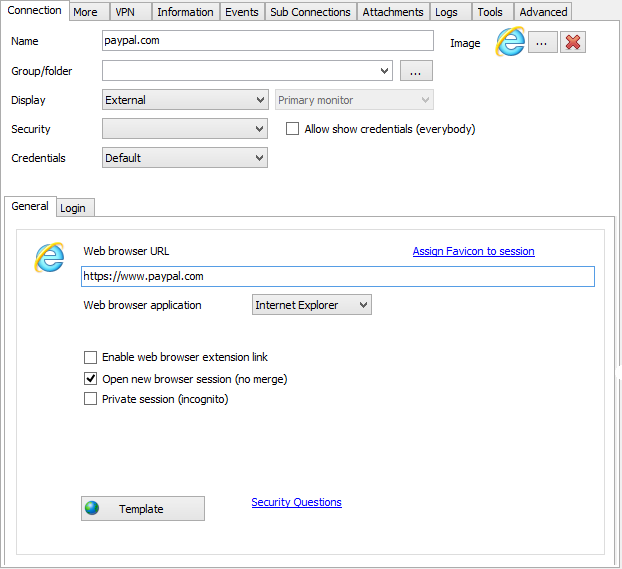
Stéfane Lavergne
4-10-2014 1-19-16 PM.png
No difference
I had always been running as administrator. I just discovered that if I run with my normal account, it works.
Must be some weird authentication issue on the network.