raspbian jessie vnc connect fails

Hello,
i have enabled vnc via raspi-config. Now i can't connet via vnc to raspberry.
With ultravnc it says "to many security failures". with standard rdpm says "connection not established".
This VNC Server needs a user and password login to connect. How can i transmit user and password credentials?
Thanks
All Comments (20)
Hi Thomas,
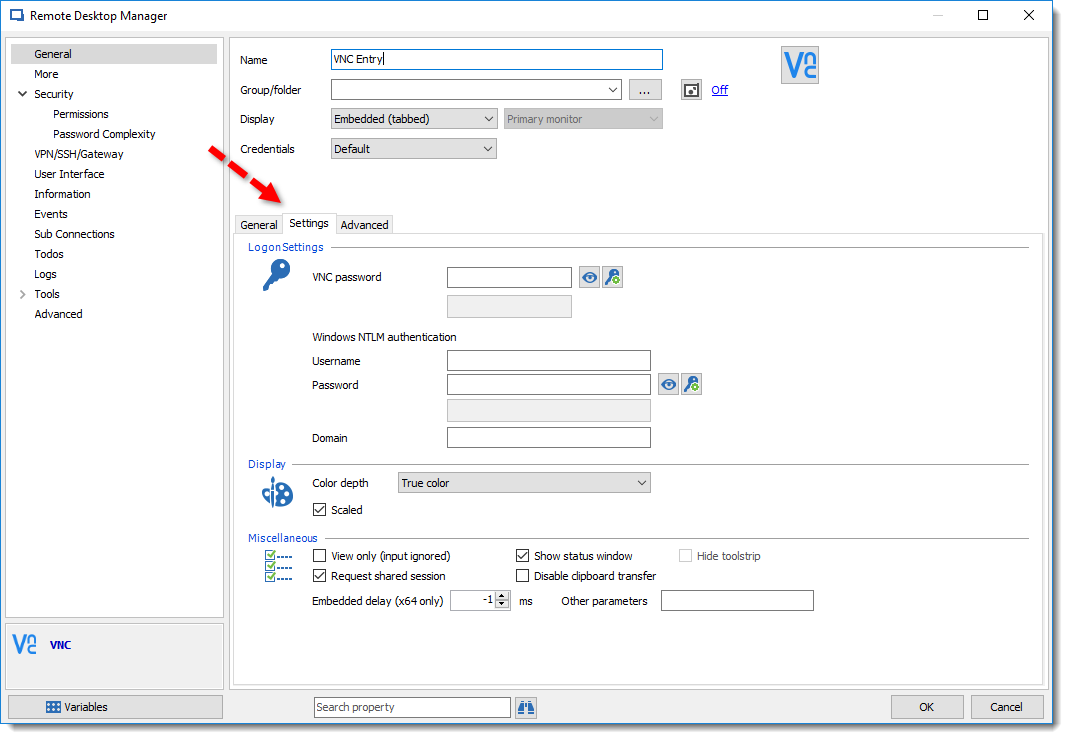
I'm not sure which password you need, if it's for VNC Password or the standard credentials, but in the VNC entry we have both of the option. Please take a look at the Settings tab as show below if that can help you.
Best regards,
David Grandolfo
VNC_Password.png
Hello David,
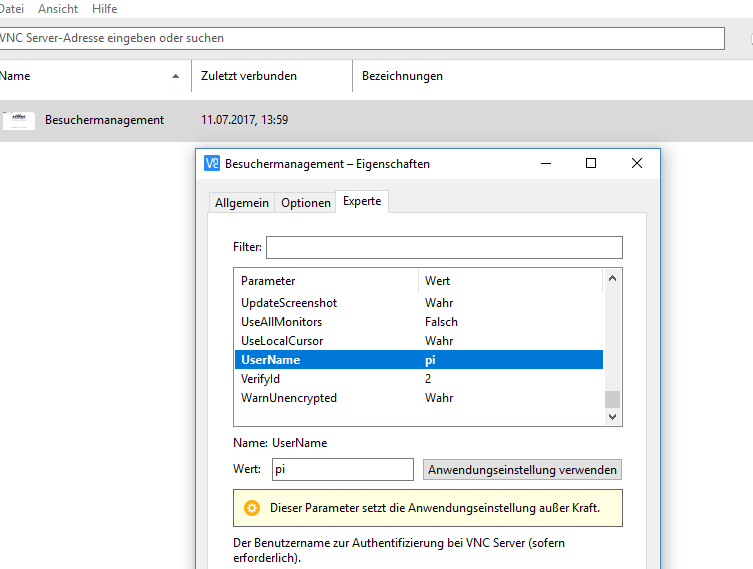
thanks for your answer. To connect to VNC on raspberry (raspbian) i need a user and password field. Usually i nee only a password. But now i need both.
Like in RealVNC
2017-07-11_14h45_43.png
Hi,
Good, so could you try to enter the credentials in the Settings tab has showed above.
Best regards,
David Grandolfo
It doesn't work. That is what i mean.
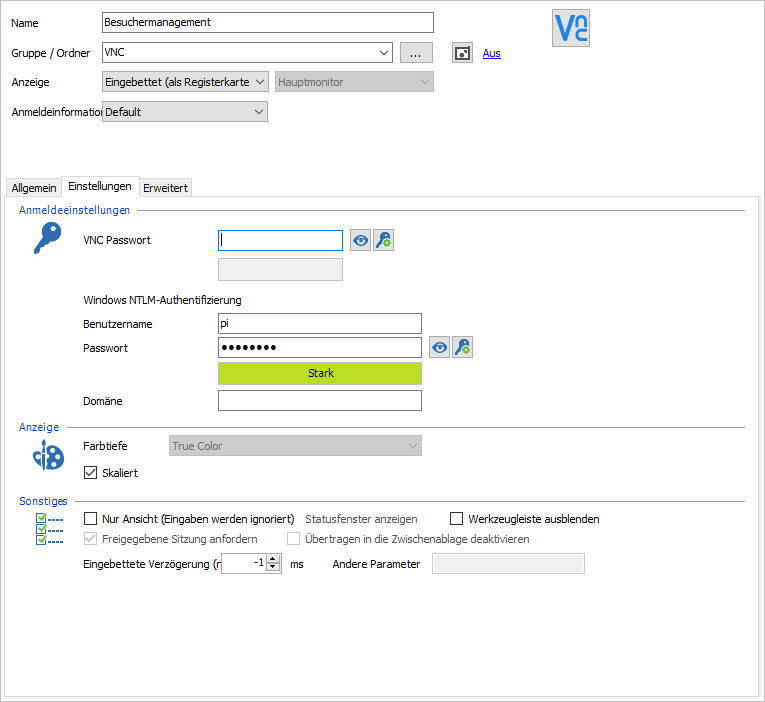
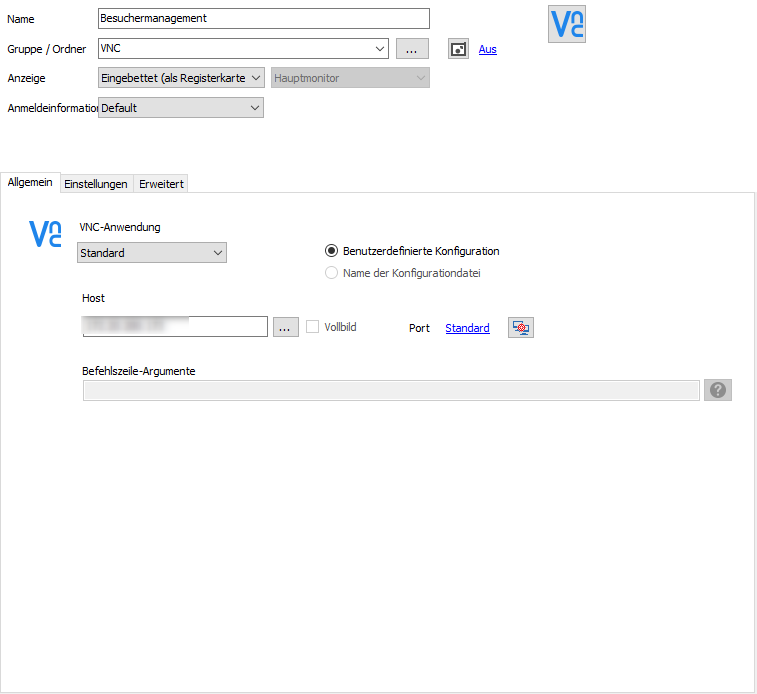
2017-07-11_14h55_53.png
2017-07-11_14h55_41.png
2017-07-11_14h55_35.png
RealVNC works. But i want to connect with RDM
Hi Thomas,
Thanks for this test, what is the VNC server and the specific version that you are using on the rasberry pi.
Best regards,
David Grandolfo
Hi,
I will ask our team to buy a Raspberry and try it. I'm not sure what we can do.
Regards
David Hervieux
real VNC server is installed
Hi Thomas,
We found a Raspberry pi available at the office. I install Raspbian with Real VNC Server. After following the following procedure, and after adjusting the VNC Password option it works if you add the VNC Password in the setting tab.
Could you please follow the AUTHENTICATING TO VNC SERVER section in the above link please.
The reason why the RealVNC server need to be configure like this is because we use the UltraVNC client to connect and RealVNC have their own type of connection so they add an option to permit other application as UltraVNC to connect to their server.
Best regards,
David Grandolfo
Many thanksfor yourdedication David. Now it works. Great i'm so happy!!!
I know this is a necropost but I'm hitting this wall myself right now with the latest version of Remote Desktop Manager, and the latest versions of Raspbian and RealVNC installed on the Pi.
I have followed the instructions linked above on setting up the RealVNC auth to use a custom password, and I am able to connect no problem with the official RealVNC client; just not RDM.
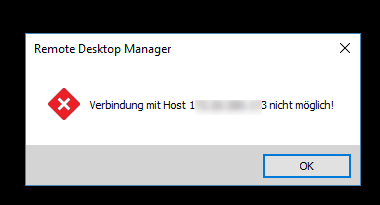
I get this when trying to connect:
My RDM settings look like this:

I've triple-checked that the VNC password is correct, and haven't changed any other settings for this RDM connection.
Can anyone provide any insight?
TIA
Hello,
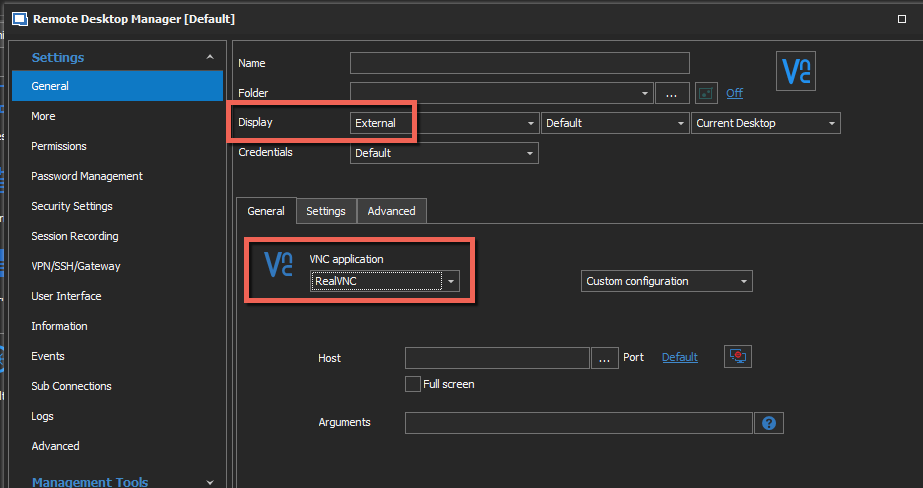
You mentioned that you are able to establish the connection with RealVNC. In that case, I would recommend configuring your session like below
Best regards,
Jeff Dagenais
2020-02-07_10-13-23.png
Thanks @jean-Francois Dagenais
That seems to work, but 2 things:
1. is there a way to also pass the password so I don't have to manually fill it in each time? Currently I get this every time:
2. Is there no way to get this working embedded as a tab? One of the main reasons I like/want to use RDM is to have every connection embedded in a tab, rather than just use it at a sort of "start menu" with a shortcut to launch the regular app.
Hello,
Unfortunately, it's not possible for us to embedded RealVNC as well as to send the password. They don't offer us the possibility to do this.
Best regards,
Jeff Dagenais
Ok thanks again.
Just out of curiosity, is this in any way related to using the UltraVNC client to connect to RealVNC, or would it not matter?
Hi applebag,
More often than not, you can use a mix of client and server vendors without too much problems.
However, in you case, it appears your realvnc server is configured to only accept an authentication method
which UltraVNC doesn't support.
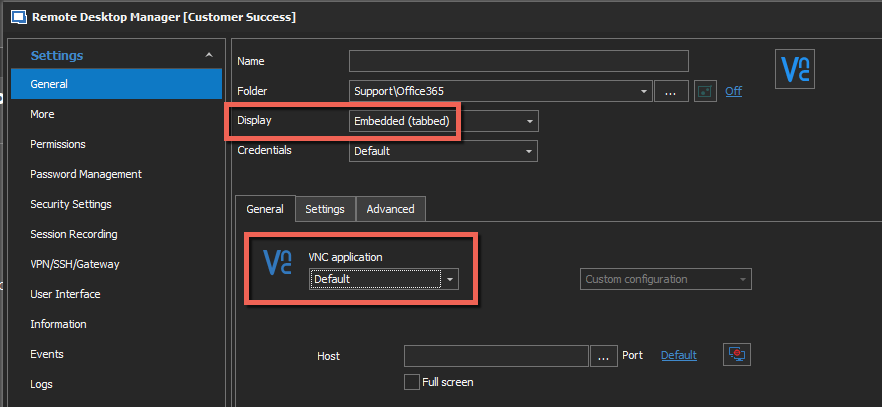
You can try embedded mode using the default application.
That will use our in house vnc client and we do support more authentication methods.
Regards
Jonathan Lafontaine
Hi @jlafontaine
I just set my realvnc server up the way it was described to above. I'm willing to set it to whatever works, preferable embedded in a tab if possible (which was mentioned also above that it's not).
Rather than me do hit and miss testing w/out much experience in this area, could someone of your staff just try it out and let me know the exact details to use instead? It would be appreciated.
Thanks!
Hello,
Unfortunately, it's not possible for us to have all the versions of UltraVNC, RealVNC and so on installed internally to tests and provide an exact procedure to configure all of them. This is why we ask the help of our community in these cases.
That being said, as per mentioned by my colleague, could you try the following configuration?
Best regards,
Jeff Dagenais
2020-02-11_08-31-54.png
Sorry, I meant to, but forgot to mention in my last post that I had already tried the Embedded | Default config, and it just shows "Unable to connect to <ip>" as soon as I click connect.
What I meant basically was, can you just provide a single example of a vnc server (any vnc server) that I can install that'll allow me to use the connection in an embedded tab, with auto-filling credentials, and in doing so, provide the exact config to use? I have no attachment to any particular vnc product, be it RealVNC, UltraVNC, et. al., I just "want it to work".
I swear I'm not trying to be a hassle, I'm just trying to get it working the way I like. :)
Hello,
I don't know if this could helpful but in this article they explain how to install Tight VNC Server
https://www.instructables.com/id/Setting-up-a-VNC-Server-on-your-Raspberry-Pi/
I suspect that RealVNC Server uses a special version of the VNC protocol.
Regards
David Hervieux