
ajh
Docs issues
No problem, thanks
Docs issues
There's quite a few minor issues with the docs, probably caused by the migration to the Devolutions side.
https://docs.devolutions.net/powershell-universal/powershell-commands/new-udtable#example-7
Has markdown accidentally included at the end of the code block (I've seen a few of these but this one I remember).
A lot of links are dead, for example all of https://docs.devolutions.net/powershell-universal#security and https://docs.devolutions.net/powershell-universal#development
There's a difference in the list of variables described in the docs and the showcase https://docs.devolutions.net/powershell-universal/platform/variables#built-in-variables
https://showcase-psu.devolutions.net/Variables
I'd suggest that the parameter info shown in the showcase, vs docs - is reviewed. There is a lot of info on the parameters in the showcase, including what types they accept, which isn't even in the docs. Just the first page for example https://showcase-psu.devolutions.net/Autocomplete vs https://docs.devolutions.net/powershell-universal/powershell-commands/new-udautocomplete
Additionally, there's no documentation which describes what a 'site' license is.
https://store.devolutions.net/package#psu
Is this the same as the 'Enterprise' license before? https://web.archive.org/web/20240910103959/https://ironmansoftware.com/pricing/powershell-universal, which was 'One License for your Entire Organization'. Further described on https://support.ironmansoftware.com/portal/en/kb/articles/kb0014-enterprise-versus-per-server-licensing-faq. I say this because site is a bad name for a license like this IMO, especially if in the Docs the only mention of the word site is in the context of licensing is for IIS Sites https://docs.devolutions.net/powershell-universal/licensing#what-if-i-have-multiple-sites-on-a-single-iis-server
OnCLick for New-UDExpansionPanel
I have a complex user case where I want collapsible nested content, and also want to store the open/closed state so I can respect them next time the user loads the app.
I'd prefer to use expansion panels, but in order to do this I need to know when someone clicks to expand or collapse the element. There's currently no -OnClick for New-UDExpansionPanel, but there is for New-UDListItem with Children.
I have it working with list items for now (no custom functions for clarity):
New-UDPage -Url 'Example' -Name 'Example' -Content {
    [bool]$lstLbl1Open = if ($null -eq $Cookies.cLstLbl1 ) { $true }
    else { [System.Convert]::ToBoolean($Cookies.cLstLbl1) }
    [bool]$lstLbl2Open = if ($null -eq $Cookies.cLstLbl2 ) { $true }
    else { [System.Convert]::ToBoolean($Cookies.cLstLbl2) }

    New-UDList -Dense -Content {
        New-UDListItem -Id 'lstLbl1' -Label 'Example List Item 1 Parent' -Children {
            New-UDListItem -Label 'Example List Item Child'
        } -Open:$lstLbl1Open -OnClick {
            $lstLbl1Open = -not (Get-UDElement -Id 'lstLbl1').Open
            Set-UDElement -Id 'lstLbl1' -Attributes @{
                Open = $lstLbl1Open
            }
            # https://forum.devolutions.net/topics/52958/get-and-set-cookies
            Invoke-UDJavaScript "
                // Build the expiration date string:
                var expiration_date = new Date();
                var cookie_string = '';
                expiration_date.setFullYear(expiration_date.getFullYear() + 1);
                // Build the set-cookie string:
                cookie_string = 'cLstLbl1=$lstLbl1Open; path=/; expires=' + expiration_date.toUTCString();
                // Create or update the cookie:
                document.cookie = cookie_string;"
        }
        New-UDListItem -Id 'lstLbl2' -Label 'Example List Item 2 Parent' -Children {
            New-UDListItem -Label 'Example List Item Child'
        } -Open:$lstLbl2Open -OnClick {
            $lstLbl2Open = -not (Get-UDElement -Id 'lstLbl2').Open
            Set-UDElement -Id 'lstLbl2' -Attributes @{
                Open = $lstLbl2Open
            }
            # https://forum.devolutions.net/topics/52958/get-and-set-cookies
            Invoke-UDJavaScript "
                // Build the expiration date string:
                var expiration_date = new Date();
                var cookie_string = '';
                expiration_date.setFullYear(expiration_date.getFullYear() + 1);
                // Build the set-cookie string:
                cookie_string = 'cLstLbl2=$lstLbl2Open; path=/; expires=' + expiration_date.toUTCString();
                // Create or update the cookie:
                document.cookie = cookie_string;"
        }
    }
} -AutoIncludeVertical divider invisible
I can get it to appear (but not as a proper vertical line), by doing a style override like:
 New-UDDivider -Orientation 'vertical' -Sx @{
 border = '10px solid Red'
}Vertical divider invisible
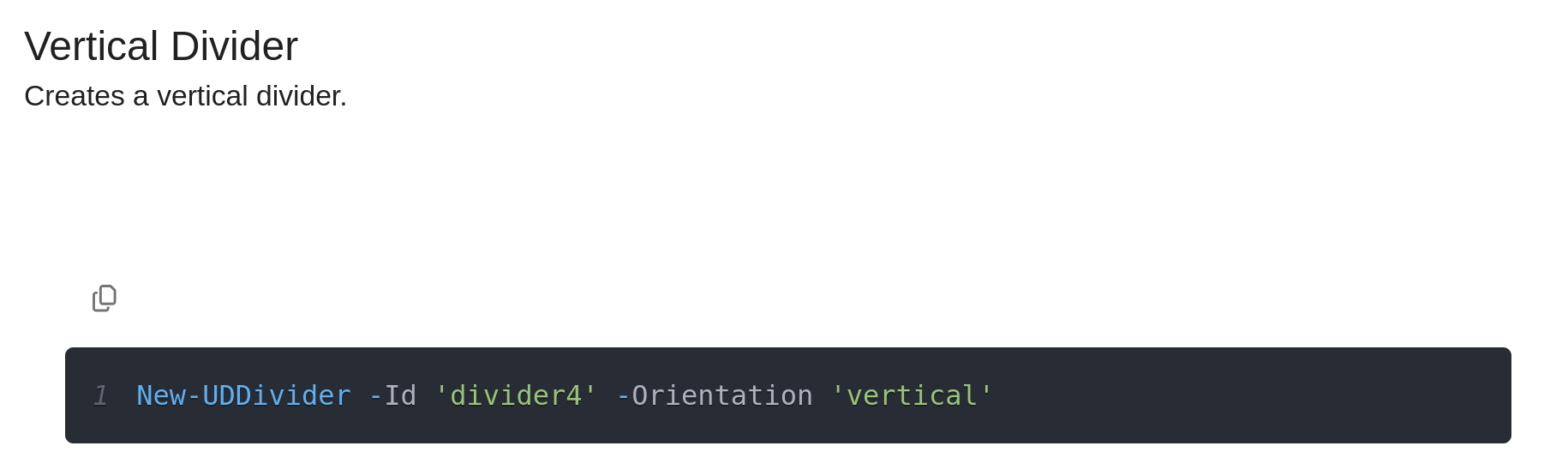
I can't get the vertical divider to show up - it appears to have no styling so is invisible.
PowerShell Universal 2026.2.5 (32409143550)
It's also not shown in the showcase:
OnRowClick for Tables
HI @SunnyJ , thanks for the feature request! I opened an issue in our backlog for this and will let you know when it's completed.
@Adam Driscoll in the mean time, would it be possible to work around this by using -ShowSelection -DisableMultiSelect -OnRowSelection, but triggering the row selection when someone clicks anywhere on the row? Via CSS or JS applying to a custom class for the table?
UDTable On Row Click
I would love to see proper support for clicking a row. Even if it relied on the row selection feature, and clicking anywhere on the row marked the row as selected. From that you can use -OnRowSelection. Haven't yet tried hacking around with custom classes, but I'd be quite sure it can be implemented via a workaround without actually requiring a change to the PSU codebase.