Vertical divider invisible

I can't get the vertical divider to show up - it appears to have no styling so is invisible.
PowerShell Universal 2026.2.5 (32409143550)
It's also not shown in the showcase:
753e68df-252d-4592-913a-7b931bf8d491.png
All Comments (6)
I can get it to appear (but not as a proper vertical line), by doing a style override like:
 New-UDDivider -Orientation 'vertical' -Sx @{
 border = '10px solid Red'
}Hello ajh,
Thank you for reporting this and for testing the style override. I also noted your observation that the vertical divider is not visible in the Showcase example.
As a first check, could you please test the divider using the `-FlexItem` parameter?
New-UDDivider -Orientation 'vertical' -FlexItem
Also, please let us know whether the divider in your application is placed inside a `New-UDStack` or another flex based container.
This will help us determine whether the behavior is related to the height being calculated for the vertical divider or whether we need to reproduce the styling behavior independently in PowerShell Universal 2026.2.5.
Best regards,
Ruben Tapia
@ajh I opened an issue for this but do let us know if @rubentapia's suggestion works.
Adam Driscoll
PowerShell Expert and Software Architect at Devolutions
Thanks, @Adam Driscoll I’m still completing the lab and will share the results here once available to complement the internal issue you opened.
Hello @Adam Driscoll and @ajh
I completed the lab on PSU 2026.2.5 and reproduced the behavior consistently.
Inside a flex container such as New-UDStack, the vertical divider computes to height: 0px without -FlexItem. Adding -FlexItem applies the expected flex behavior and renders the divider correctly:
New-UDDivider -Orientation 'vertical' -FlexItem
The custom -Sx @{ border = '10px solid Red' } test also makes sense now: it adds borders around the zero-height element, which is why it produces a square instead of a proper vertical divider.
This points to the Showcase example omitting -FlexItem for this layout scenario.
Best regards,
Ruben Tapia
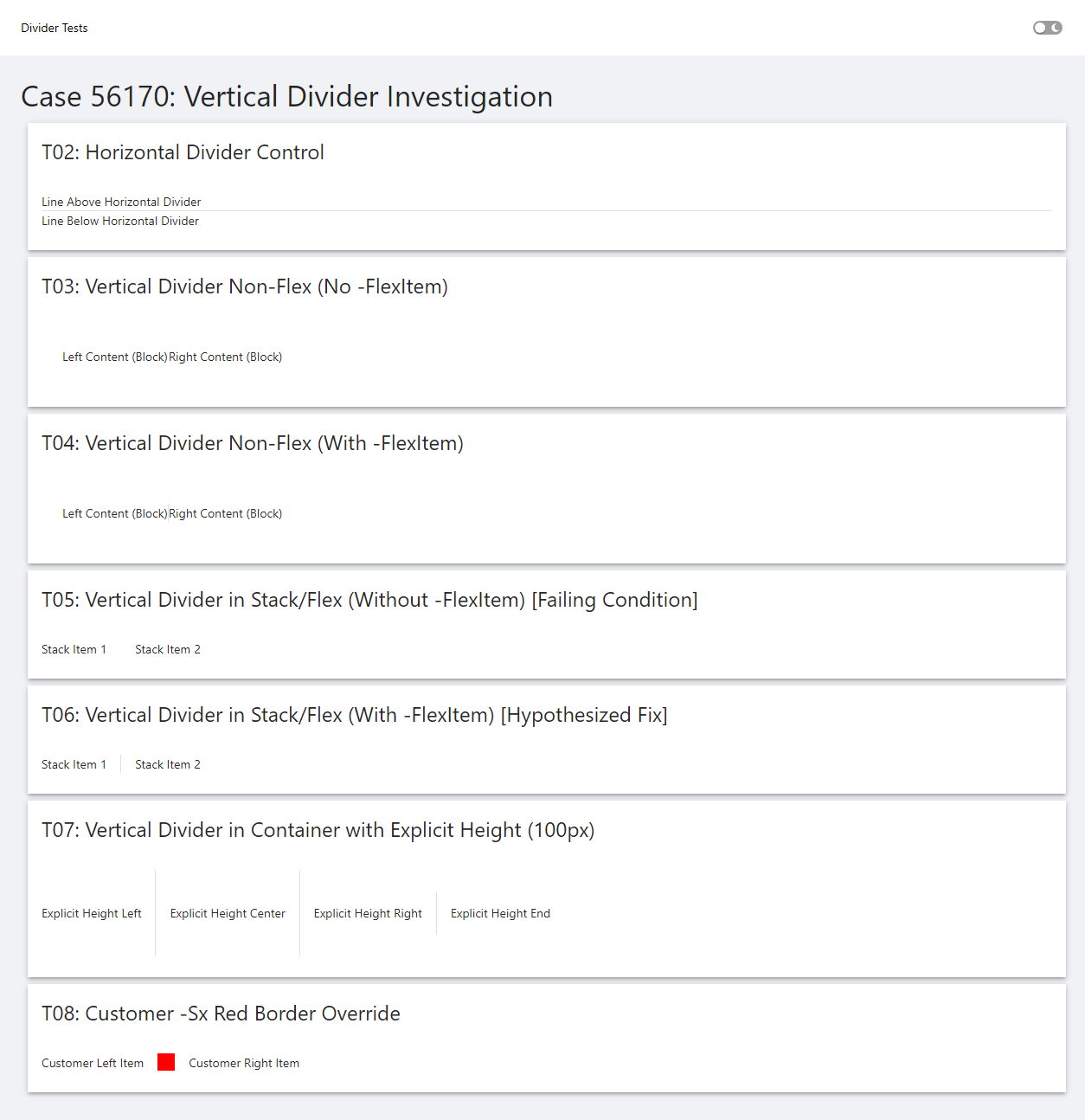
20260916-Case56170-FullPage-Dividers.png