
floriankoenig
Backup Manager failed - Cant open File
Dear Patrick,
we can close this topic, i can create a backup on an unauthenticated share. but we need authenticated sahres. I create a feature request.
Thank you very much.
Backup Manager with Authentification
Please add an Authentification Option to the Backup Manager.
Unfortunately we can't use unauthentificated shares. It is a security requirement.
Backup Manager failed - Cant open File
Thank you for your response.
I have created a network share that is accessible from both servers, but authentication with a username and password is required.
Can the credentials be configured in the Backup Manager, or must they be stored or assigned elsewhere?
Backup Manager failed - Cant open File
We are experiencing an issue with the Backup Manager and SQL database backups. Our infrastructure is configured as follows:
- 1 server running Devolutions Server (DVLS)
- 1 server running Microsoft SQL Server - SQL Server service account: Network Service -
No Active Directory environment
The following backup paths are configured in the Backup Manager:
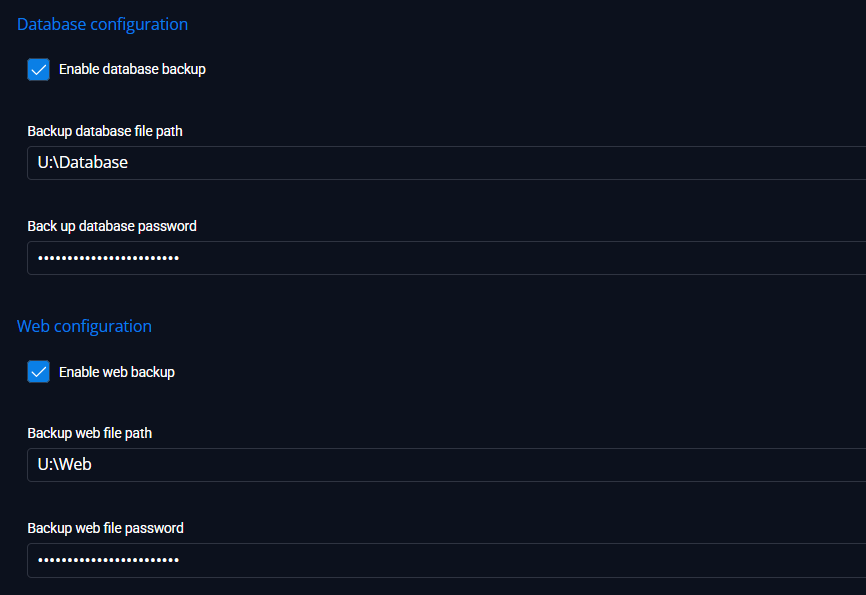
The U: drive is a local drive on the Devolutions Server (DVLS) server and at the same time is mapped as a network drive on the Microsoft SQL Server.
I have also tested the Backup Manager using a UNC path instead of the mapped drive, as well as a local drive directly on the Microsoft SQL Server itself. The result is the same in all cases and the backup fails with the same error message.
The following error message is displayed:
