
viktorkiss
API endpoints can't be edited using VS Vode
Hi Robert,
Just wanted to confirm that we tested and verified that the bug has been fixed with the 2026.3.0 version.
Br,
Viktor
Bug or undocumented procedure - file system watcher
Hi Patrick,
Thank you for the update. I'll try to verify this next week and will keep you posted.
BR,
Viktor
Bug or undocumented procedure - file system watcher
Hi Ruben,
I was just wondering if you had time to check this and might have some information you could share publicly?
Thx in advance!
Best regards,
Viktor
API endpoints can't be edited using VS Vode
Hi Robert,
Thx for the feedback! We'll update our dev instance to the 2026.3.0 version next week and will test the fix.
I'll keep you posted as soon as we verified the fix.
BR,
Viktor
Bug or undocumented procedure - file system watcher
Dear team,
I experienced some behavior which I can't tell if the feature works as expected and it's just not documented or if it's a possible bug.
Findings
According to the official docs the file system watcher is activated by default and from what I saw in the UI you can either chose to enable / disable "Auto-reload".
With the "auto-reload" and file system watcher enabled, my understanding would be that if I make some changes through an editor on the file itself and save the changes, my changes should applied automatically.
To test this, I added a new endpoint to the default endpoints.ps1 file (no custom path) by simply editing and saving the file on the local instance through VSCode.
Regardless if the "auto-reload" feature is enabled or disabled while I do see the changes in the history tab:
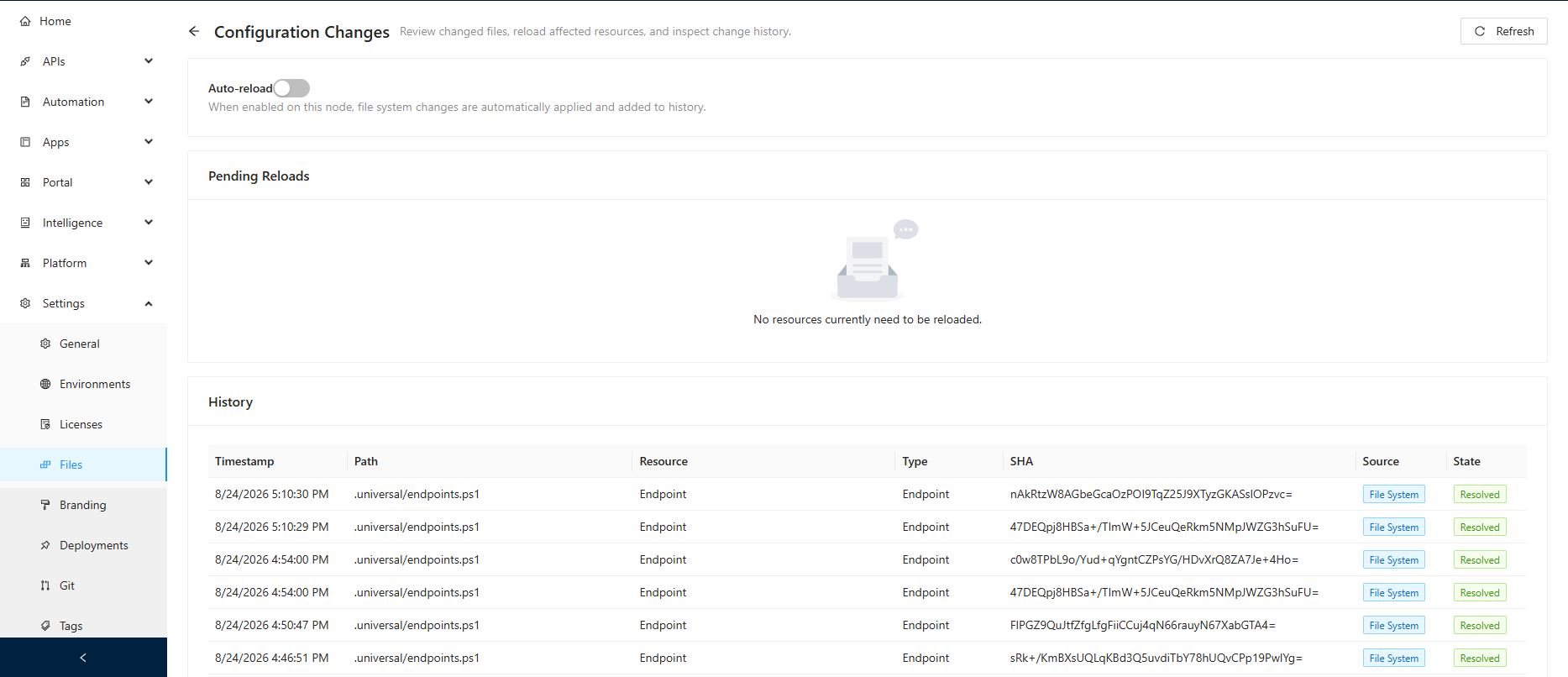
Before config the reload:
Get-PSUEndpoint -UseDefaultCredentials | Select-Object -Property Url

Url
---
/VSCodeExtensionTest/defaultEndpointsFile
/VSCodeExtensionTest/customEndpointsFile
/FileWatcherTest/defaultEndpointsFile
/FileWatcherTest/newEndpointAgain
After the config reload:
Get-PSUEndpoint -UseDefaultCredentials | Select-Object -Property Url

Url
---
/VSCodeExtensionTest/defaultEndpointsFile
/VSCodeExtensionTest/customEndpointsFile
/FileWatcherTest/defaultEndpointsFile
/FileWatcherTest/newEndpointAgain
/FileWatcherTest/newEndpointPSModuleCheck # <-- manually added endpoint
However, the newly added endpoint doesn't show up in the APIs->Endpoints section (neither in the PSU Admin UI nor if I check it through the PSU PowerShell module) until I explicitly reload the endpoints configuration:
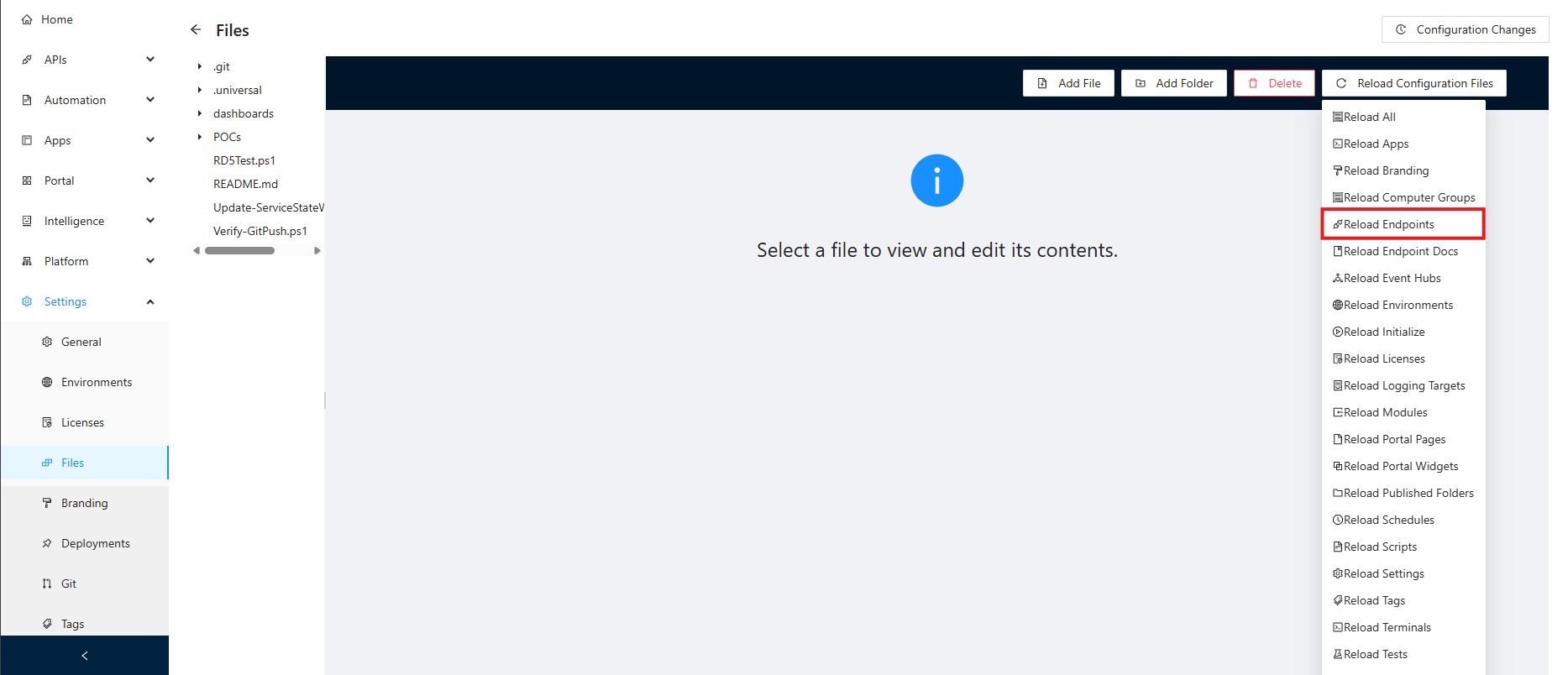
If I check the endpoints.ps1 in the UIs Settings->Files section though, I see the changes I made previously even before the config reload so assume that it isn't a permission issue or a user error.
Setup
PSU Version: Version 2026.2.4
Developer License (although issue seems to be identical on our productive server)
Windows Server Version 24H2 (OS Build 26100.33158)
VSCode Version: 1.134.0
Questions
Since I couldn't find further details in the official docs it raises some questions for me:
Does this feature work as expected?
If so, what exactly does the "auto-reload" feature / explicit "Pending Reload" actually apply / change?
Could you point me out where I can find more detailed infos in the official docs?
If it's not and a bug:
Is it already a known issue and if so is there an ETA for the fix?
Please let me know if you need any further infos and thank you in advance for your efforts.
Best regards,
Viktor
API endpoints can't be edited using VS Vode
Hi Ruben,
Thank you so much for the quick response and the transparent communication, really appreciated!
We'll than just wait for the next release.
BR,
Viktor
PS: Since I haven't seen it mentioned yet in a post - outstand customer service so far, please keep up the good work.
API endpoints can't be edited using VS Vode
Hi Ruben,
I just checked the other two tickets / posts you mentioned but I haven't found yet a statement:
Is this an official bug which will be fixed with future releases?
I'm asking since I get two different error messages.
Setup
PSU Version: Version 2026.2.4
Developer License (although issue seems to be identical on our productive server)
Windows Server Version 24H2 (OS Build 26100.33158)
VSCode Version: 1.134.0
VSCode Extension Version: 2026.2.5
Case A
Added a test endpoint withouh specifying an explicit path, hence saving directly to the endpoints.ps1 file:
New-PSUEndpoint -Url "/VSCodeExtensionTest/defaultEndpointsFile" -Description "Test to verify if the endpoint can be edited through VSCode extension if its saved in the default endpoints file" -Method @('GET') -Endpoint {
    # Enter your script to process requests.
    Write-Information "That's the default endpoint file!"
}
Resulting error message when trying to edit the endpoint through the VSCode extension:
Endpoint '/VSCodeExtensionTest/defaultEndpointsFile' does not have a configuration file path.Case B
Added a test endpoint withouh specifying an explicit path, hence saving the code logic to an external file:
New-PSUEndpoint -Url "/VSCodeExtensionTest/customEndpointsFile" -Description " Test to verify if the endpoint can be edited through VSCode extension if its saved in the custom endpoints file" -Method @('GET') -Path "customEndpointsFile.ps1" Resulting error message when trying to edit the endpoint through the VSCode extension:
cannot open psu://dev/customEndpointsFile.ps1?1b6fe5b7-7182-445a-b69d-d14ca558d2c0. Detail: Unable to read file 'psu://dev/customEndpointsFile.ps1?1b6fe5b7-7182-445a-b69d-d14ca558d2c0' (Error: Unable to resolve nonexistent file 'psu://dev/customEndpointsFile.ps1?1b6fe5b7-7182-445a-b69d-d14ca558d2c0')Questions
So these two different error messages raise some questions for me:
Is it a hard requirement to use a path (instead of saving the API endpoint in the default endpoints.ps1 file) in order to be able to edit it through the VSCode extension?
If so, is that somewhere stated in the docs because I couldn't find any info.
If not, can you confirm that this is a bug?
If it's a bug:
Does it only affect the VSCode extension, only the PSU server itself or both?
I know it's quite a stretch but do you have an estimation when this could possibly be fixed?
Thank you in advance for your efforts!
Best regards,
Viktor