
pgeorgiev
Using non-admin account for report purposes
Hello Michel, I was finally able to get some results. Indeed placing a custom Read permission on a folder inside the Vault did the job. This particular folder contains other sub-folders and it caught them with their content too for the export. I have ~15 folders, no trouble to put Read this app identity across them all.
One detail - you cant make an App Identity a member of a group. Groups show up in the Edit section, I see the list, but the checkmark is greyed out. So no chance there. Anyway I was able to finally hit the core issue.
Thanks a lot for the directions and the patience.
Using non-admin account for report purposes
Hello Michel, here it is with App Identity:
PowerShell: 7.5.4
Module: 2024.1.5 C:\Program Files\PowerShell\Modules\Devolutions.PowerShell\2024.1.5\Devolutions.PowerShell.dll
Vaults: 00000000-0000-0000-0000-000000000000 | 4fd60773-5b3f-4f2d-91b1-41c9e8c27d18 | 61b46bf6-5187-49f0-99cf-b270928f47df
Entries: 0
This is what I get when I use admin user account:
PowerShell: 7.5.4
Module: 2024.1.5 C:\Program Files\PowerShell\Modules\Devolutions.PowerShell\2024.1.5\Devolutions.PowerShell.dll
Vaults: 00000000-0000-0000-0000-000000000000 | 4fd60773-5b3f-4f2d-91b1-41c9e8c27d18 | 61b46bf6-5187-49f0-99cf-b270928f47df
Entries: 877
So the app identity sees the vaults, but cannot read inside. Is it something with the permission? Maybe if I give more granular ones? or folder by folder, because I have many folders inside. What if there were custom permissions on each folder... will this override the top permissions of the App Identity on the Vault?
Using non-admin account for report purposes
Hello! I can post the results right away but I must tell you that I changed a few things.
Accessible vaults:
Get-DSVault -All | Select-Object ID, Name

Devolutions PowerShell module:
Get-Module -ListAvailable Devolutions.PowerShell
Devolutions.PowerShell 2024.1.5 C:\Program Files\PowerShell\Modules\Devolutions.PowerShell\2024.1.5\Devolutions.PowerS.
Devolutions.PowerShell 2026.1.3 C:\Program Files\WindowsPowerShell\Modules\Devolutions.PowerShell\2026.1.3\Devolutions.
Devolutions.PowerShell 2024.1.5 C:\Program Files\WindowsPowerShell\Modules\Devolutions.PowerShell\2024.1.5\Devolutions.

Devolutions Server version:
Get-DSPublicServerInfo -URL $BaseURI

Test target vault:
$e = Get-DSEntry -VaultID $ServiceAccountRegistryVauldId -All
@($e).Count
$Error[0]
Entry count: 1
No result for Accessible vaults which is strange.
Modules are a mess but this is not a problem. I have 2026.2.3 and 2026.1.3 as well, stored somewhere else. I can force the script to use 2026.1.3 like this anytime:
Import-Module "C:\Program Files\WindowsPowerShell\Modules\Devolutions.PowerShell\2026.1.3\Devolutions.PowerShell.psd1" -ForceIt didn't make a difference. I cannot however use 2026.2.3 until I upgrade PS7 on my server.
Right now the Devolution server is 2026.1.16.0 (script cannot acquire the version it seems)
The count is 1, there is indeed 1 vault that the application is expected to read.
If you think that the real issue is in PowerShell modules compatibility and that I don't use the very last possible version I can upgrade PowerShell 7 first and then load 2026.2.3 but I doubt it will change anything.
One important detail - I am running the script in an Azure runbook that pushes it on a Hybrid Worker server which connects to the actual Devolution server. So there is a middleman, sort of. Still, it worked fined with a User.
Using non-admin account for report purposes
Hello, login indeed is not a problem anymore. However, I still cant get to the data in the vaults. Tried without the .Data wrapper, added -AsLegacyResponse , no change. In fact I had to update the powershell module to a more recent version. Tried two new versions to be precise. Same error that the vaults are empty and nothing is being retrieved. I use this simple check after I connect:
# Collect all entries from the vault
$AllEntries = (Get-DSEntry -VaultID $ServiceAccountRegistryVauldId -All).Data
# Check if there is any data
if (-not $AllEntries) {
Write-Error "No data retrieved from PWDM"
throw "Script terminated due to no data from PWDM."
}
...and so on
I found this explicit permission at the vault Permission tab where I could add Application Identity as a "reader" to the vault. No result, same behavior.
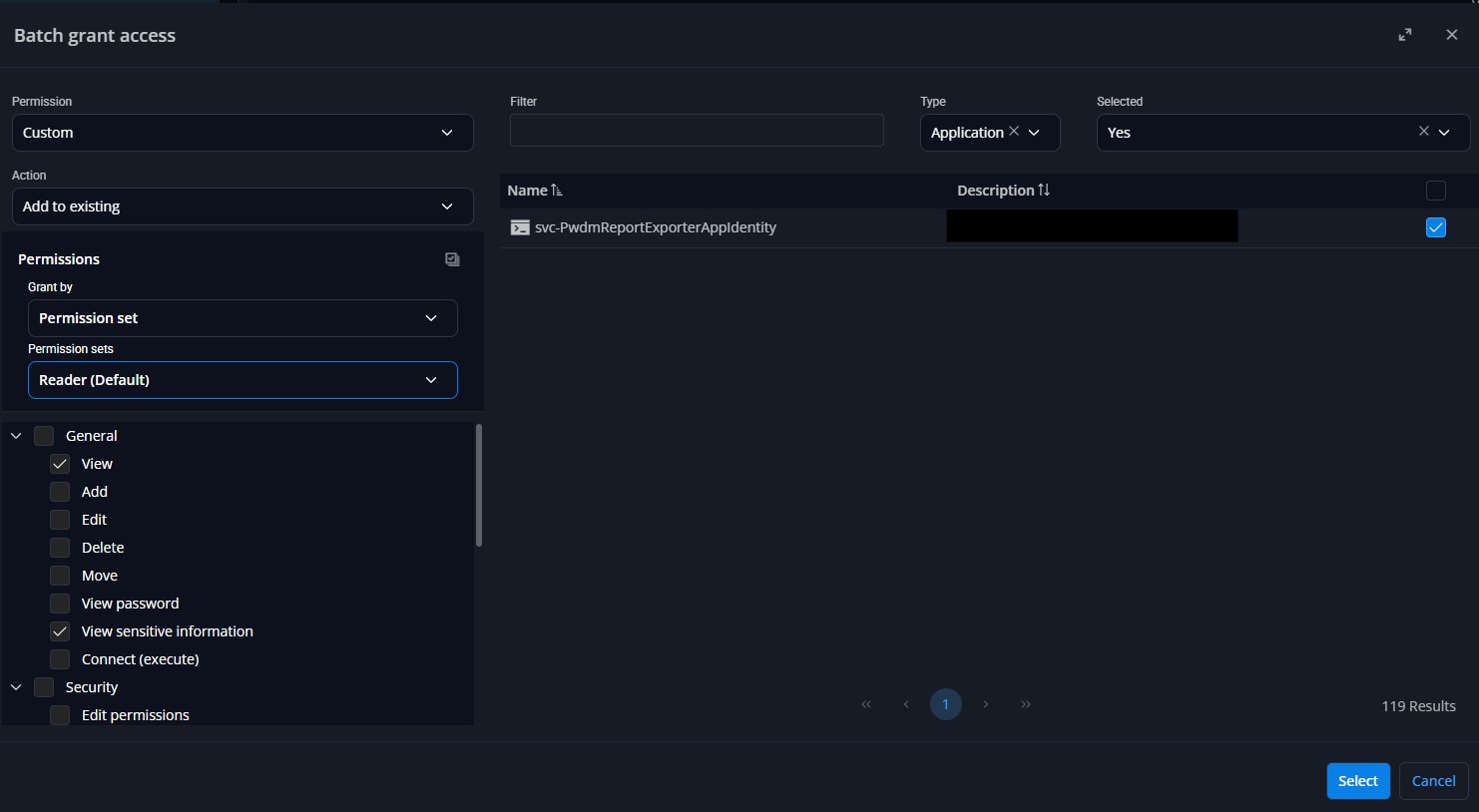
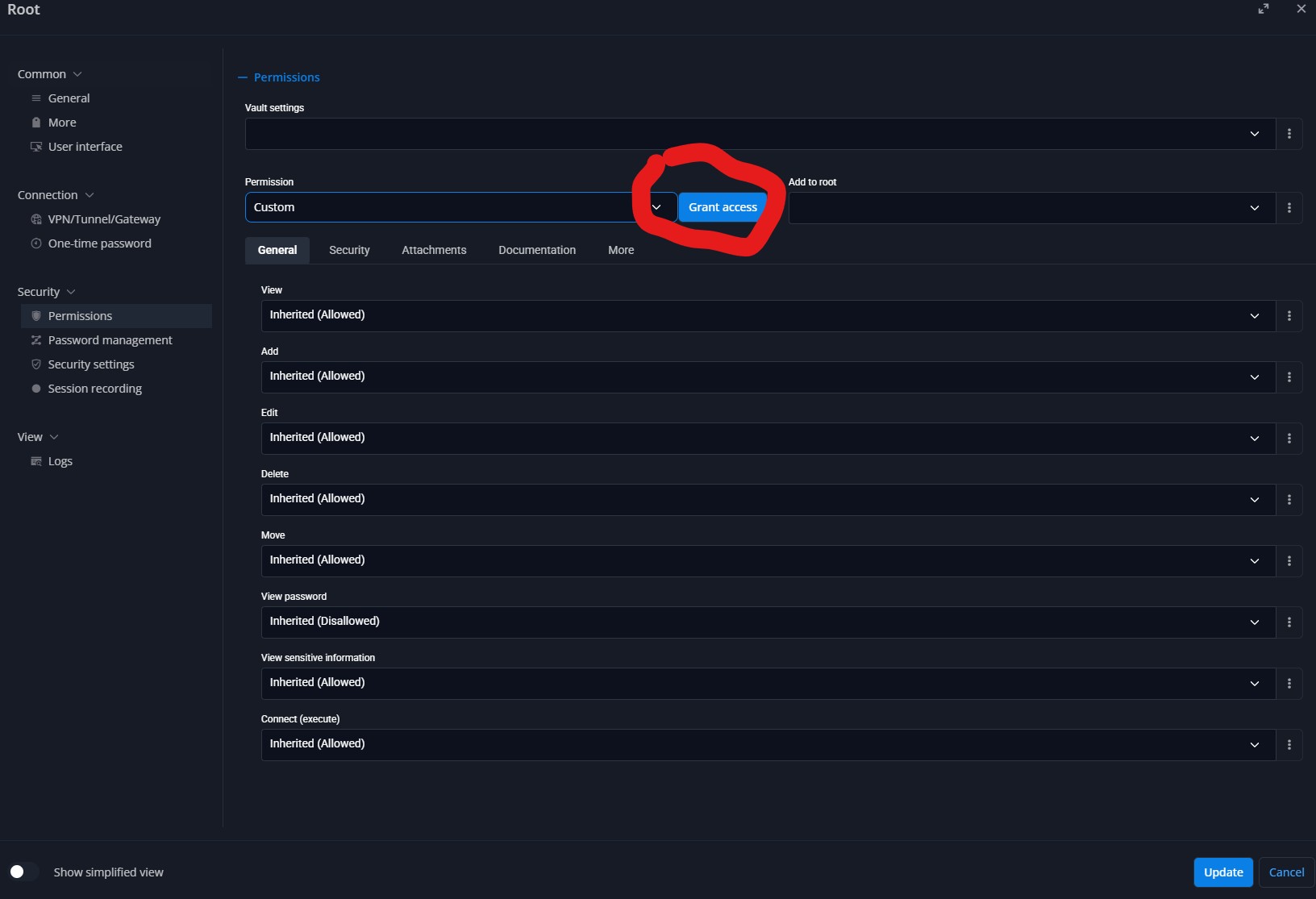
I am sure I am missing something tiny to make it work. The moment I change to a user account, script runs flawlessly.
Using non-admin account for report purposes
Hello again, an update:
Appears that the app connects properly, authenticates now using the app ID and its secret. Next step is failing though. It is about not able to get data from PWDM.
$AllEntries = (Get-DSEntry -VaultID $ServiceAccountRegistryVauldId -All).Data
This doesn't collect anything. I thoroughly checked the Vault's permissions and added the application as reader, as contributor, also with custom permissions, no change. The App just cannot retrieve anything from the Vault. I wonder what the proper permissions should look like?
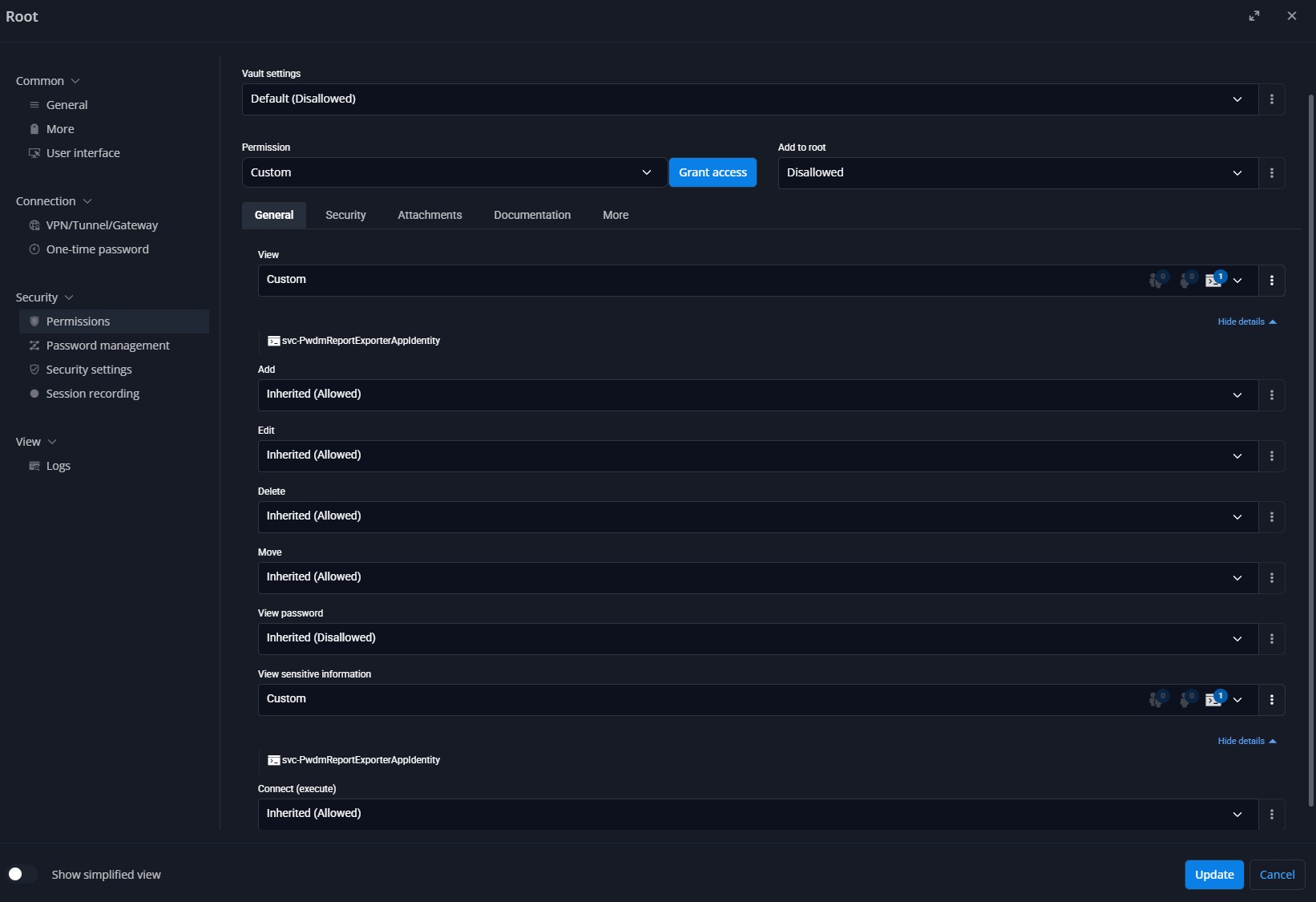
Please advice! Thanks!
Using non-admin account for report purposes
Thank you Michel, I am trying your way but I am still having issues. Cant connect with the app identity either.
I created a new app identity, gave it access to all vaults (there is no CLI allowed in the Application identities set up or I cannot find it).
Then I created the new credential in my credential store (used a combination of name/secret and also app ID/secret for a test)
Still cannot authenticate.
This is what I have:
-------
$CredentialName = "svc-PwdmReportExporterAppIdentity"
$Credentials = Get-AutomationPSCredential -Name $CredentialName # this is to retriever the stored credential from an Azure automation account credential store
$BaseURI = "https://pwdm.blabla.bla"
New-DSSession -Credential $Credentials -BaseURI $BaseURI -AsApplication
--------
Using non-admin account for report purposes
Excuse me, I posted it twice in the forum. Wasn't aware that there is a review going on before the topics appear.
Using non-admin account for report purposes
Hello, I have troubles switching to a non-administrator account in a report script. The usage is simple, I connect with it to collect and list all entries of specific vaults. I dont want, however, this service account to access the passwords/secrets of the credentials entries. Only certain properties. Obviously administrator can, but whenever I change to a USER, even if I allow everything to it, script cannot make a connection.
Is it possible to use low level access account for automated export purposes?
Thanks!