
(user deleted)
Setting default names for custom fields
Hi Sébastien,
Looking at the UI and trying to use the URL and Description fields it appears that I can have one or the other, not both. If I select Description and enter some information and then switch to the URL and enter the URL, it will only save the one I have currently selected, and not the other and the entry page only shows the one selected. I have not found a Notes field to enter information into in the UI without using one of the Custom fields.
As I stated before, I am migrating from Password Manger XP. We have been using this product for over 10 years, and our users will be reluctant to change unless the functionality is at least similar. The standard layout for entering information is as follows:
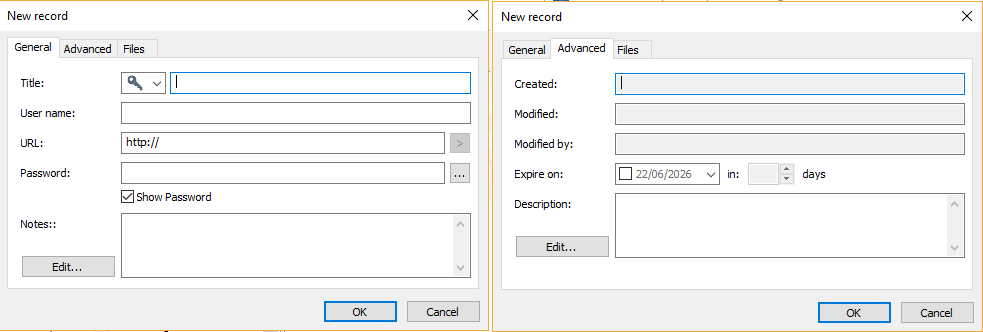

As shown, all of these fields are visible in the browse view for each folder, but with DPM it appears that I cannot have both a Description and URL field for any record.
It would be good to be able to set Custom fields in a particular vault to default values for all existing and new entries.
Hope this gives a better understanding of our requirements.
Kind Regards
Glenn
Setting default names for custom fields
Hi,
I am planning to start using the Devolutions Password Manager application throughout our organisation. We are currently using a product that you do not support for direct importing (Password Manager XP) and have to import all of the data through the generic import option.
Is there a way to set the default name for custom fields to propagate through a vault?
I wish to label Custom #1 as "URL" (the URL field doesn't show up or allow importing into) and Custom #5 as "Notes" through an entire vault for consistency.
While I can do this manually, I will be importing several thousand credentials.
Any assistance is appreciated.
Regards
Glenn