
clacombe
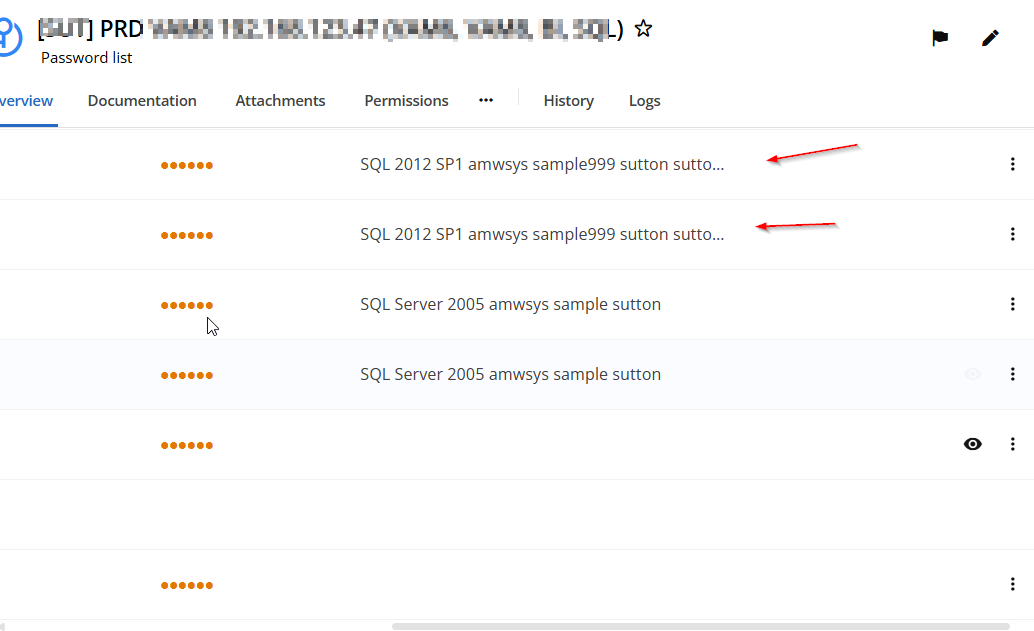
Description of Password List entry items is still not fully visible
I just verified and it still not corrected ! It's getting worst ! Now I have small dots and I need to open it in edit to be able to see the description. Did you add a specific parameter to enable the new behavior ?
FIXES
Entries - Fixed the description field of password list entries so that text wraps instead of requiring horizontal scrolling
Licenses - Fixed an issue where a trial started before the hub was created showed the wrong number of remaining days and asked to start an already-started trial
Licenses - Fixed an issue where RDM connected to a Hub data source could not save a license that expired within the 90-day grace period
PAM - Fixed an issue where JIT checkouts failed when a provider had a large amount of privilege elevation data
Sessions - Fixed an error shown when closing an RDP entry opened in the web client
Sessions - Fixed an issue where a Host entry could not start a Gateway session with the protocol chosen in Connect with
Sessions - Fixed an issue where sessions opened in the web client through a Gateway stayed active after being closed
@Devolutions
Password list entry type
Thank you ! I just tested it and it works perfectly !
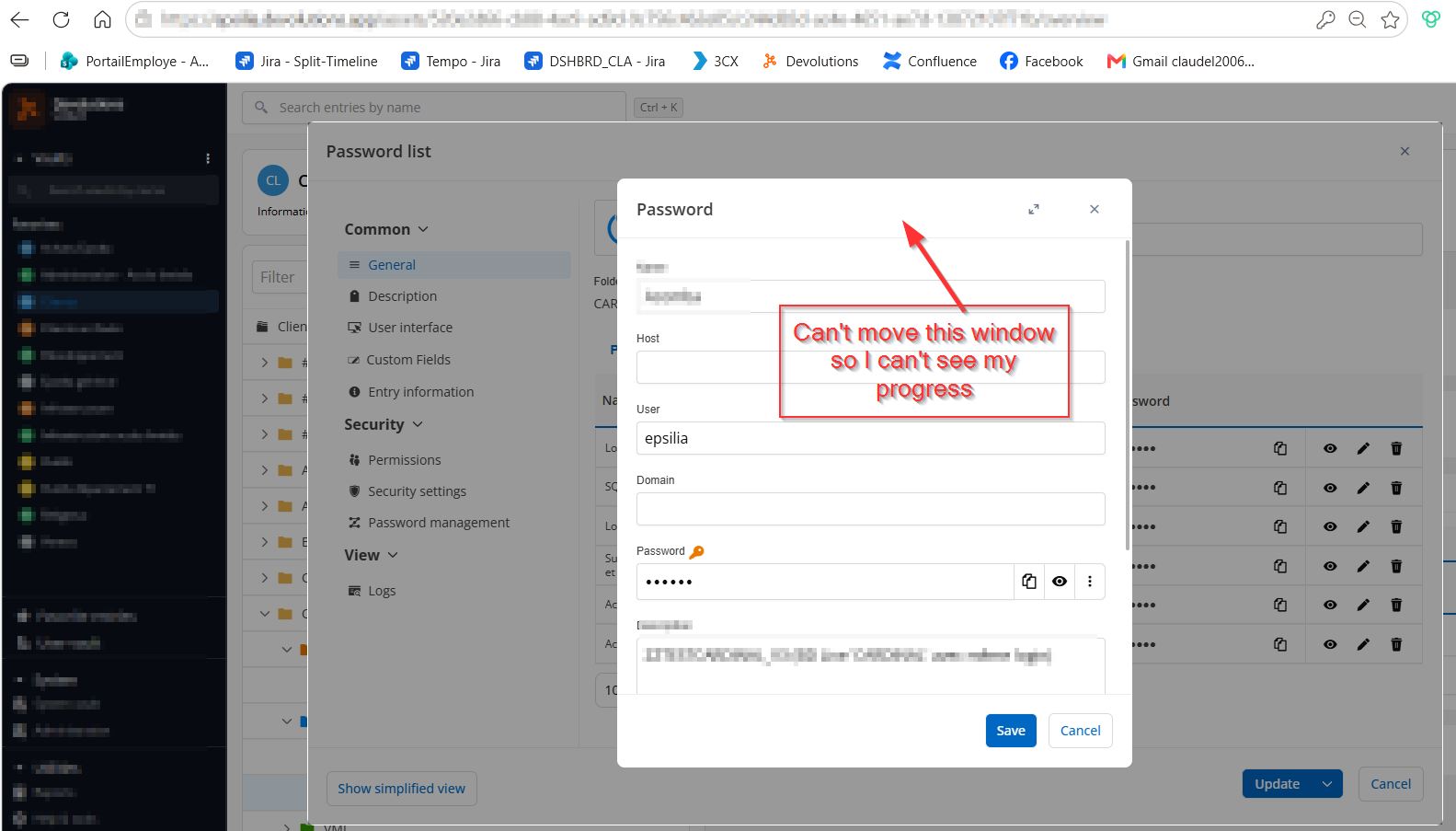
Devolutions Cloud - Possibility to move popup windows when entering information instead of a fixed one .
When I edit an entry, the popup windows is fixed in the center but frequently I need to check previous entries I already did specially for password lists. I understand to keep the focus on that windows but if we could move it ....
Password list entry type
I prefer far more the second option . At the right of the password I want to duplicate
Password list entry type
You're right ! Actually I use two Devolutions web pages to copy entry from on to the other and it is not practical at all. And I'm not talking about the possibility to edit the wrong entry and the page refresh problems
Password list entry type
Have the possibility to duplicate entry and then enter in edit mode to modify only user and password for example, Keeping type host , description etc. To reduce number of entries we use password list to specify all entry types for servers for admin users EX: 2 or 3 ssh account, 2 or 3 mysql account for different usages etc.
Tree structure: Have the choice to change sorting order
I would like to be able to see Entries before Subfolders when I look at Vault content. In a subfolder I prefer to see main entries on top and less important Entries stored in subfolders !
I asked Chatgpt :
Current behavior
The tree view is typically sorted as follows:
Folders (subfolders) first
Entries second
Sorted alphabetically within each group
This behavior is fixed in the web interface and in Remote Desktop Manager when connected to Hub Business.