
seanhickey
Variables & Secrets in Tests
Thank you. We are using the same environment across scripts, apps, apis and tests which is the "PowerShell 7" one, not a custom one.
We built some debugging in the test to write out a log in the file system and verified that all variables and secrets are showing with no value, they are all null
- PSU version and build: Tested on 2026.2.0, 2026.2.1 & 2026.2.2
- Selected test environment: PowerShell 7
- Whether that environment is default or custom: Default
- Whether the secret has roles assigned: No roles used on them
- Exact sanitized test failure or error output: All tests which require variables or secrets simply show failed in the console. Testing a SQL connection simply returns that it's parameters are null.
SQL: ERROR ParameterBindingValidationException: Cannot validate argument on parameter 'Database'. The argument is null or empty. Provide an argument that is not null or empty, and then try the command again.
Variables & Secrets in Tests
Are variable and secrets supposed to be available to tests as we have built tests that require these but are all failing?
Combine Form & Input Validation
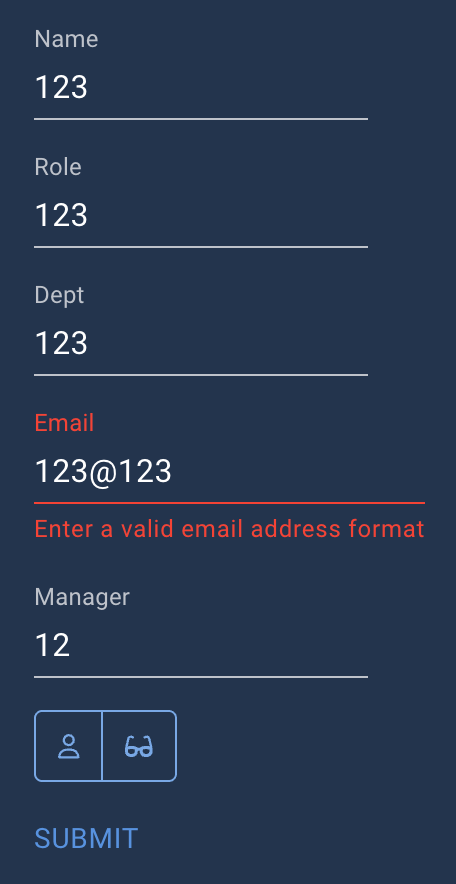
Thank you, this is getting closer, but still not quite right. The submit button is still enabled when the field validation fails but the form passes.
Combine Form & Input Validation
Thank you for the response, but this unfortunately doesn’t achieve what I’m looking for.
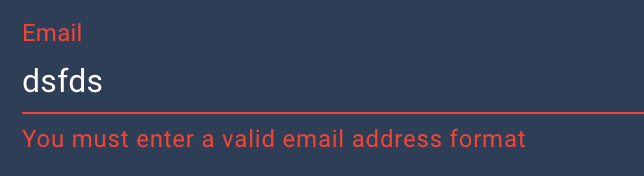
This is only doing the validation at the form level and not the individual fields, I want to do both. I need the individual fields to show error like in the screenshot, but want the submit button only enabled once all fields pass their individual validation rules.
Combine Form & Input Validation
Product: PowerShell Universal
Version: 5.6.4
I’m trying to find the best way to combine individual input field, mostly text, validation so they match a specific pattern and the form level validation so the submit button is not available until all fields pass validation and have the error message appear on each field individually.
I tried to use (Get-Element -Id ‘fieldid’).Valid but this doesn’t get updated on the form until you start editing the next field. Is the validation result available in $EventData.field somehow?
Is anyone else doing this and how have you solved it?