
bmetz
Fallback License
I have a PowerShell Universal Subscription for individuals that will be expiring soon. I am on 5.6.13 and am wondering what is going to happen after my subscription expires. $100 a year was perfectly fine but $500 is just too much for just me. When I purchased the software several years ago it said I would have a fallback perpetual license will that take over so I can continue using the product. Will it fallback to that still? I wanted to open a standard support ticket but it now says I do not have an account on the support portal and I saw no way for an older customer like me to create one.
New-UDApp session timeout
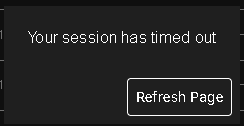
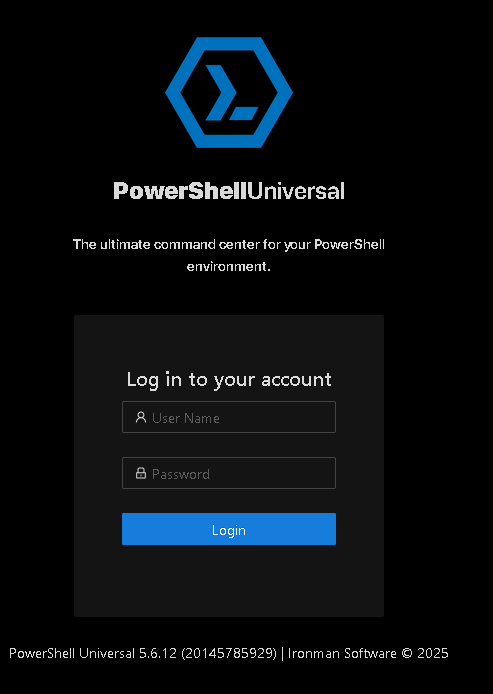
It is possible then I am trying to do something that is not supposed to be done by design. If the tab is in the background or foreground I will get the below message after some time. When I press refresh page it will fully log me out of the software and require a logon. Since this is a dashboard I was hoping for it to stay up indefinitely after it is logged in. Again I might be misusing features of the software and it might not be designed to work this way. Below are what I am being presented with.
New-UDApp session timeout
Are you hosting PowerShell Universal under IIS, or running it as the default self-hosted service (typical MSI install)?
I am running it as the default self-hosted service. I do not have the IIS roll installed on the server.
What is the exact
SessionTimeoutvalue currently set in your ProgramDataappsettings.json, and did you restart the PowerShell Universal service after making the change?
“Mode”: “Server”,
“PSUTelemetry”: false,
“SessionTimeout”: 10080.
Yes I have restarted the entire server a few times since making the change.
If you think running in IIS is preferred though I could move over to that.
New-UDApp session timeout
I am running it via Kestrel. It could be the session timing out in the background but 25 minutes does sound about right when the dashboard logs me out. This isn’t an end of the world issue for me but if it can be fixed with something I am doing simple then I’m game. Below is my appsettings.json.
{
“Kestrel”: {
“Endpoints”: {
“HttpsFromPem”: {
“Url”: “https://:443",
“Certificate”: {
“Path”: “C:\Scripts\Certs\REDACTED.pem”,
“KeyPath”: “C:\Scripts\Certs\REDACTED.key”
}
},
“HttpsAlternate”: {
“Url”: "https://:8443”,
“Certificate”: {
“Path”: “C:\Scripts\Certs\REDACTED.pem”,
“KeyPath”: “C:\Scripts\Certs\REDACTED.key”
}
}
}
},
“Plugins”: [
“SQL”
],
“Data”: {
“RepositoryPath”: “%ProgramData%\UniversalAutomation\Repository”,
“ConnectionString”: “Server=CS-API-WIN-01\SQLEXPRESS;Database=PowerShellUniversal;Integrated Security=True;TrustServerCertificate=True”
},
“Mode”: “Server”,
“PSUTelemetry”: false,
“SessionTimeout”: 10080
}
New-UDApp session timeout
I’m using a UD app secured with Windows Active Directory authentication in PowerShell Universal. I’m having trouble with frequent logouts and session timeouts. I do need authentication in place, but I would like my session to remain valid for up to 24 hours of inactivity before I’m logged out.

What I’m seeing now is a message that says: “Your session has timed out. Refresh the page.” I don’t mind seeing that message or clicking the refresh button, but after I click refresh I’m fully logged out and have to sign in again with my AD credentials. What I would like instead is for the page to simply reload and keep me authenticated.

I’ve tried adjusting the session timeout in appsettings.json and adding a JavaScript keep-alive on the page, but neither has worked. Are there additional configuration settings for UD apps using Windows authentication in PowerShell Universal that might be overriding the session timeout or causing this behavior?
Product: PowerShell Universal
Version: 5.6.12Hello. I am using a UD-App with pages. Ex. “New-UDApp -Title ‘Admin Dashboard’ -Pages $Pages -Theme $Theme “.
I can confirm the change was made here Env:ProgramData\PowerShellUniversal\appsettings.json
I use Firefox and I left the tab open in the foreground and after about 20 minutes I get a message that says “Your session has timed out”.
New-UDApp session timeout
I’m using a UD app secured with Windows Active Directory authentication in PowerShell Universal. I’m having trouble with frequent logouts and session timeouts. I do need authentication in place, but I would like my session to remain valid for up to 24 hours of inactivity before I’m logged out.

What I’m seeing now is a message that says: “Your session has timed out. Refresh the page.” I don’t mind seeing that message or clicking the refresh button, but after I click refresh I’m fully logged out and have to sign in again with my AD credentials. What I would like instead is for the page to simply reload and keep me authenticated.

I’ve tried adjusting the session timeout in appsettings.json and adding a JavaScript keep-alive on the page, but neither has worked. Are there additional configuration settings for UD apps using Windows authentication in PowerShell Universal that might be overriding the session timeout or causing this behavior?
Product: PowerShell Universal
Version: 5.6.12Center New-UDSwitch
Thank you for opening an issue tracker for me. I have worked around this issue in the interim by changing the wording of the switch positions and resizing the card.
Center New-UDSwitch
I am working on creating my first app and am struggling to center a New-UDSwitch position inside of a card. Currently I have only been able to center the text box and the save button. The switch itself is always left justified. Hope someone can point me in the right direction.
New-UDCard -Content {
New-UDStack -Content {
New-UDSwitch -Id ‘Automatic IP Rotation’ -Checked $connection.result.ipChangeEnabled -CheckedLabel ‘On’ -UncheckedLabel ‘Off’ -OnChange {
if ($EventData -eq $false) {
# Switch is off
Set-UDElement -Id ‘Automatic IP Rotation Textbox’ -Attributes @{disabled = $true}
Set-UDElement -Id ‘Automatic IP Rotation Textbox’ -Attributes @{value = ‘’}
Set-UDElement -Id ‘SaveButton’ -Attributes @{disabled = $true}
} elseif ($EventData -eq $true) {
# Switch is on
Set-UDElement -Id ‘Automatic IP Rotation Textbox’ -Attributes @{disabled = $false}
Set-UDElement -Id ‘SaveButton’ -Attributes @{disabled = $false}
}
}
New-UDTextbox -Id ‘Automatic IP Rotation Textbox’ -Label ‘Rotation Frequency’ -Value $textboxValue -Disabled:$textboxDisabled
New-UDCardFooter -Content {New-UDButton -Variant ‘outlined’ -Text ‘Save’ -Id ‘SaveButton’ -Disabled:$saveButtonDisabled}
} -Id ‘verticalstack’ -AlignItems ‘center’ -Direction ‘column’
} -Title ‘Automatic IP Rotation’ -Style @{
maxWidth = “300px”;
margin = “0 0”;
}
Product: PowerShell Universal
Version: 5.12