
it-zwi
Disable Dashboard (Features or completely)
Hello,
Sorry for the delay, I consulted our support agent to get a clarification on this.
From what I understand it would work for you if we added GPOs to:
Hide the dashboard
Hide the navigation pane
Is this correct?
Regards,
Hi,
Sorry missed the notice about the update.
yes, if we could hide the dashboard it would solve our problem.
Regards,
Lock the navigation pane
Hello,
We've added the GPO LockNavigationPane which will prevent hiding or closing the Navigation pane. This should be available for the next 2023.3 update.
Regards,
Great News, we will look forward to test the feature.
Regards
Lock the navigation pane
Thank you for the request. I have opened an internal ticket to add a GPO for this.
Regards,
Great! Please keep me updated.
Disable Dashboard (Features or completely)
Hello,
We are looking for a solution to disable the Dashboard for users in the Terminal Server environment.
The RDM solution is used as a jump host with minimal rights. The users are not allowed to make any changes to the settings or entries.
We have already checked and enabled all the GPO settings. According to the support session we should submit a feature request.
We would like to disable the following features:
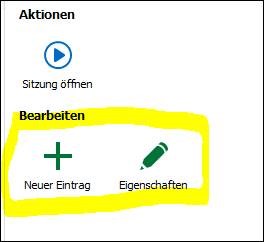
- Remove the ability to edit entries (New Entry + Properties)
- User configuration of the dashboard
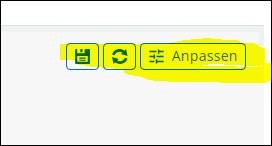
If these are not possible individually, we would also like to disable the dashboard completely.
Kind Regrads
Lock the navigation pane
Hello,
We are looking for a solution to lock the navigation pane for all users on a Terminalserver setup.
If possible it would be great to get a GPO Setting which can be set globally.
Users often close the navigation bar by mistake. We would like to lock this so that users cannot close it again.

Kind Regards