
Gregorio A.
SSH Session restart crash program [Manjaro]
Nop... totally solved. Please remember this "little piece of code" next upgrade!!! hahaha
best regards!!!
Error on starting sessions
Yep!!! it works!!!
Error on starting sessions
Sorry, forgot to say I'm using Manjaro 23.1.4
Error on starting sessions
Hi there,
Since update to 2024.1.1.2 I got error on starting with any stored credentials as you can see on attached image.
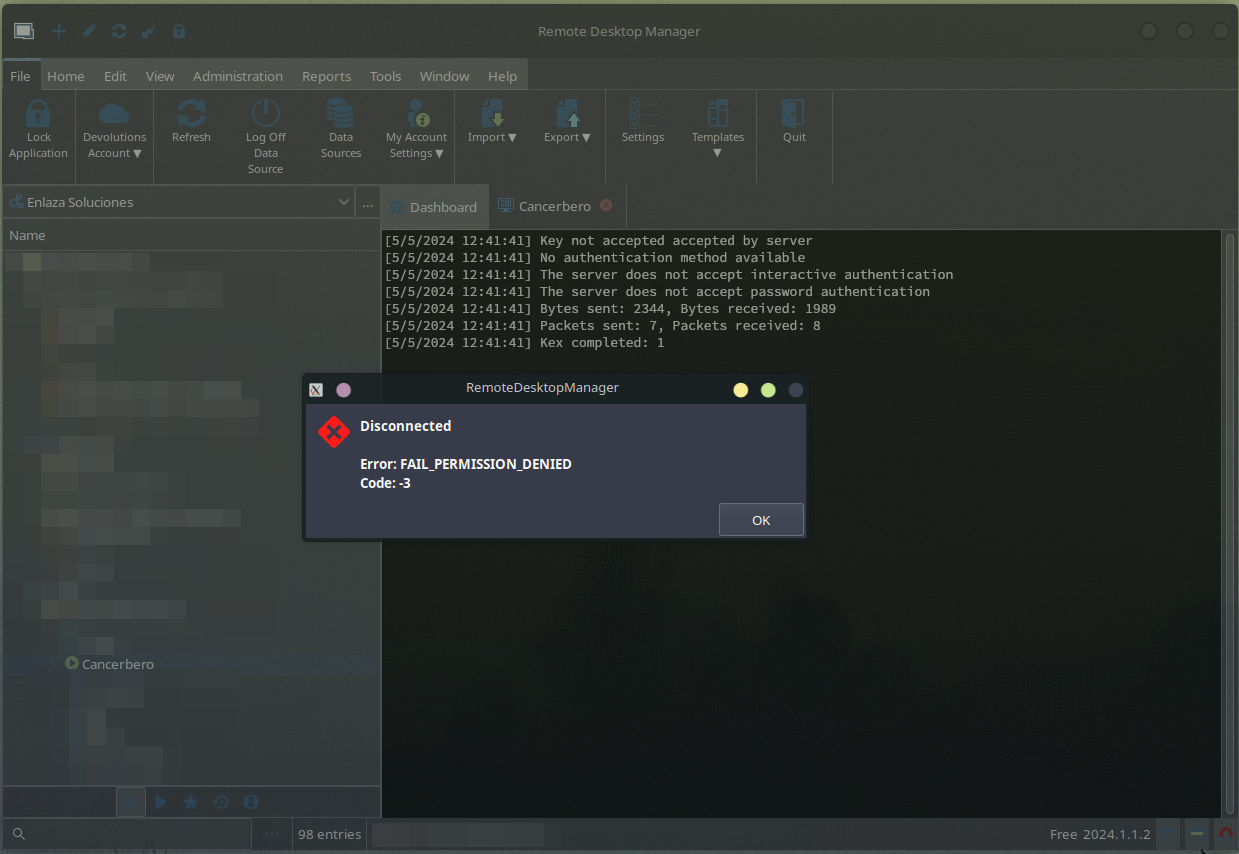
As you can see... I'm using identities and I have the private key copied into the identity properties.
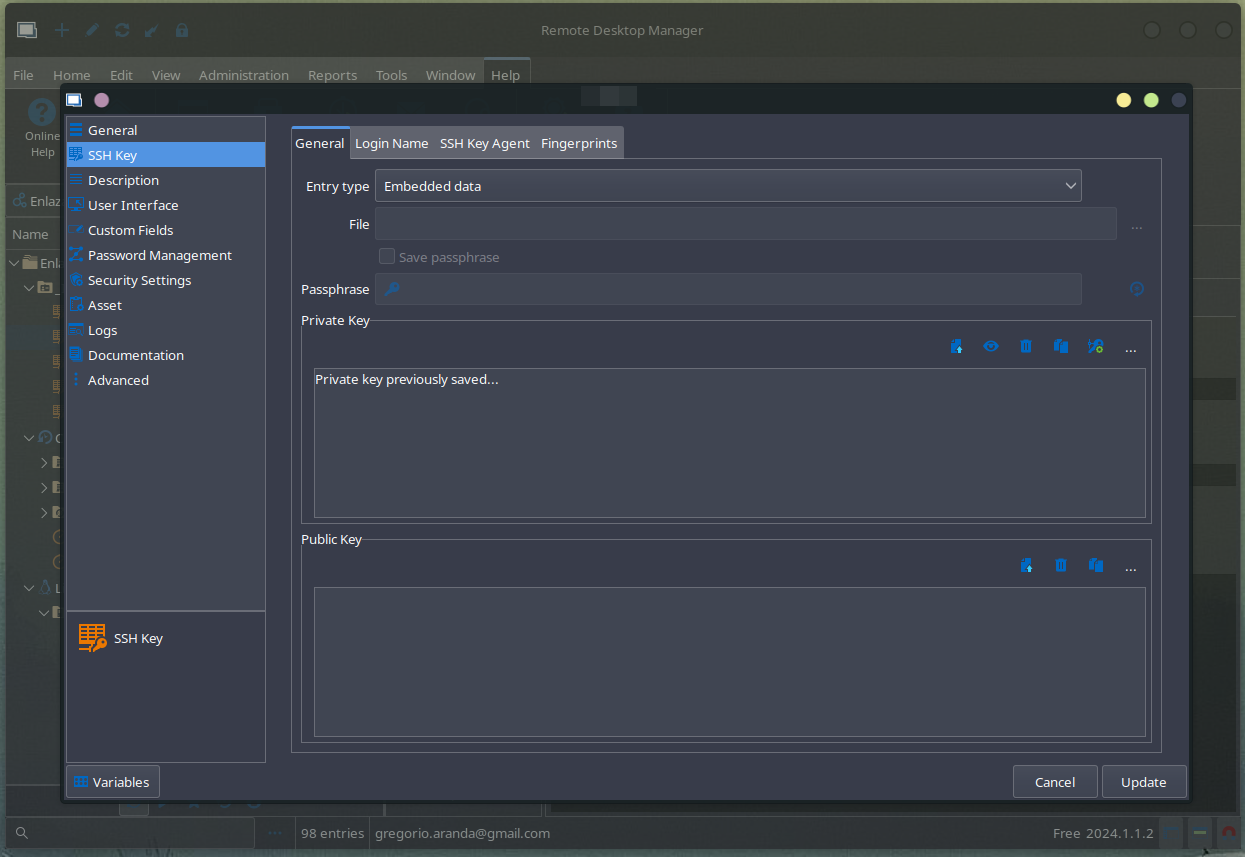
SSH Gateway (Jump Host) dissapear (again) [Manjaro]
Yes... Totally agre... sorry to be so unclear.
Version: 2023.3.1.6
Started: Since updated to previous version.
Package Manager: AUR
I had this problem before and was reported on a previous post. But was solved, so I decided to open this new one.
SSH Gateway (Jump Host) dissapear (again) [Manjaro]
Hi there,
Back to the future... 2024 edition!!! hahaha
The servers on SSH Gateway has dissapear again :(
SCP Session not working properly [Manjaro]
Hi gregorioaranda,
It seems that this interface may have an issue with the right click menu on that specific place (at the bottom left). I created a ticket so we can look at this. It may not be very intuitive but it is supposed to works with a drag and drop (from local to server) for uploading files. Please let me know if that helps and if drag and drop works for you.
Regards,
Totally right... it works with drag and drop.
SCP Session not working properly [Manjaro]
Hi there,
I discover your SCP Session. It looks great... but doesnt' work :(
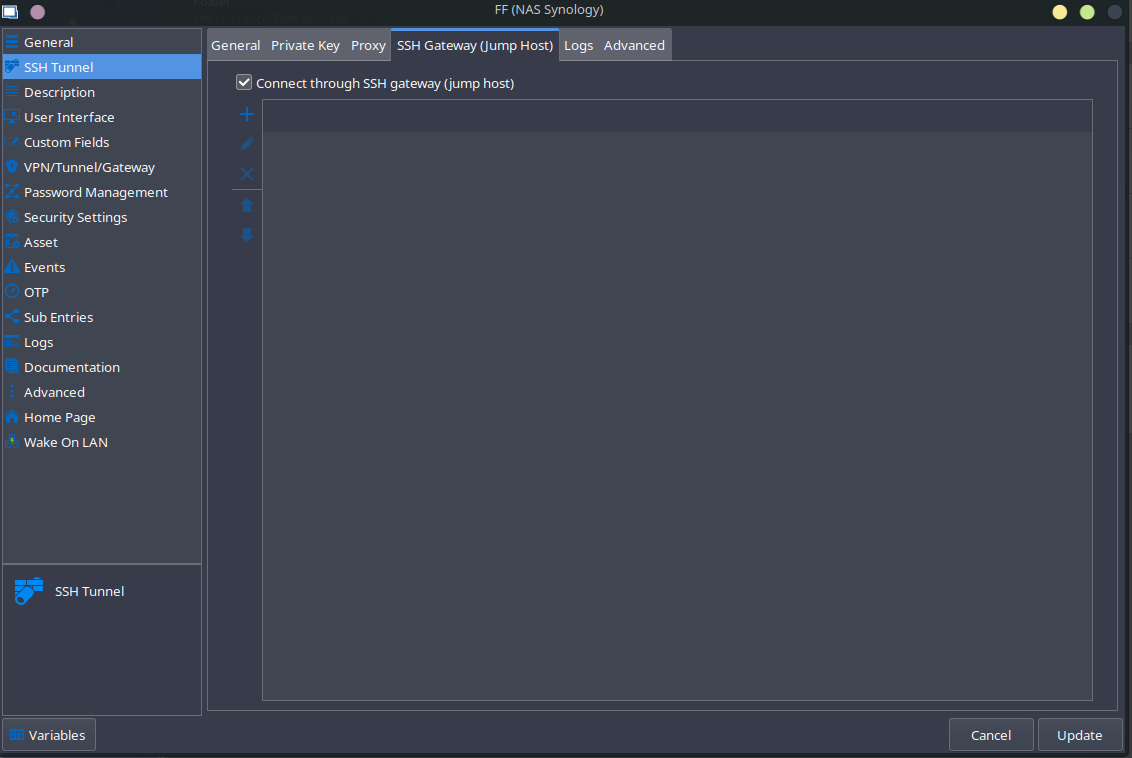
I have configured a session in order to upload files from my computer to a server... but there is no option when press the right button. I discover that at least, I can download files from the server (the option is there) but there is no option to download. Attached a screenshot.
When hit the right click on my mouse on a local file, I only have "Close, reconnect, settings and in "grey" (not active) broadcast input". Otherwise, if I made rght click on remote, I have rename, copy, move, download...
By the way, I'm using flameshot on my linux and I was unable to make a screenshot when the menu option (right click on a file) is open.
As usual, thanks for your time
SSH Gateway (Jump Host) dissapear [Manjaro]
Hi there,
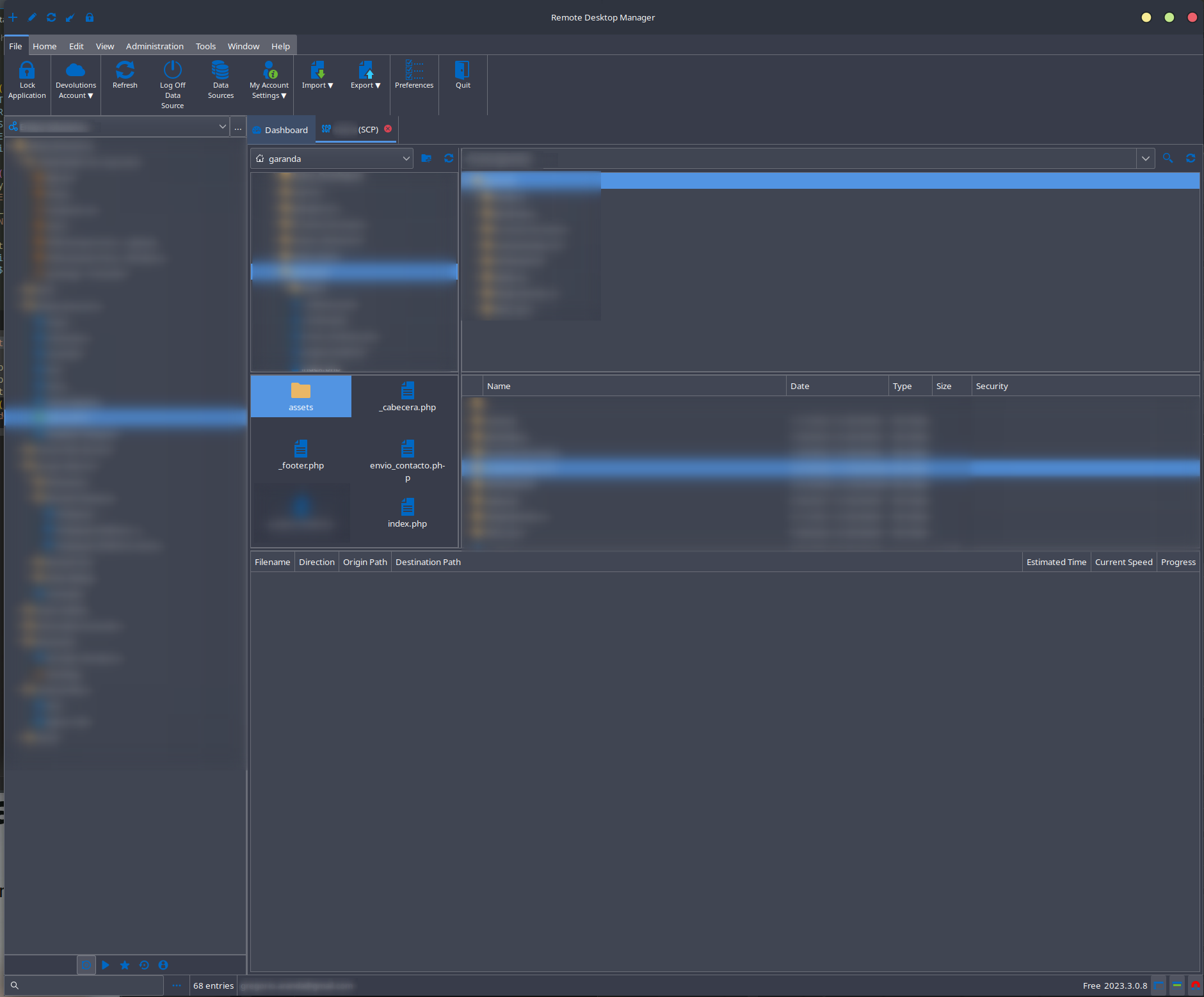
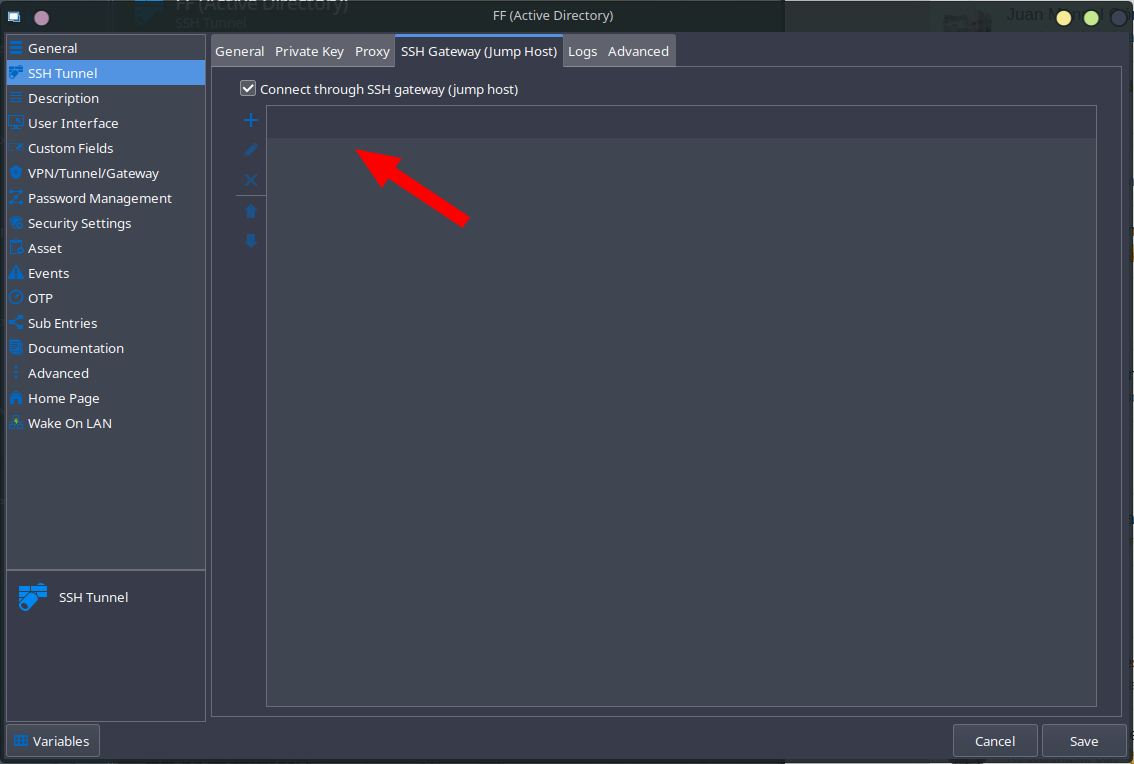
I had on previous versions my jump host connection server configured here, but, on update to this new version 2023.3.0.5, suddenly it disappears. But it's very strange, because it still there, but I cant' modify neither add.
Unable to open RDM [Manjaro]
Ok, Simon, forget it. I don't know exactly what happend, but is solved. I downgrade to 2023.2.2.5 and when see your messagen perform an upgrade 2023.2.2.6 and everything work fine. Thanks and sorry for waste your time.
Unable to open RDM [Manjaro]
When opening RDM, suddenly crash and got this error on a window
DllNotFoundException - Unable to load shared library 'libWebView.so' or one of its dependencies. In order to help diagnose loading problems, consider setting the LD_DEBUG environment variable: liblibWebView.so: no se puede abrir el fichero del objeto compartido: No existe el fichero o el directorio

   at Client.Views.Dashboard.DashboardSecondaryView.LoadConnectionViews(IConnectionSource source)
   at Client.Views.Embedded.EmbeddedDashboardView.RefreshDashboard(IConnectionSource source)
   at Devolutions.RemoteDesktopManager.Managers.EmbeddedViewManager.RefreshDashboard(IConnectionSource source)
   at Devolutions.RemoteDesktopManager.Managers.EmbeddedViewManager.ConnectionDidChange(IConnectionSource source)
   at Client.Views.Navigation.NavigationConnectionTreeView.OnSelectionChange(IConnectionSource source)
at Client.Views.Controls.ConnectionTreeView.OnTSSH Session restart crash program [Manjaro]
~ mhwd -l -li

> Installed PCI configs:
--------------------------------------------------------------------------------
                  NAME               VERSION          FREEDRIVER           TYPE
--------------------------------------------------------------------------------
          video-nvidia            2023.03.23               false            PCI

Warning: No installed USB configs!
> 0000:0a:00.0 (0300:10de:1e89) Display controller nVidia Corporation:
--------------------------------------------------------------------------------
                  NAME               VERSION          FREEDRIVER           TYPE
--------------------------------------------------------------------------------
          video-nvidia            2023.03.23               false            PCI
    video-nvidia-470xx            2023.03.23               false            PCI
           video-linux            2018.05.04                true            PCI
     video-modesetting            2020.01.13                true            PCI
            video-vesa            2017.03.12                true            PCI
~ inxi -Fza
System:
Kernel: 6.1.55-1-MANJARO arch: x86_64 bits: 64 compiler: gcc v: 13.2.1
clocksource: hpet available: acpi_pm
parameters: BOOT_IMAGE=/boot/vmlinuz-6.1-x86_64
Desktop: KDE Plasma v: 5.27.8 tk: Qt v: 5.15.10 wm: kwin_x11 dm: SDDM
Distro: Manjaro Linux base: Arch Linux
Graphics:
Device-1: NVIDIA TU104 [GeForce RTX 2060] driver: nvidia v: 535.113.01
alternate: nouveau,nvidia_drm non-free: 535.xx+
status: current (as of 2023-09) arch: Turing code: TUxxx
process: TSMC 12nm FF built: 2018-22 pcie: gen: 2 speed: 5 GT/s lanes: 16
link-max: gen: 3 speed: 8 GT/s bus-ID: 0a:00.0
class-ID: 0300
Display: server: X.Org v: 21.1.8 compositor: kwin_x11 driver: X:
loaded: nvidia gpu: nvidia display-ID: :0 screens: 1
Screen-1: 0 s-res: 4920x2160 s-dpi: 80 s-size: 1562x686mm (61.50x27.01")
s-diag: 1706mm (67.17")
Monitor-1: DP-2 pos: primary,left res: 3840x2160 hz: 60 dpi: 140
size: 698x393mm (27.48x15.47") diag: 801mm (31.54") modes: N/A
Monitor-2: HDMI-0 pos: right res: 1080x1920 hz: 60 dpi: 82
size: 336x598mm (13.23x23.54") diag: 686mm (27.01") modes: N/A
API: EGL v: 1.5 hw: drv: nvidia platforms: gbm: drv: nvidia
API: OpenGL v: 4.6.0 vendor: nvidia v: 535.113.01 glx-v: 1.4
direct-render: yes renderer: NVIDIA GeForce RTX 2060/PCIe/SSE2
memory: 5.86 GiB
API: Vulkan v: 1.3.264 layers: 4 device: 0 type: discrete-gpu
name: NVIDIA GeForce RTX 2060 driver: nvidia v: 535.113.01SSH Session restart crash program [Manjaro]
Hi there,
I'm using the Vault option for Private Key type (thanks for adding) with SSH Shell connection. When I close this session... if I get back the program crash with no info and close.
Here you have the info got from starting the program from the command line.
 ~  remotedesktopmanager

(RemoteDesktopManager:10215): Gtk-CRITICAL **: 12:48:19.654: gtk_widget_grab_default: assertion 'gtk_widget_get_can_default (widget)' failed
src/nv_gbm.c:99: GBM-DRV error (nv_gbm_bo_create): DRM_IOCTL_NVIDIA_GEM_ALLOC_NVKMS_MEMORY failed (ret=-1)

Failed to create GBM buffer of size 1309x765: Argumento inválido
src/nv_gbm.c:99: GBM-DRV error (nv_gbm_bo_create): DRM_IOCTL_NVIDIA_GEM_ALLOC_NVKMS_MEMORY failed (ret=-1)

Failed to create GBM buffer of size 1309x765: Argumento inválido
src/nv_gbm.c:99: GBM-DRV error (nv_gbm_bo_create): DRM_IOCTL_NVIDIA_GEM_ALLOC_NVKMS_MEMORY failed (ret=-1)

Failed to create GBM buffer of size 1309x765: Argumento inválido
Failed to create EGL images for DMABufs with file descriptors -1, -1 and -1
Se está abriendo en una sesión de navegador existente.
libva error: vaGetDriverNames() failed with unknown libva error

(process:10398): libsoup-WARNING **: 12:48:42.075: Failed to execute query: table soup_hsts_policies already exists

(process:10398): libsoup-WARNING **: 12:48:42.076: Failed to execute query: database is locked

(process:10406): libsoup-WARNING **: 12:48:42.075: Failed to execute query: table soup_hsts_policies already exists
src/nv_gbm.c:99: GBM-DRV error (nv_gbm_bo_create): DRM_IOCTL_NVIDIA_GEM_ALLOC_NVKMS_MEMORY failed (ret=-1)

Failed to create GBM buffer of size 1309x781: Argumento inválido
src/nv_gbm.c:99: GBM-DRV error (nv_gbm_bo_create): DRM_IOCTL_NVIDIA_GEM_ALLOC_NVKMS_MEMORY failed (ret=-1)

Failed to create GBM buffer of size 1309x781: Argumento inválido
src/nv_gbm.c:99: GBM-DRV error (nv_gbm_bo_create): DRM_IOCTL_NVIDIA_GEM_ALLOC_NVKMS_MEMORY failed (ret=-1)

Failed to create GBM buffer of size 1309x781: Argumento inválido
Failed to create EGL images for DMABufs with file descriptors -1, -1 and -1
src/nv_gbm.c:99: GBM-DRV error (nv_gbm_bo_create): DRM_IOCTL_NVIDIA_GEM_ALLOC_NVKMS_MEMORY failed (ret=-1)

Failed to create GBM buffer of size 1309x729: Argumento inválido
src/nv_gbm.c:99: GBM-DRV error (nv_gbm_bo_create): DRM_IOCTL_NVIDIA_GEM_ALLOC_NVKMS_MEMORY failed (ret=-1)

Failed to create GBM buffer of size 1309x729: Argumento inválido
src/nv_gbm.c:99: GBM-DRV error (nv_gbm_bo_create): DRM_IOCTL_NVIDIA_GEM_ALLOC_NVKMS_MEMORY failed (ret=-1)

Failed to create GBM buffer of size 1309x729: Argumento inválido
Failed to create EGL images for DMABufs with file descriptors -1, -1 and -1
*** stack smashing detected ***: terminated
[1] 10215 IOT instruction (core dumped) remotedesktopmanagerProblem using SSH Tunneling
Hi there,
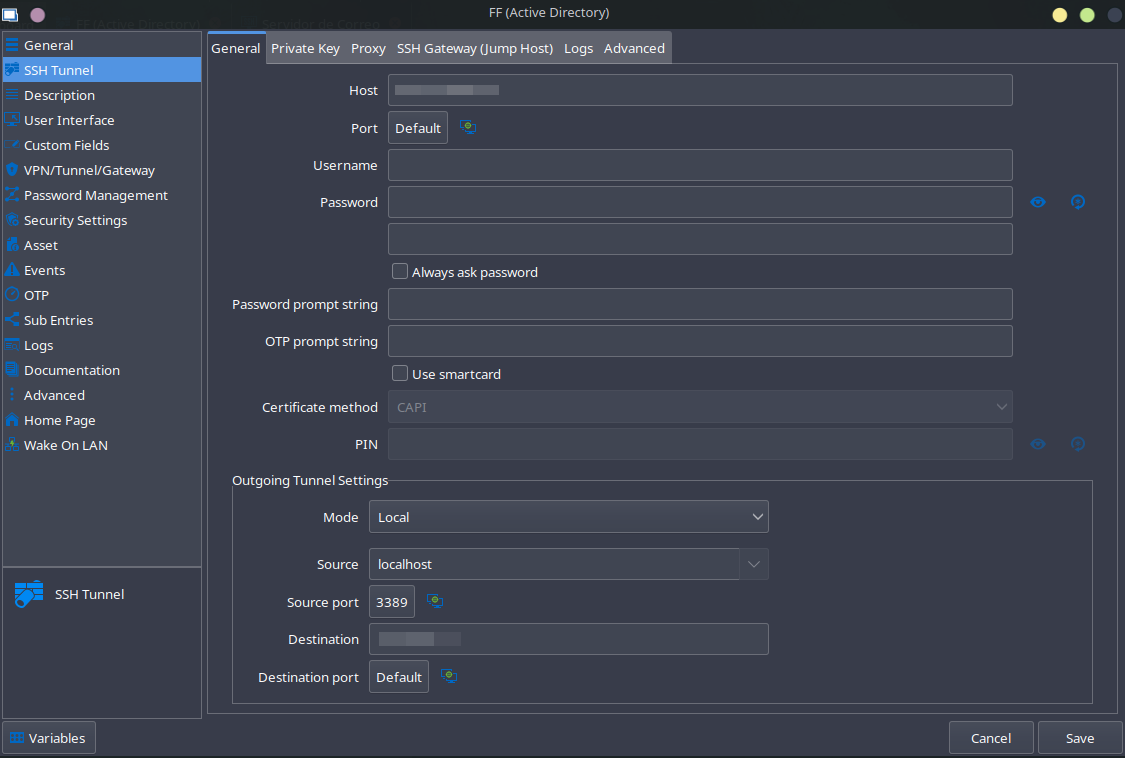
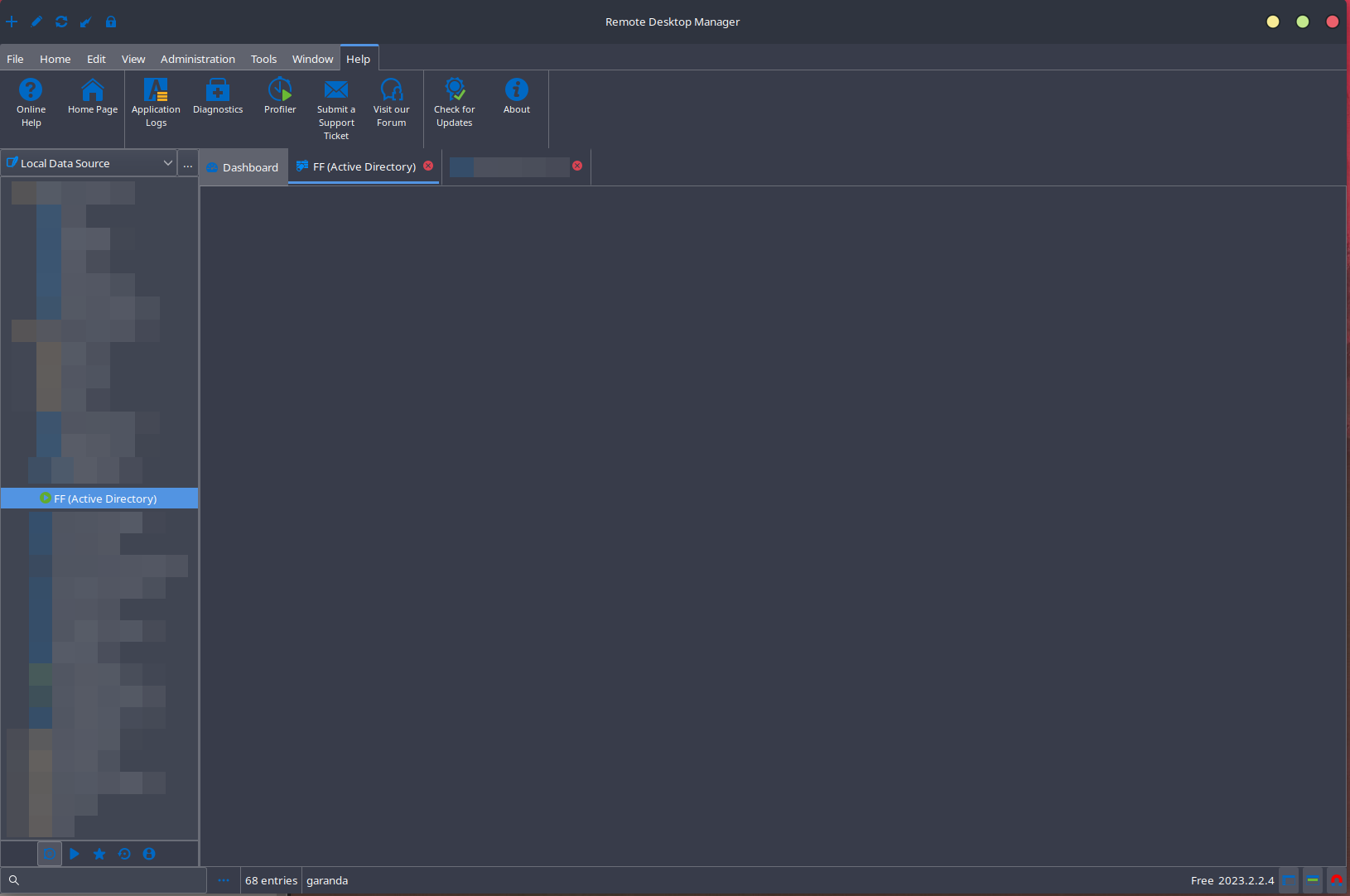
I just updated to 2023.2.2.4 version. I have configured a bunch of SSH tunnels. Since the update, when I try to open SSH tunnel, all I got is a blank screen, but in the side view, looks in green althoug is not connected.
Not able to use Vault Private Key type
Really... Thank you very much @simon, I cant' be more satisfied with RDM. What a service!!!
As workaround, yes, I'm doing this way.
Not able to use Vault Private Key type
Hello,
Which type of data source do you use? I think that when you use a Hub data source, all you have is "data" or "Find by Name".
Agree Simon... it's a limitation?
Not able to use Vault Private Key type
Hi there,
I'm using RDM on a Manjaro and, I don't know why, on local (and also when configuring jump host) I can use Vault as a credential origin for my SSH connections, but, when configuring Private Key on the host tab, I don't have this option, just "data" or "Find by Name" (User vault)
Best regards
RDM closes while starting [Manjaro]
Hello,
Our update 2023.2.1.6 is now available on our website. It contains Richard's suggested fix and should resolve the SQLite issue.
As we are not the maintainers of the AUR repository, we cannot say when it will be updated.
OK, Solved!!! Thank you very much to you and your team for the support.
RDM closes while starting [Manjaro]
That Update also broke my instance completely:
[872189.548848] RemoteDesktopMa[720400] bad frame in rt_sigreturn frame:0000000061a58da6 ip:7f2cfde8548f sp:7ffd7369eee8 orax:ffffffffffffffff in SQLite.Interop.dll[7f2cfde76000+149000]
[872808.137972] RemoteDesktopMa[723143]: segfault at 562e3f8ee538 ip 00007f31c7e8348f sp 00007fff113b9d08 error 4 in SQLite.Interop.dll[7f31c7e74000+149000] likely on CPU 14 (core 7, socket 0)
[872808.137984] Code: 48 8b 55 d8 8b 0a ba 00 00 00 00 f7 f1 89 55 ec 48 8b 45 d8 48 8b 40 10 8b 55 ec 48 c1 e2 04 48 01 d0 48 89 45 f8 48 8b 45 f8 <48> 8b 40 08 48 89 45 f0 48 8b 45 f8 8b 00 89 45 e8 eb 1d c7 45 ecSadly it is no option for me to rerun the DataSource wizard, cause all my connections are in the SQLite which can't be accessed.
Hi Andrea,
You can run in your terminal this command:
pacman -S remote-desktop-manager=2023.1.1.3-1It "solves" my issue (it's a workaround, ok?, not solved really). The problem start in versions greater than this one, so you can use on this version and execute the program.
RDM closes while starting [Manjaro]
Hello
I'm not sure why the SQLite library we're distributing is causing a core dump on your system. Since we dynamically link the library, it's hard for me to get anything meaningful out of your error message. I'll need to debug this on my side to understand what's going on.
I just wanted to give an update that we are working on this, and I'll post back here once I have some more information.
I do appreciate your patience in the meantime.
Kind regards,
Hi Richard,
Thanks for your time. I'm totally available if you need to connect to my computer in order to get values from the source.
Best regards
Pd. Forgot to tell you all the problems start since next version of 2023.1.1.3-1 rollout
RDM closes while starting [Manjaro]
Hi, can you provide any kind of help in this issue?
RDM closes while starting [Manjaro]
Thanks for your answer. I use the GUI pamac, with the AUR repository. On the info page said packager unknown, so, not so sure about how the program get installed.
RDM closes while starting [Manjaro]
Hi there,
I'm using 2023.1.1.3. Since this version, when I start remote desktop manager crash suddenly. Sometimes it get the splash screen. Running from console, I get the following error:
(RemoteDesktopManager:1729): Gtk-CRITICAL **: 23:38:22.564: gtk_widget_grab_default: assertion 'gtk_widget_get_can_default (widget)' failed
zsh: segmentation fault (core dumped)  remotedesktopmanager
On dmesg:
[  267.483398] RemoteDesktopMa[1729]: segfault at 560e603c21e8 ip 00007f68ca29e48f sp 00007ffd1112e508 error 4 in SQLite.Interop.dll[7f68ca28f000+149000] likely on CPU 2 (core 1, socket 0)
[  267.483411] Code: 48 8b 55 d8 8b 0a ba 00 00 00 00 f7 f1 89 55 ec 48 8b 45 d8 48 8b 40 10 8b 55 ec 48 c1 e2 04 48 01 d0 48 89 45 f8 48 8b 45 f8 <48> 8b 40 08 48 89 45 f0 48 8b 45 f8 8b 00 89 45 e8 eb 1d c7 45 ec
My system is:
Operating System: Manjaro Linux
Distrib release: 23.0.0
Kernel: Linux 6.1.41-1-MANJARO
Architecture: x86-64