deaktamashu
Devolution Server Console installation SQL error
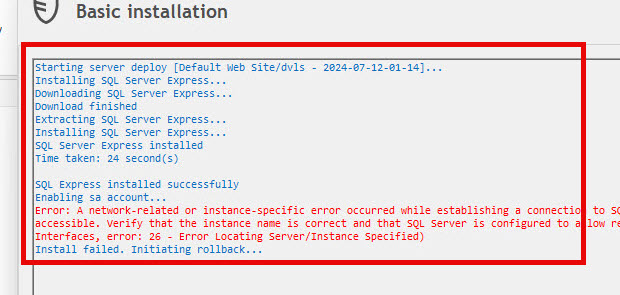
as you can see on the screenshot the installed deployed themselves the sql express to localhost
Devolution Server Console installation SQL error
Dears,
I'm trying to install a new instance to a brand new Windows Server 2022 installation.
I'm gettign SQL error:

RemoteDesktopManager_2023.3.1.3_x86_64.rpm --> libvte-2.91-0 is needed by RemoteDesktopManager-2023.3.1.3-1.x86_64
Hello,
We're working on a fix for this problem that should be available tomorrow.
In the meantime, you can get the previous version here.
Regards,
Thank you,
I'Ll wait for the new release because the older one seems having other issue:
Downloads]$ sudo rpm -i RemoteDesktopManager_2023.3.0.8_x86_64.rpm
Could not open file or uri for loading certificate from /usr/share/ca-certificates/mozilla/*.crt
807B464AE57F0000:error:16000069:STORE routines:ossl_store_get0_loader_int:unregistered scheme:crypto/store/store_register.c:237:scheme=file
807B464AE57F0000:error:80000002:system library:file_open:No such file or directory:providers/implementations/storemgmt/file_store.c:267:calling stat(/usr/share/ca-certificates/mozilla/*.crt)
Unable to load certificate
cp: cannot stat '/usr/share/ca-certificates/mozilla/*.crt': No such file or directory
warning: %post(RemoteDesktopManager-2023.3.0.8-1.x86_64) scriptlet failed, exit status 1RemoteDesktopManager_2023.3.1.3_x86_64.rpm --> libvte-2.91-0 is needed by RemoteDesktopManager-2023.3.1.3-1.x86_64
I recently installed RHEL 9.3 and downloaded the rpm package and wanted to install but go dependency issue:
Downloads]$ rpm -i RemoteDesktopManager_2023.3.1.3_x86_64.rpm
error: Failed dependencies: 	libvte-2.91-0 is needed by RemoteDesktopManager-2023.3.1.3-1.x86_64
vte291 0.74.0 is installed on the system. Can you please advise?
Thank you,
Redhat Enterprise 9 + Flatpack + Unable to load SQL Lite datasource. The saved master key is invalid.
Dear Member,
recently I've installed RDM to my RHEL 9 workstation via Flatpack.
When I start the app says:
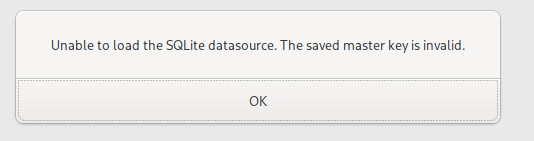
Unable to load SQL Lite datasource. The saved master key is invalid.
and when I close the error message:
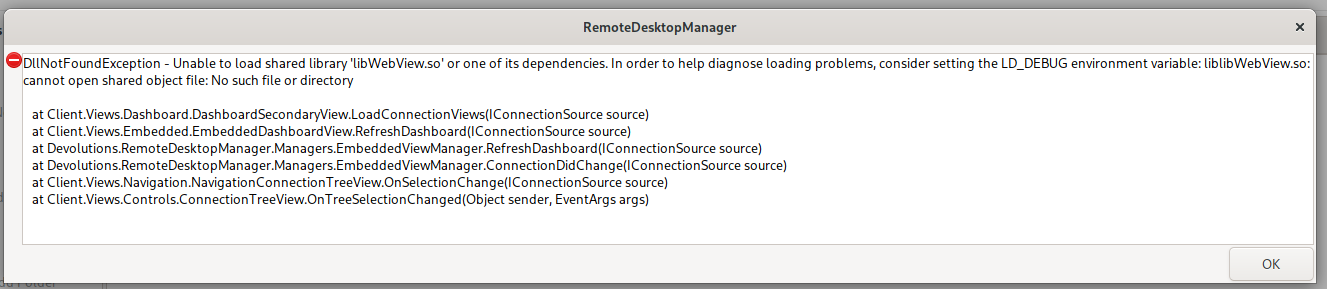
DllNotFoundException - Unable to load shared library 'libWebView.so' or one of its dependencies. In order to help diagnose loading problems, consider setting the LD_DEBUG environment variable: liblibWebView.so: cannot open shared object file: No such file or directory

   at Client.Views.Dashboard.DashboardSecondaryView.LoadConnectionViews(IConnectionSource source)
   at Client.Views.Embedded.EmbeddedDashboardView.RefreshDashboard(IConnectionSource source)
   at Devolutions.RemoteDesktopManager.Managers.EmbeddedViewManager.RefreshDashboard(IConnectionSource source)
   at Devolutions.RemoteDesktopManager.Managers.EmbeddedViewManager.ConnectionDidChange(IConnectionSource source)
   at Client.Views.Navigation.NavigationConnectionTreeView.OnSelectionChange(IConnectionSource source)
   at Client.Views.Controls.ConnectionTreeView.OnTreeSelectionChanged(Object sender, EventArgs args)
I close this too andI try to add a new Datasource but app immediately quits.
Anyone found some solution or workaround to get this thing works on RHEL9?