
giovanni
FeatureRequest: fastviewer
Hi Sebastien,
the Add-On version 1.1.0 is working very good.
Just anothe question, is it possible to provide, storing them on RDM, username and password of the RDP connection on FastViewer?
I try to explain better, using FastViewer the session password, guid etc are stored. If I choose RDP conection rdp username and password are asked . Is it possible to store and provide them?
Best regards
FeatureRequest: fastviewer
Hi Sebastien,
yes it works!
I was posting the same solution before I received your notification. You're quicker than me :) .
So you can add it.
Best regards
FeatureRequest: fastviewer
Hi Mister Robitaille,
FastMaster add-on seems to be working as expected, but we noticed that one connection type is missing on RDM.
On RDM we can choose 5 Remote Access connection type:
Default (it's the same as Rdp); Rdp; Presentation; Conference; Support. (see image 1)
On FastMaster original software we can choose from 6 connection type:
Connect; Connect using RDP; Connect using RDP (without credentials); Support; Presentation; Conference. (see image 2)
We usualy use first option (Connect) wich connects directly without prompting for username and password, this option seems to be missing.
Best regards
Giovanni Calvia
Changing PC IP address on connection/disconnection
I can confirm that the bug is fixed , disconnection script now works correctly.
Thank you
FeatureRequest: fastviewer
Using autoHotKey software, I created a script that execute fastmaster with /reAutoconnect parameters than it "write" username and password on login prompt.
--------------------------------------------------------------------------------------------------------------------
#SingleInstance Force
Run, C:\FastMaster.exe /reAutoconnect:{0cb72765-xxxx-yyyy-zzzz-wwwwwwww}
Sleep, 3000
Sendinput, username{TAB}password{ENTER}
exitapp
-------------------------------------------------------------------------------------------------------------------
I can compile the .exe file containing the fastmaster executable or just run .ahk file using RDM.
FeatureRequest: fastviewer
Hi,
I've found the solution using a script to provide username and password.
Best regards
FeatureRequest: fastviewer
Hi,
I've found IT following this guide: https://fastviewer.com/demo/FastViewer_Manual_V32.pdf (page64)
We need to have remote access to several remote locations using FastViewer, for example see page 72 of the guide posted above. When I connect using FastViewer username and password is prompted.
I'm asking if using RDM we can bypass this prompt storing username and password in RDM.
Using the /reAutoconnect:guid paramter I can choose wich "remote location" to connect to.
Best regards
FeatureRequest: fastviewer
I'm already be able to open a fastmaster session from RDM invoking command:
fastmaster /reAutoconnect:{c476455b-43d2-xxx-yyyy-zzzzzzzz}
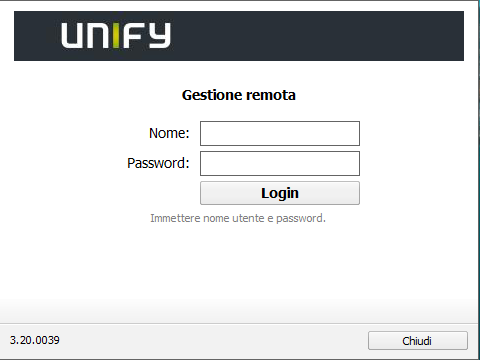
It brings me directly to the promt asking me for username and password, if I provide them I can directly log to the machine I choosed.
What about the possibility to store user and password?
FeatureRequest: fastviewer
Hello,
any news on FastMaster integration?
Changing PC IP address on connection/disconnection
Updated to version 11.0.16.0, the issue still remains.
Changing PC IP address on connection/disconnection
Hi,
it's a WAN Miniport (PPTP).
On RDM I choosed Microsoft VPN on VPN Type.
Changing PC IP address on connection/disconnection
Hello,
i'm trying to set the ip address of the pc during a VPN connection to another network.
On the "Events" section of the VPN properties I set a .vbs script to change ip address on "Before connect" and another .vbs script on "After disconnect"
The "Before connect" script works correctly setting the ip address of the pc, then connection to VPN occurs.
When I click the "Close Connection" button the other script does not works, it seems like nothing happens.
RDM Enterprise Edtion 11.0.14.0
Any suggestion is appreciated
Thanks in advance

