Graphics not ok

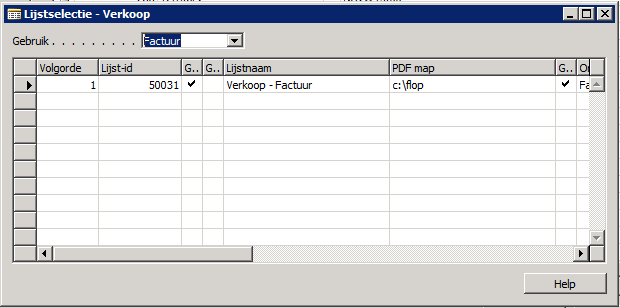
After a while working in FreeRDP: (SBS server 2011)
Switch to MS RDP (same session):
Switch back to FreeRDP: problem solved.
Sorry te say, but it is not robust. Apart from crashes and freeze problems.
MS RDP is stable. But credentials are not transferred from RDM to MS RDP.
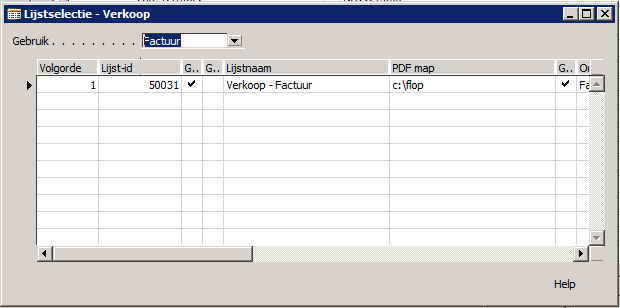
MS RDP.png
freeRDP.png
All Comments (15)
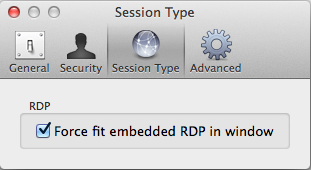
Can you please share what you have for the following settings:
Connection > Display
- Smart Sizing
- Fit Embedded RDP Window
Preferences > Session Type
- Force fit embedded RDP in window
In terms of stability, it's something we're working very hard on. It seems only a subset of users are experiencing the issues you've described - whether it's something particular about your environment, or you are simply exercising the application harder than others I can't say :) But I'm having a lot of trouble precisely recreating the issues. Understand that we are working on it, however.
Thanks, Richard
Richard Markievicz
Yep
I do understand you are working on it. I do understand it's a Beta program. So I am not complaining. I know its frustrating.
Every day I start using RDM manager, just the way I used to do before I had a Mac. Pitty for me that Teamviewer is not working (I hope that will change). I stick to only RDP sessions to windows machines. But after two or three sessions are frozen or RDM is crashed I have to start MS RDP and get on with my work.
I try, as a Beta tester, to give you feed back as good as I can.
Hope you understand what I mean, English is not my native language.
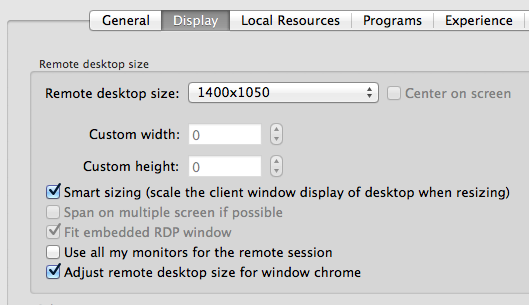
preferences.png
session settings.png
I wonder if you still see the graphic artifacts if you disable Smart Sizing and "Force fit..." (I think force fit doesn't really apply, since you are using an undocked window, although smart sizing definitely could cause an issue...)?
We appreciate your continued feedback and patience while we work on these issues! :D
Thanks, Richard
Richard Markievicz
Hi Richard,
Smart Sizing on or off does not make a difference. You should see tree knobs at the bottom:
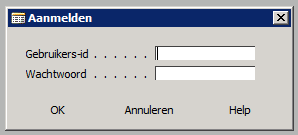
sample.png
Hi
OK thanks for letting me know. I'm going to talk to our partners at Awake Coding and see what can be done about this.
Thanks, Richard
Richard Markievicz
Hi
This is very similar to some existing bug reports on FreeRDP. Some extra information would really help to isolate this:
- What is your colour depth (16 bit, 32 bit)?
- What performance flags do you have? Particularly, are Themes enabled? What about Font Smoothing?
Finally, can I ask what is the application you are using? It's possible there might be a corresponding bug report.
Feel free to send me any of this information offline if you prefer :)
Thanks, Richard
Richard Markievicz
One more thing - perhaps you could take a look at this bug report:
https://github.com/FreeRDP/FreeRDP/issues/1548
And let me know whether it looks similar to your issue
Thanks, Richard
Richard Markievicz
Windows 2003 server: True color (24 bits) and Highest Quality (32 bits): graphics not working right, lower quality it runs fine.
Performance flags: 'Font smoothing' disabled solves the problem. Enabled causes problems in combination with 24bits or 32bits quality settings.
Hope this helps.
Hi,
Thanks, it's very helpful
There are some fixes for similar issues in FreeRDP and they are incorporated in 0.9.33.0. It would be really helpful if you can let me know if you still see the problem in that version.
Thanks, Richard
Richard Markievicz
Ok, I am running 0.9.32.0, will wait for update.
Thats quick, version 33 is loading ....
Sorry Richard, 'Font Smoothing' still not working in version 0.9.33.0
Hi,
OK thanks for the info. I will pass this along to our partners at Awake Coding.
Is it possible to know the name of the application on the remote session?
Thanks, Richard
Richard Markievicz
Microsoft Dynamics NAV
Just tried it, Windows 2008 R2 server: same issue.
Hi,
I am going to try and reproduce this issue locally with a Windows Server 2008 R2 VM. Which specific version of Dynamics NAV are you using (2013 R2, 32 or 64 bit, etc?)