[Resolved] Windows size when starting.
0 vote

Hello,
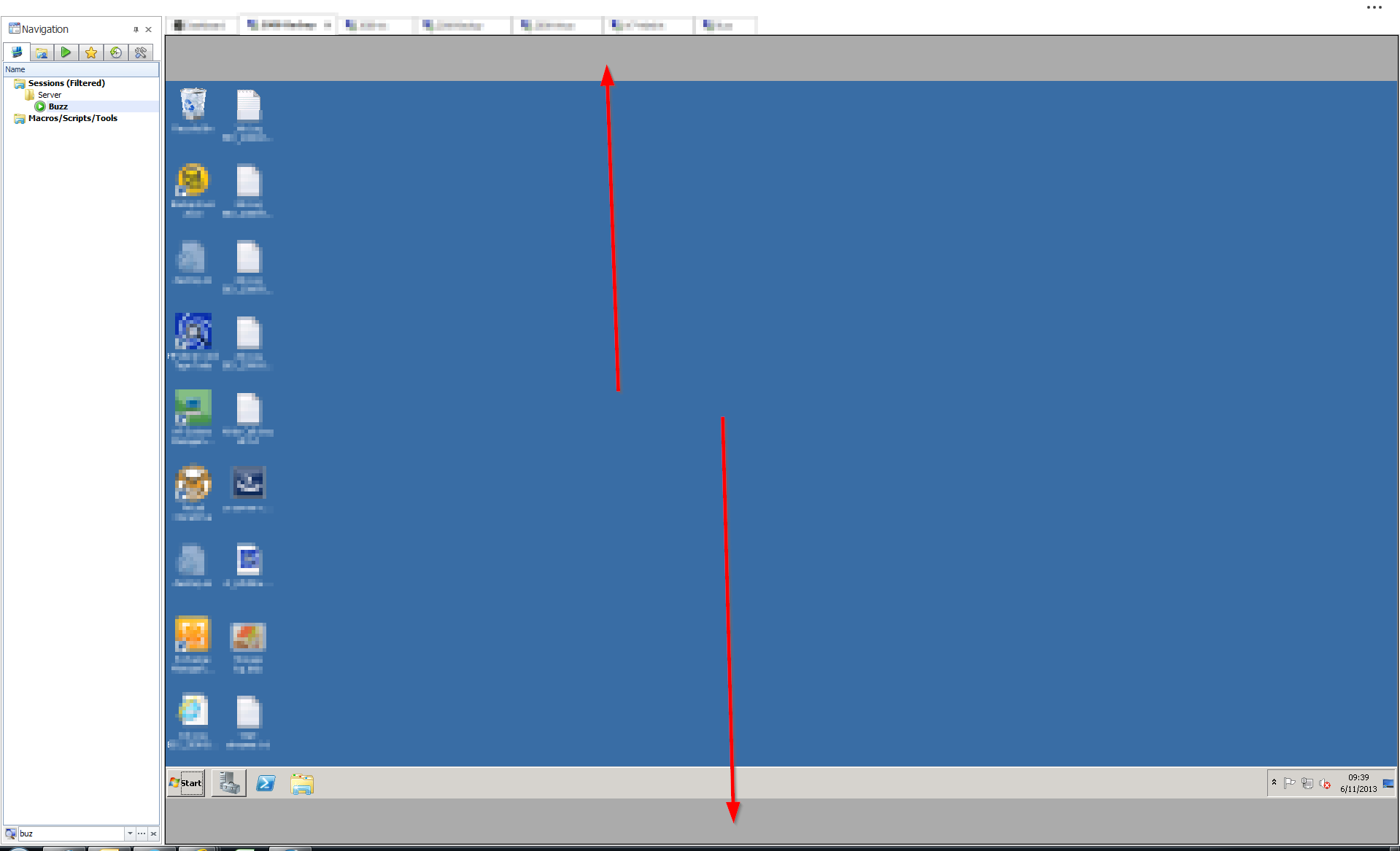
Everyday, RDM automate start. But when he start it is not in "full screen"(1), and later as a work un "full screen"(1) I get two unused regio on top and bottom of the screen. Is there a way to start RDM in a "full screen"(1).
(1) : By full screen, I mean when I use the button to hide the ribbon and file menu.
edited by ThomasX on 11/6/2013
edited by ThomasX on 5/26/2014
X. Thomas.
Remote Desktop Manager [2008-Backup]_2013-11-06_09-39-15.png
All Comments (6)
Hi,
This has been on my todo list for few months. However the third party we use does not have an option switch to full screen. We plan to update soon to the latest version and I will verify if this option is now available.
David Hervieux
Hi,
Did you update of your "third party" tools ?
Did you find something interresting about the start in Full Screen ?
X. Thomas.
Yes we have a kind of fullscreen mode like MS Office. It's the small button in the right hand corner beside the X
David Hervieux
Yes, I know.
I am reading my question again, and I think that I wasn't explicit at all.
I want to know if it is possible to start remote desktop in "full screen".
Because, now when I start RDM, it's not in full screen and I use the fucntion to automate the opening of 5 screen. But because RDM was not in full screen, all the screen have the size "not in full screen". And when I push on the button full screen, all the already opened screen are getting a greyed line at top and bottom.
I am asking if it is possible to add a parameter to start RDM in full screen.
X. Thomas.
Ok,
I see. This is implemented in RDM 9.5. I expect to release the beta this week. In File->Options General->Application Start you will be able to specify Fullscreen
David Hervieux
Hi,
Thank's it is working !!! It was very fast !
X. Thomas.