Embedded RDP session does not scale/size correctly

Mac Beta: Version 0.9.4.0 (0.9.4.0)
Client: Macbook Pro Retina Display set to scaled/max resolution option , OS X 10.9 Mavericks
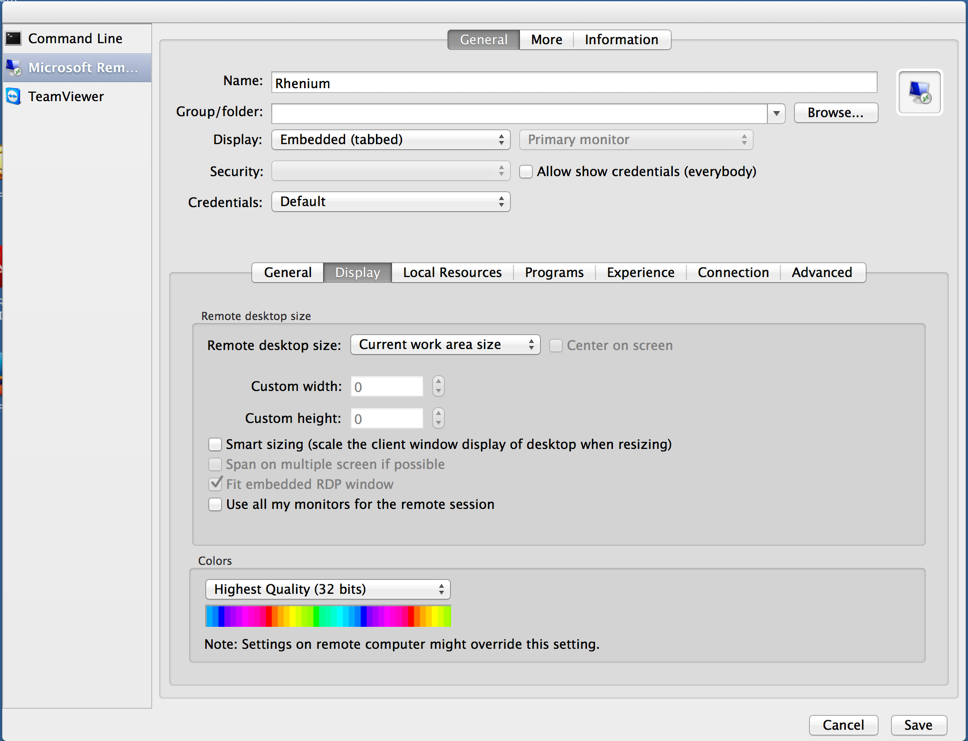
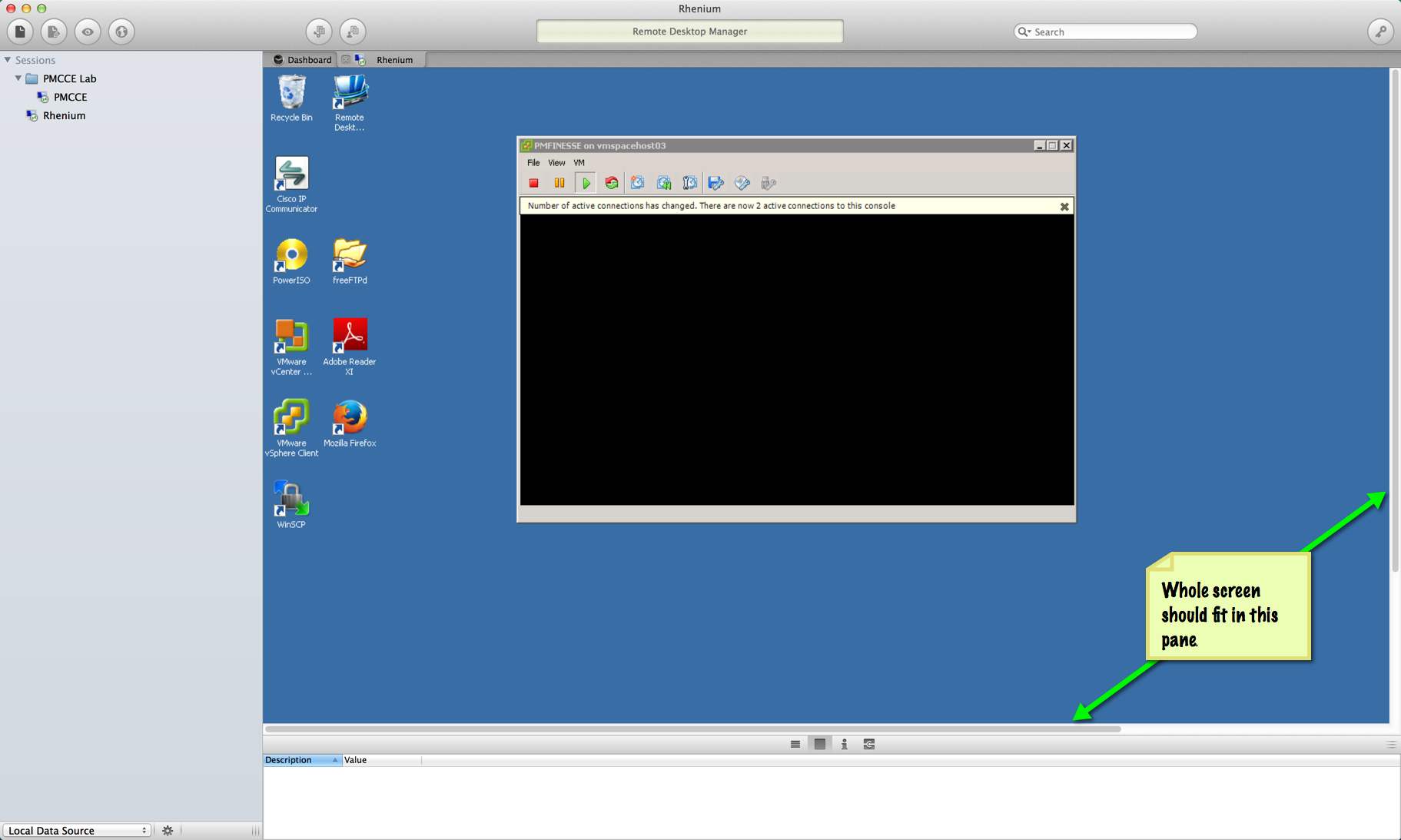
A an embedded RDP session does not show the whole desktop.
To reproduce:
Similar/related issues:
If I use the Display > 'Smart Resizing' option:
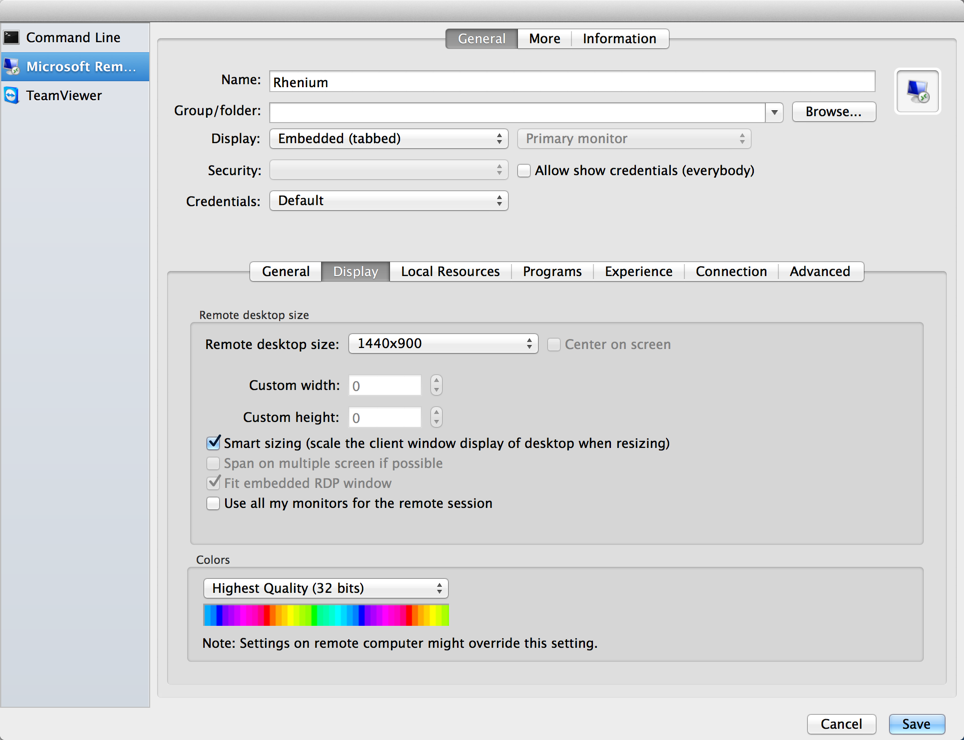
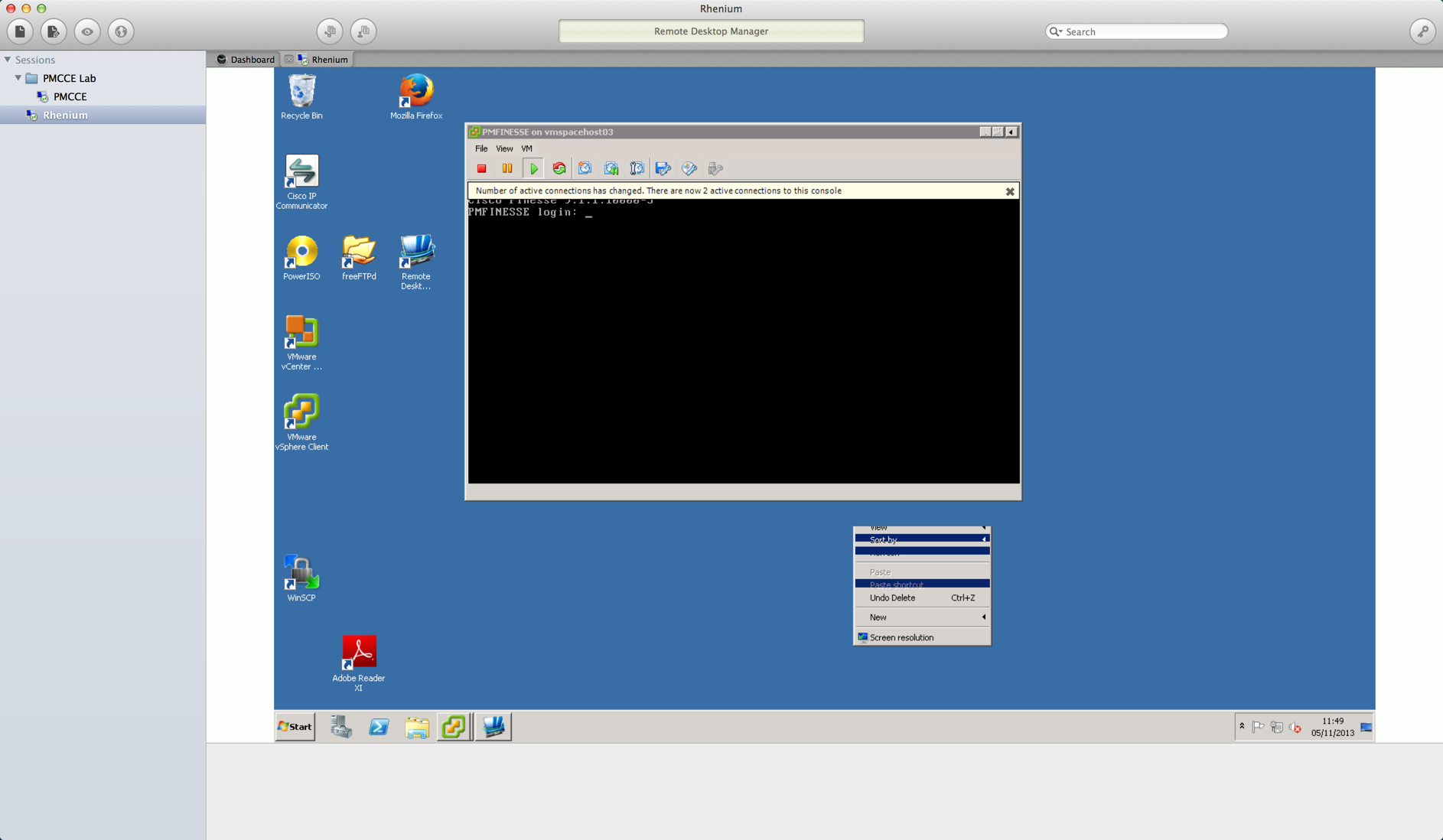
If I try and set the screen to a specific size (Settings2.png) the sizing does not seem to be honoured and there are issues with display/interaction - e.g. bringing up windows context menus is not correctly rendered (renderissue.png).
edited by JHDevolutions on 11/5/2013
renderissue.png
Desktop1.png
settings2.png
Settings1.png
All Comments (8)
Hi,
Thanks for the detailed informations. We will investigate this as soon as possible.
Benoît Sansregret
Hi,
I have a number of fixes in progress regarding screen sizes and scaling. I'm not exactly sure when they will be released because we are waiting on some other fixes in FreeRDP, but it will be soon.
Thanks, Richard
Richard Markievicz
Hi,
Regarding the first issue: actually, the behaviour is the same as on Windows. To clarify, “Current Work Area Size” is the size of your desktop, excluding the menu bar and dock (on Windows, it’s the size of your desktop, minus the task bar). So it is expected that this is larger than the ‘container’ area in RDM, and as such you see scroll bars.
The problem actually comes when you 'undock' the tab by then dragging it out of the RDM window. You will still see scrollbars, since RDM for Mac has additional window chrome on the undocked tab. We will need to figure out a way to represent this properly on OS X.
I suspect that you may want to try “Default” for the remote desktop size. This will size the desktop to the ‘container’ area in RDM. Note that this feature had a bug originally, but should work fine in the latest version (0.9.5.0). Let me know if this works for you.
For the other issues:
- When using Smart Sizing, I’m aware that the desktop is not drawn properly on first load and you need to resize to force it to update. However I hadn’t noticed that resizing affects the mouse input. I’ve added this to our bug tracking and we will work on a fix.
- I haven’t seen an issue setting a specific screen size. Are you setting a screen size and combining it with Smart Sizing? Could you try without Smart Sizing and let me know?
Thanks for your help :)
Richard
Richard Markievicz
You are right on the first issue - "Default" is the behaviour I was looking for.
Just updated to 0.9.7.0 (you guys are cranking those builds out!):
Default Display sizing now works correctly - the RDP fills the container area as expected.
If I use Default Display with Smart Sizing then the initial redraw looks OK when I resize the main Remote Desktop Manager window, but there are problems with rendering once I then start to move things around in the resized RDP session
FYI as a user this wouldn't stop me using the product but if you can get it working its a neat feature. It's more important to me that the initial rendering makes optimal use of the container space.
Tried the following combinations using specific screen size:
If I set a specific desktop size (tested 800x600, 1024x768, 1152x864) without Smart Sizing everything works as expected.
If I set a specific desktop size (tested as above) with Smart Sizing turned on, the initial render is OK but after resizing then the redraws have similar issues to the above screenshot - suggest you disable the smart sizing option when a specific desktop size is selected.
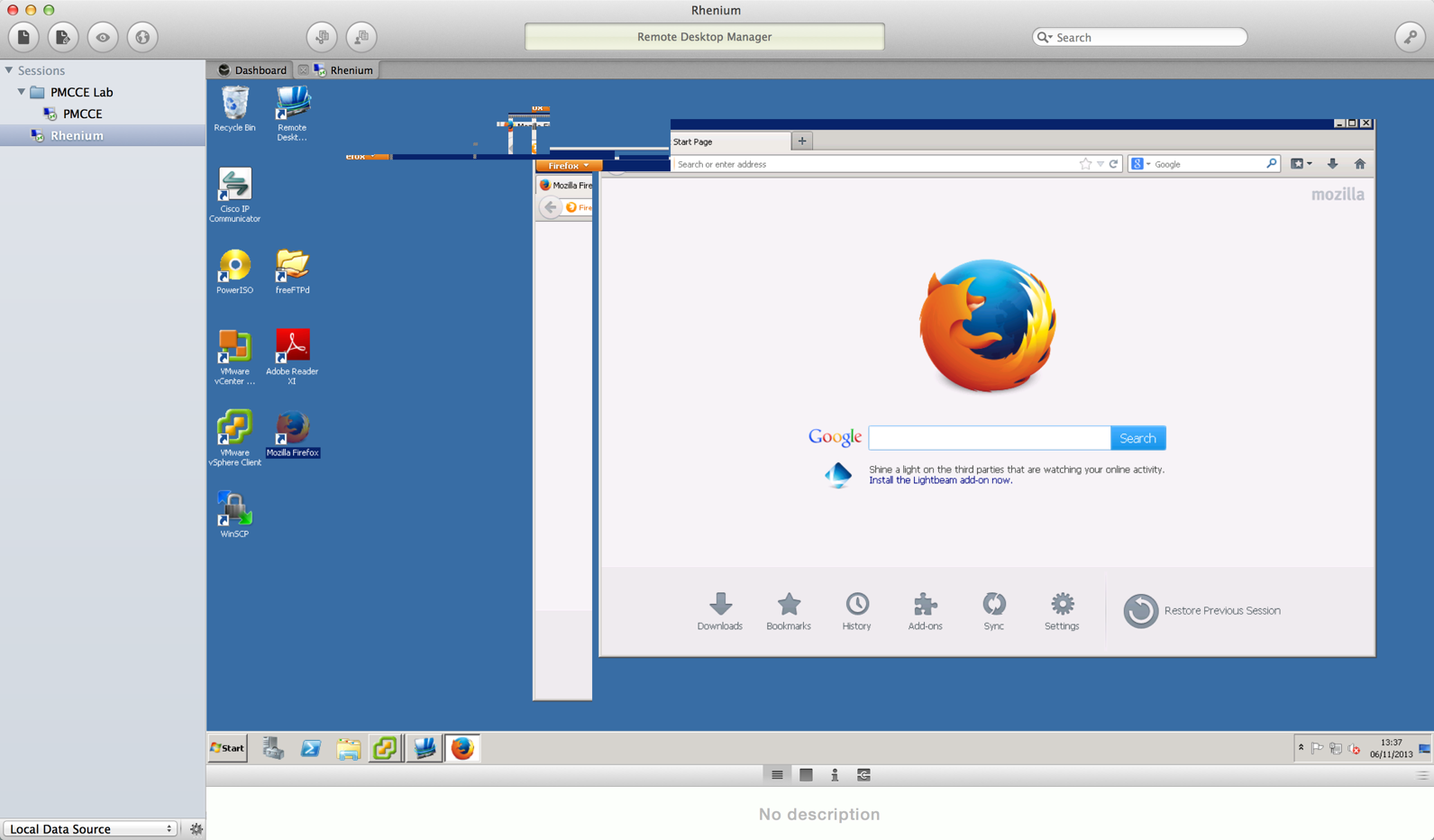
DefaultWithSmartSizing.png
Hi,
Thanks for the follow up!
I'm aware of some issues with smart sizing. We agree that it is a neat feature, and our aim is to support it the same as on Windows. We are working on improvements for this.
Thanks, Richard
Richard Markievicz
Hi,
I've made a fix in the latest version (0.9.17.0) which corrects some issues with smart sizing / scaling of remote sessions.
Perhaps you can try with this version and let me know whether the rendering issues are still occurring when resizing a scaled connection :)
Thanks, Richard
Richard Markievicz
Hi
The smart scaling redraw now seems to work a lot better (Version 0.9.17.0). What I did find is if I rescale multiple times in succession (and I was trying to break it here - this is probably a bit of a corner case in the real world) then the screen becomes unresponsive to input.
E.g. I had a notepad document open which had focus, typed some text, resized a few times in a row, then returned focus to the session then typed some more, the newly entered text did not appear.
The session appeared to be unresponsive at this point. It was not however totally disconnected as the mouse pointer would change when I moved over the notepad doc from pointer to text entry cursor. The session no longer accepts commands from the left panel or top menu (e.g reconnect). So I have to quit RDM and start over.
When I reconnect, the additional text is visible so the input is getting to the session, just not being drawn.
Difficult one to show in a screenshot.
Great news!
I actually suspect that this is an unrelated issue, and it's just coincidental that you saw it while rescaling a remote session. Are you able to reliably reproduce the problem by doing that? Or does it seem transient?
It could be the same bug reported here: http://forum.devolutions.net/messages.aspx?TopicID=8503, in which case I would welcome you to update to 0.9.18.0 and check if it still occurs.
If it is something else - i.e. you can reliably cause the behaviour by rescaling your session, please let me know!
Thanks, Richard
Richard Markievicz