Unable to connect to the database! CodePage 1252

I am trying to add a SQL Server datasource and I keep getting a CodePage 1252 error when I try and authenticate. Works fine on the Windows RDM. I've attached a screenshot as well. Thanks.
screenshot_613.jpg
All Comments (14)
We will have to investigate but this could be related to the SQL Server provider we use.
David Hervieux
I am also getting this error when I try to connect to a SQL datasource not using Windows Authentication. If I try to use Windows Authentication I get the error below:
Please keep in mind that my mac is part of my Windows domain.
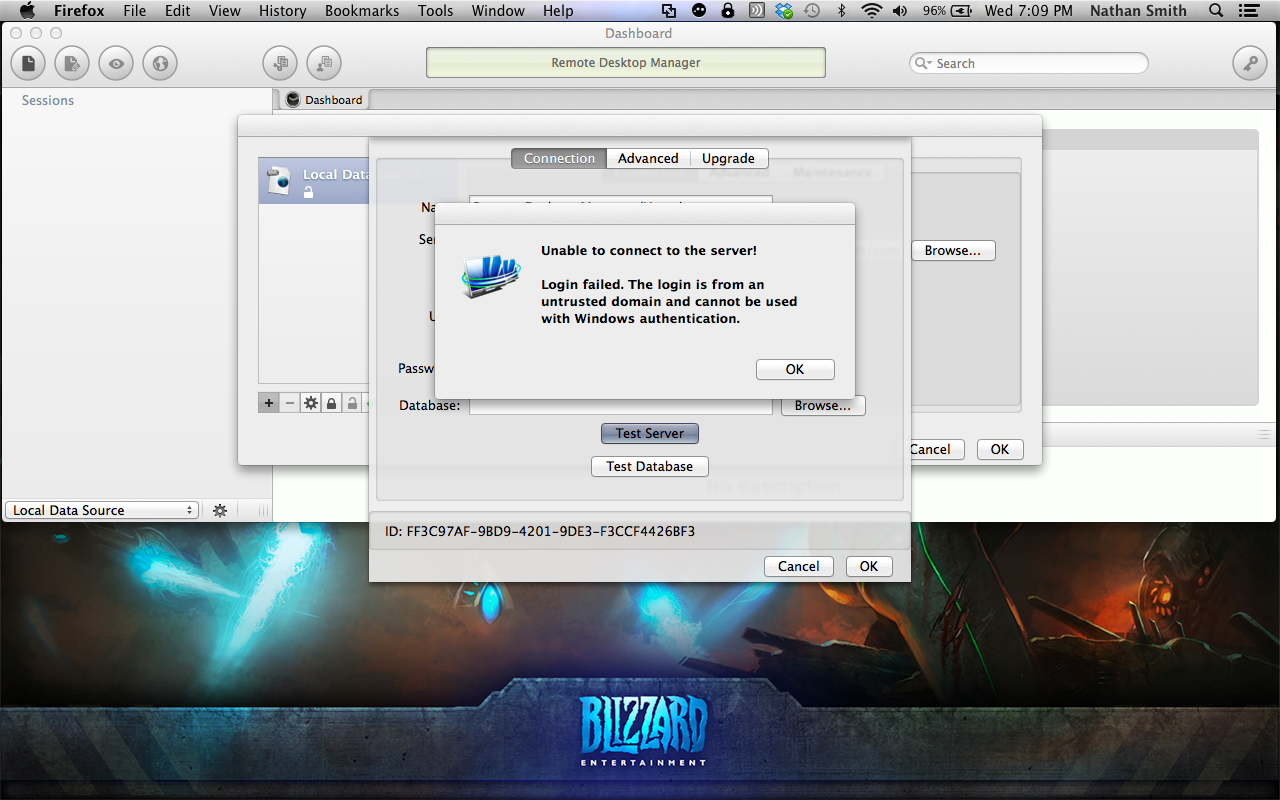
Screenshot 2013-10-30 19.09.36.png
Hi,
I will verify tomorrow but maybe the SQL Server provider does not support the integrated security.
David Hervieux
I am actually not using integrated security and getting the message.
The one about the code page or the other one about the untrusted domain?
David Hervieux
The codepage 1252, sorry I wasn't clearer.
Hi,
For the windows authentication issue, we will have to receive the domain, username and password to make it work. This is a limitation from mono http://www.mono-project.com/SQLClient see Prerequisites section.
The UI will be changed accordingly as soon as possible.
I'm still investigating on the Code Page 1252 not supported issue but I'm close to find a solution.
Thanks
Benoît Sansregret
Hi again,
A new version fixing the Code Page 1252 not supported is now available.
You can now "Check for Updates"
Thanks
Benoît Sansregret
The error seems to be fixed. Now the issue I am running into is when I add the new SQL data source I can't create a new session for it.
Hi Marc,
I have tested it here and it works.
The configuration windows is slow to show and we will me working on that issue.
Can you send me a screen shot of your app when you have your SQL data source ?
Also can you send me the log file (in a private mesage) ? it's located in ~/Library/Application Support/com.devolutions.remotedesktopmanager/RemoteDesktopManager.log
Thanks
Benoît Sansregret
When I connect to the SQL datasource with Windows Authentication, I can't see the sessions list. When I create a SQL user account I see the sessions successfully. Is there any setting I miss?
Hi,
Unfortunately Windows Authentication is not supported on the Mac version right now.
We are working on a solution to make it work as soon as possible.
Thank you for your feed back
Benoît Sansregret
Is there any time plan when this will be released... We can't use I the way we should without this authentication method...
Hi,
Good news I've been able to squeeze in the Windows Authentication in the last version (0.9.26.0).
It works slightly different than the Windows version. You have to either configure your Domain, User Name and Password in the Datasource or configure the datasource to ask for this information every time it needs to.
You can Check for Updates and try it out
Thank you
Benoît Sansregret