When Entra SSO is enabled for RDP session, allow SSO prompt to use the saved username automatically.
When Entra SSO is enabled for RDP session, allow SSO prompt to use the saved username automatically.
1 vote

Currently if you enable the Entra ID SSO for a saved session, when launching it it will show the account picker with my currently logged in Windows account available to pick but not the saved username which is a different account, so you have to click use another account and then enter the account information manually:
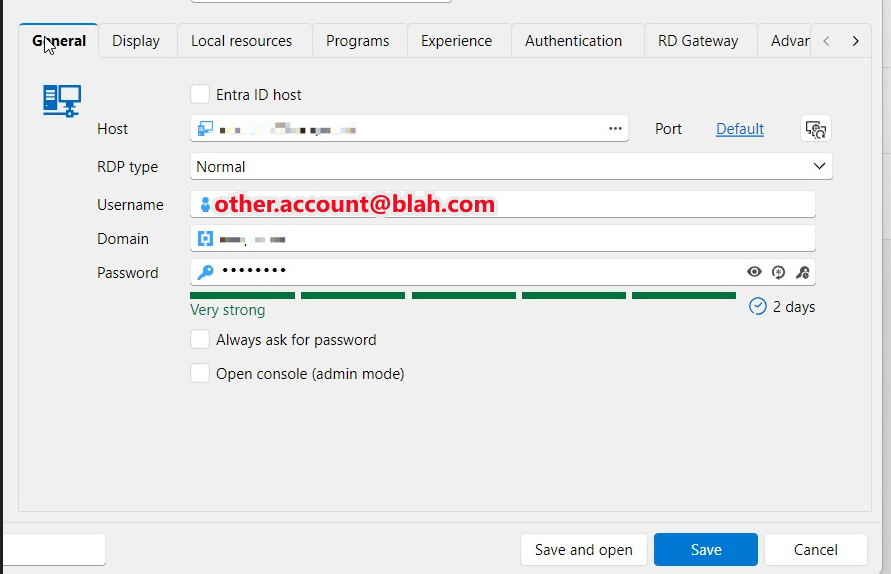
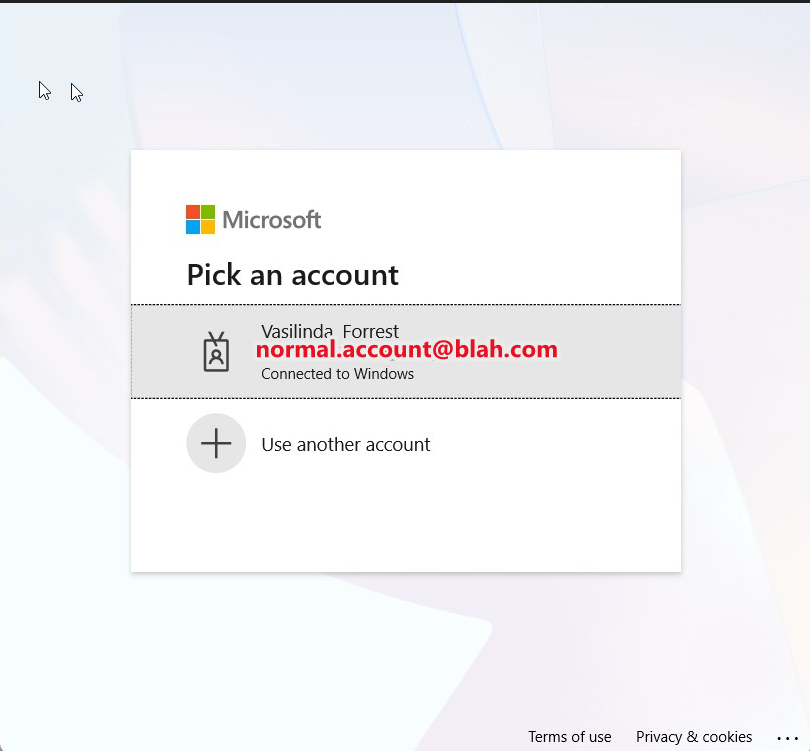
But for the normal RDP app, when you have a saved username different from the currently signed in account and enable the Web account option, it will instead launch straight into the SSO prompt with the saved username already submitted, allowing it to go straight to my passwordless authentication instead:
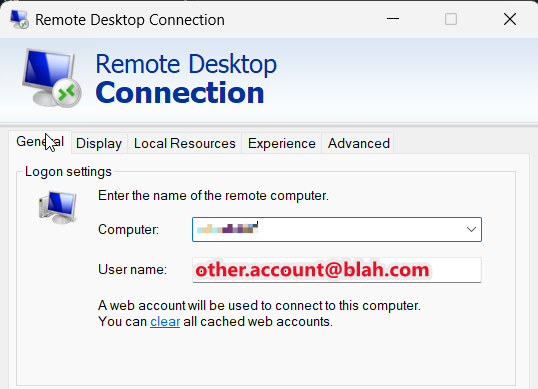
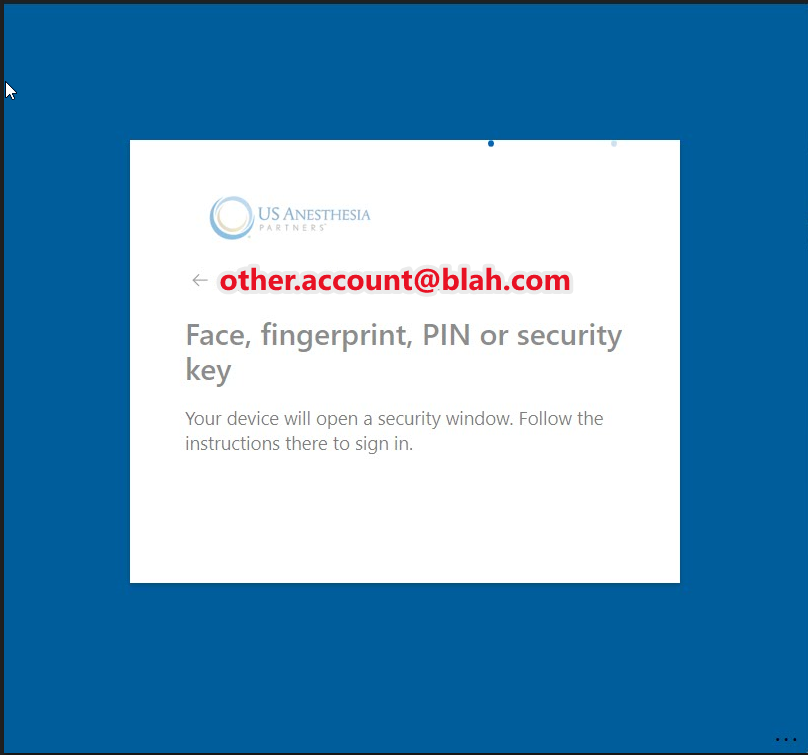
I tried ticking the box in the session properties to use entra ID host, didn't make any difference.
All Comments (6)
Hello
This looks very much like a gap in the functionality of Microsoft's embedded RDP control (that we use for embedded RDP sessions). It doesn't expose any kind of setting to us for a username hint, and clearly it doesn't take the configured username as the username hint.
You've seen that it works with the standalone mstsc.exe. What happens if, in RDM, you select your session and use Open > External? This will use the configuration of your session to launch mstsc.exe from RDM. If it successfully selects the account, it would narrow the issue to the ActiveX control setup or client behaviour.
Ultimately we may be able to work around this issue on our side if we can figure out what mstsc.exe is doing differently.
Let me know if it works with Open > External.
Thanks and kind regards,
Richard Markievicz