Subject: macOS: Sidebar width resets when exiting fullscreen mode with collapsed toolbar
Subject: macOS: Sidebar width resets when exiting fullscreen mode with collapsed toolbar

Hi Support Team,
I noticed a specific UI issue on macOS where the navigation sidebar width is not preserved.
The issue occurs specifically when using the app in fullscreen mode (Control+Command+F / full screen):
I resize the left navigation sidebar to a comfortable width.
The toolbar/panel is collapsed or hidden.
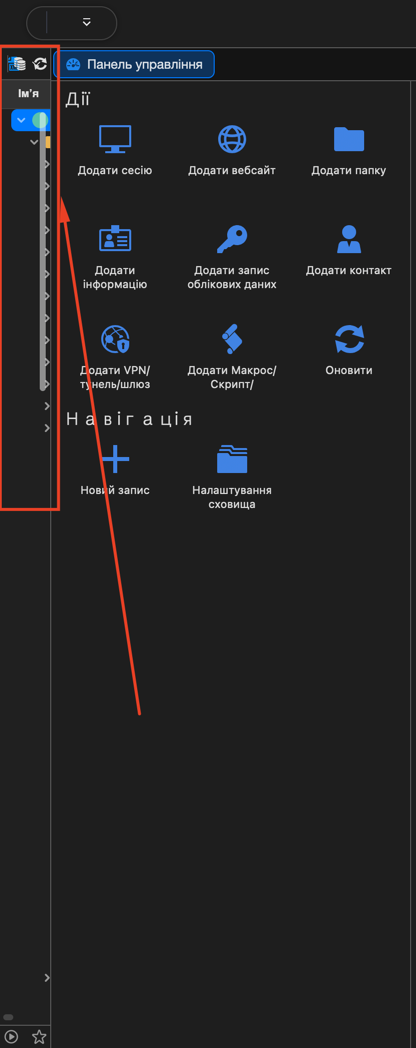
If the application is closed or exited while in this state (fullscreen with the toolbar hidden), reopening it causes the sidebar width to reset back to an extremely narrow, minimalist size (as shown in the attached screenshot).
image_fd957d.png
Even if I expand it again, it continues to revert to the minimal width whenever the app is closed in fullscreen with the panel collapsed.
Could you please look into fixing this so that the configured sidebar width is remembered properly regardless of fullscreen or toolbar visibility state?
Thank you!