Feature Request - Markdown/Documentation Tab as an Entry Type
Feature Request - Markdown/Documentation Tab as an Entry Type
1 vote

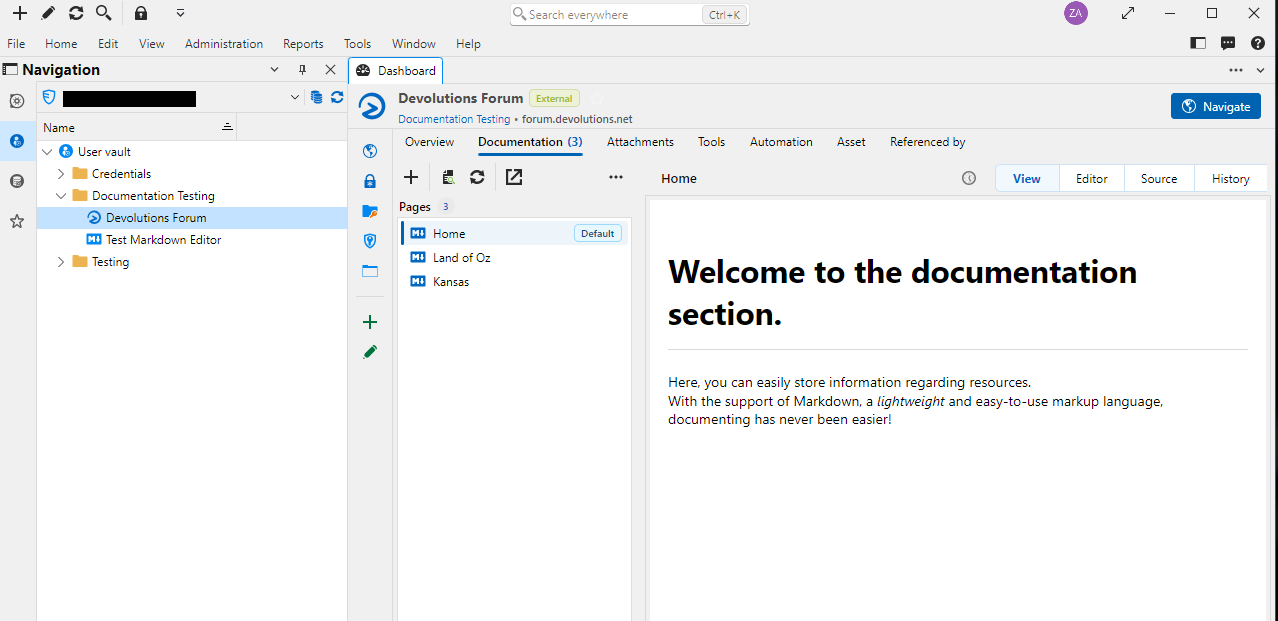
The current per-entry Documentation tab is very useful, but switching back and forth between it and the actual entry (RDP/SSH/etc) is cumbersome. Even more so if you are trying to read the documentation from one entry while using another (there is lots of scrolling and clicking involved).
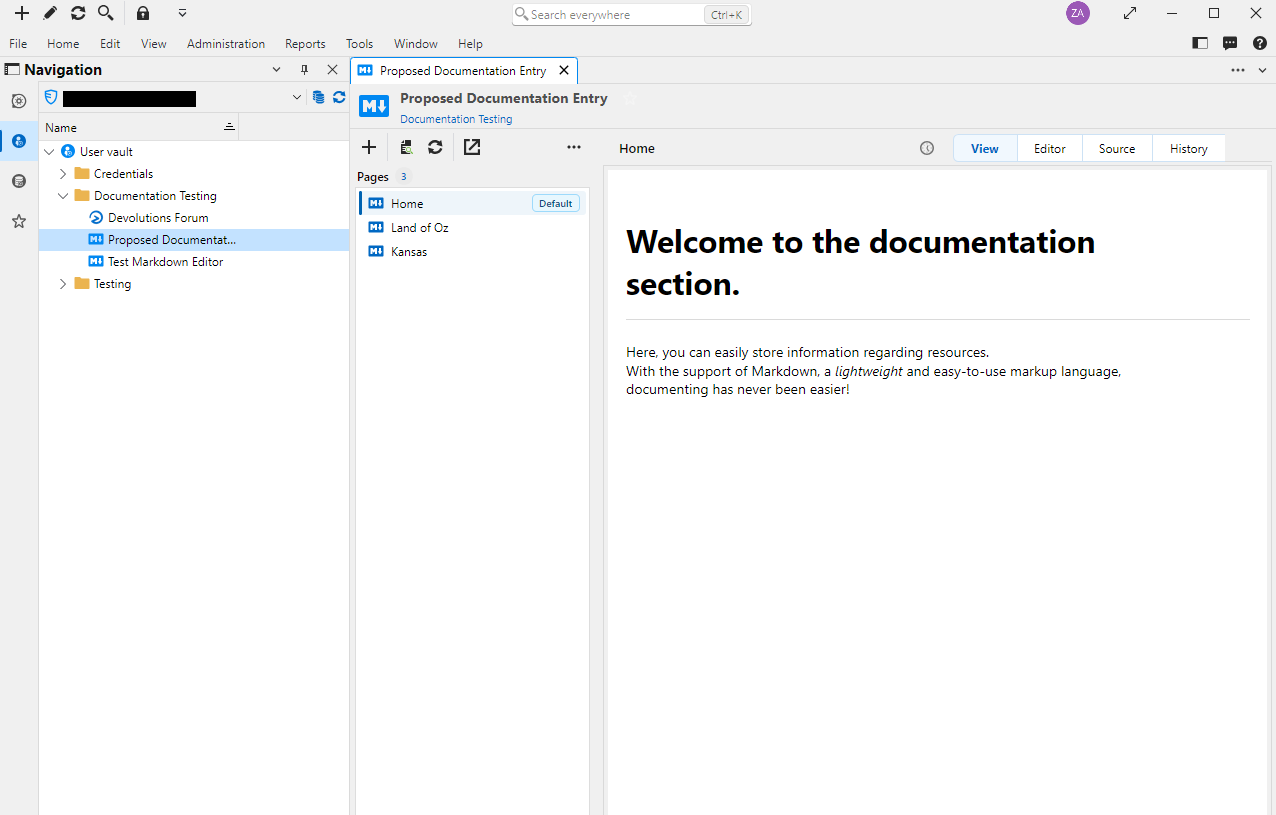
It would it be nice to have an entry type that replicates the functionality of the Documentation tab, and eschews some of the other normal entry functionality. An entry that when you click on it, brings up a list of pages and the content of the current page. No overview, no tools, no attachments, no landing page to have to click through, just content.
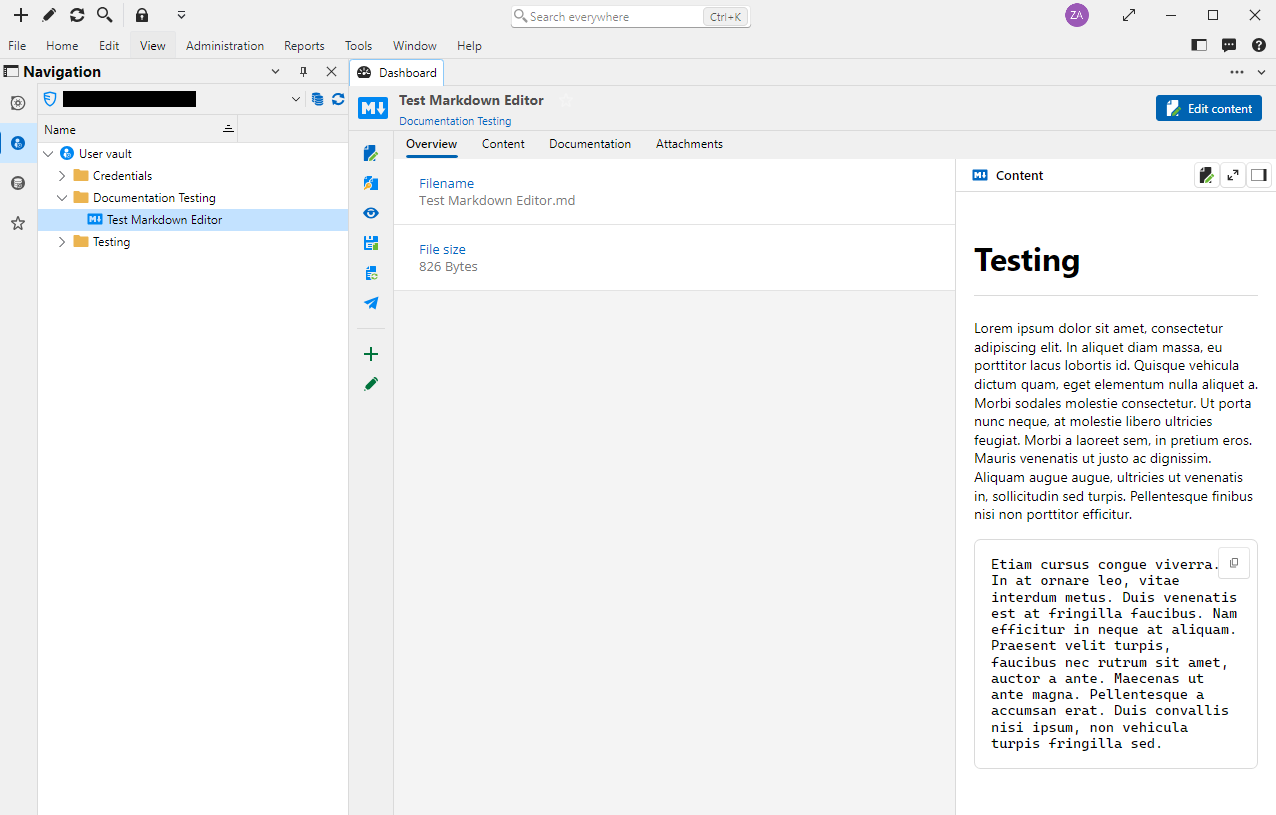
I know that there is an existing Markdown entry type, but this doesn't support multiple pages, and you still hit an overview/landing page every time you open it.
Current Markdown Entry:
Current Documentation Tab:
Proposed Documentation Entry:
Thank you for the consideration!
All Comments (3)
Hello,
I see you're using the markdown entry, but we also have a Documentation editor entry. Could you try it out? It offers a fuller featureset which is closer to the documentation available as a tab in all entries.
The negative with that entry is that it needs to be opened (similar to other "Document" type entries) and you don't see it directly in the dashboard. Maybe we could improve that entry and have it show as the main dashboard tab (similar to what we do for the documentation in other entries). What do you think?
Regards,
Hubert Mireault
Thanks, Hubert! I missed that entry type when I was looking through the list.
Aside from having to "open" it (to switch from the overview to the actual content), that is exactly what we are looking for!
As you mentioned, I would love to see what it looks like if it opened straight into the content, but I am also curious as to how others are using this entry type and what their expectations are.
Thank you!
After some internal discussion, I believe the only reason it doesn't automatically show the content in read-only (like typical Documentation in other entries) is because it's based on our "Document" entry types, which requires being opened manually to see their contents. It makes more sense for other types of documents to have this restriction, but as we already have what we need to show the documentation in a tab, we should show it more readily in the dashboard.
I've opened an internal ticket for this.
Regards,
Hubert Mireault