Data source tree collapse after filtering entries

Hello All.
When I use the filter to search through my 280 RDP entries, the Data source tree collapses.
This always happens when I actually use the entry I am searching for.
It also happens when I have found the entry, not use it (just to see if the ID is in my list) and then clear t^he filter using the X.
When I have found the entry I searched for, not use it and clear the search field by using backspace, the tree remains expanded.
This started happening with the last updates.
The problem occurs in version 2026.3.15.0
The problem wasn't there in 2025.1.29.0
Also, the setting "Collapse Tree View on CLear filter" is not active.
Update History
Version
Date
2026.3.15.0
27/10/2026 - 10:32
2026.3.9.0
23/09/2026 - 07:25
2026.2.17.0
21/08/2026 - 07:49
2025.1.29.0
03/04/2025 - 15:54
Br.
Ronald
All Comments (8)
Hello,
Thank you for reaching out!
Could you please send us a brief video of the issues you are experiencing so we can investigate further?
Please upload it to this link and let us know once it's been uploaded: FOR - 57247
Thank you in advance!
Best regards,
Hi Sam.
Movie has been uploaded. With the last update I noticed that even just using backspace the tree collapses.
Br.
Ronald
Hello Ronald,
Thank you for the detailed description and the video. They made the steps very clear.
We followed the steps from your video on our side with a similar folder structure, but we have not been able to reproduce the collapse yet. A few details about your setup would help us get closer:
What type of data source is "Local data source" (for example, SQLite or XML)?
Please right-click in the navigation tree and choose Collapse all, then right-click again and choose Expand all. After that, search for an entry and clear the filter with the X. Does the tree still collapse?
Does the tree still collapse if you restart Remote Desktop Manager, expand the folders, and then search and clear with the X?
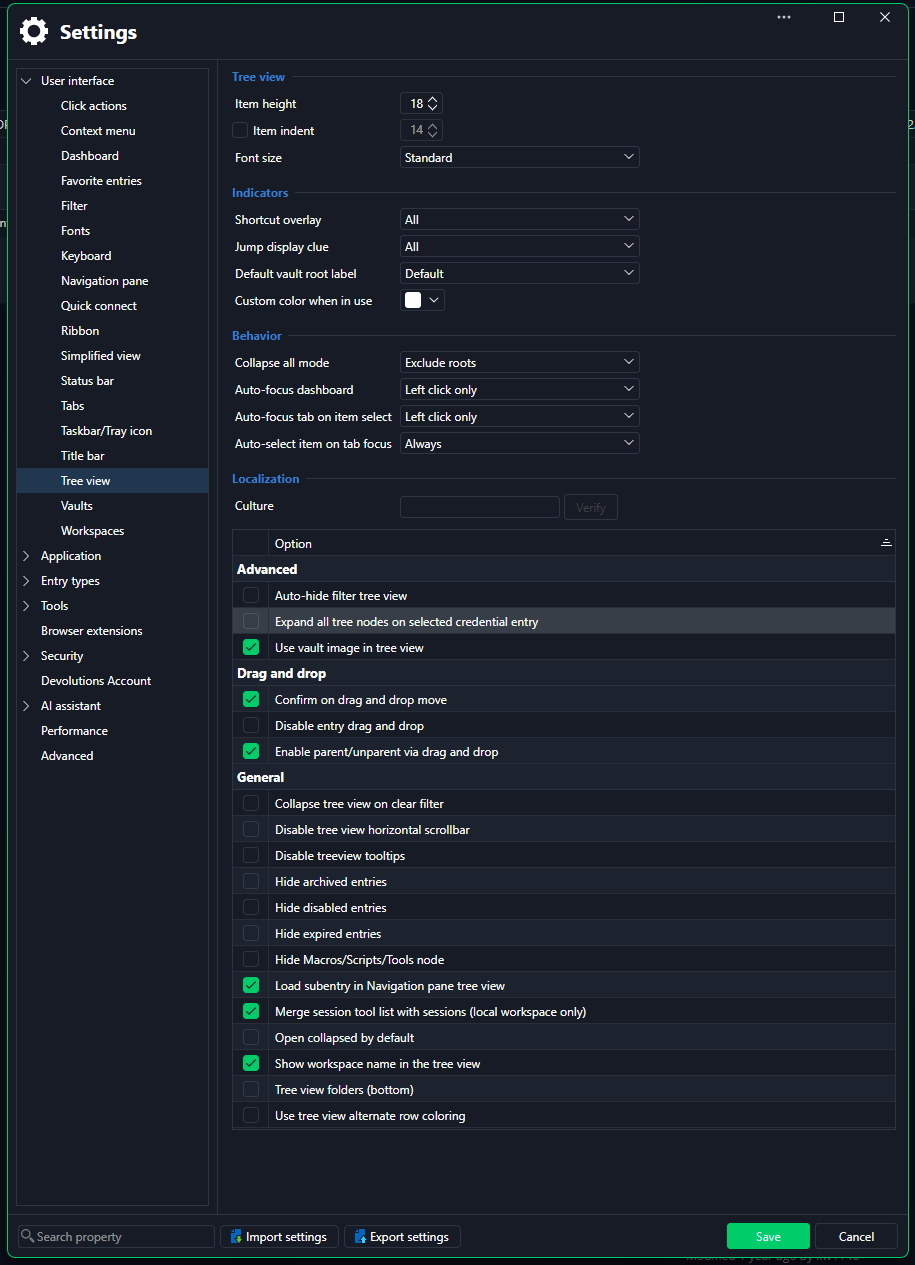
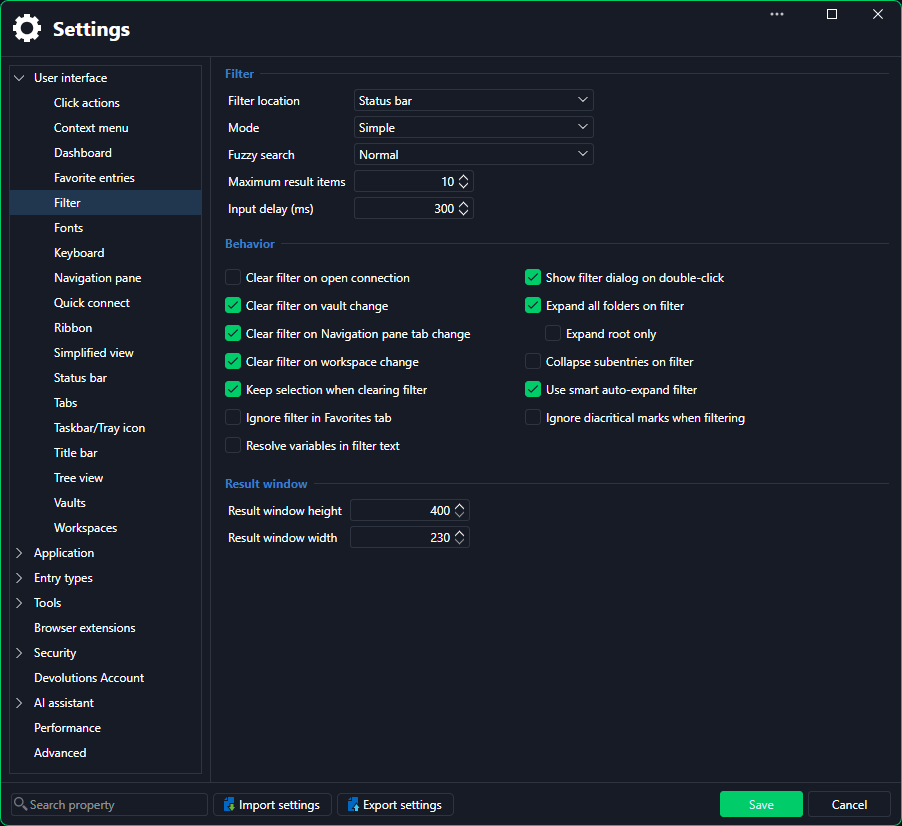
Please send us screenshots of these two pages in File > Settings:
User interface > Tree view
User interface > Filter
Thank you in advance!
Best regards,
Hello Sam.
What type of data source is "Local data source" (for example, SQLite or XML)?
It is the out of the box vault.
Please right-click in the navigation tree and choose Collapse all, then right-click again and choose Expand all. After that, search for an entry and clear the filter with the X. Does the tree still collapse?
After doing that, using backspace and not actually opening the session the tree reverts back to the expanded view. When I actually open the filtered session the tree collapses when clearing the filter.
Does the tree still collapse if you restart Remote Desktop Manager, expand the folders, and then search and clear with the X?
It opens with the last expanded view
Please send us screenshots of these two pages in File > Settings:
User interface > Tree view
User interface > Filter
Hello Ronald,
Thank you for the answers and the screenshots. Your settings look correct, so this does not appear to be a configuration issue.
We tested the same sequence on our side, including on version 2026.3.15.0, and the folders stay expanded. In your video, we noticed that several sessions are already open in tabs, which was not the case in our tests.
Two more checks would help us narrow it down:
Please close all open sessions, or restart Remote Desktop Manager, then right-click the navigation tree and choose Expand all. Search for an entry, open it, and clear the filter with the X. Does the tree still collapse?
If it does not, please open a few sessions from different folders first, then repeat the same steps. Does the tree collapse then?
Thank you for your ongoing cooperation!
Best regards
Hi Sam...
I performed step 1. Tree still collapses.
What I did notice, I tried for sessions from different folders, when I search them, connect and then clear the filter. The Sessions I searched for, those folders stay expanded.
Br.
Ronald
Hello Ronald,
Thank you for the extra details.
We have forwarded your case details to our developer team for review.
We will report back once we have an update from their side.
Thank you again!
Best regards,
Hello Ronald,
Thank you for your patience!
Our developer team informed that this issue may have already been patched in our latest RDM version 2026.3.17.0.
Could you please update and let us know if the issue persists?
Thank you in advance!
Best regards,