Annoyance: documentation editor always starts with "tutorial" and in WYSIWYG mode
Annoyance: documentation editor always starts with "tutorial" and in WYSIWYG mode

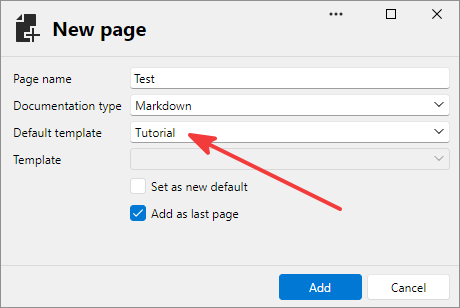
When I add a new documentation page for an entry, it's always "Tutorial" by default, even if I change it to Empty and click "Add". I'd prefer if it remembered the last template.
It also always launch it in WYSIWYG mode, despite me selecting Markdown documentation type. I'd prefer it use Markdown editor always, or remember the previously selected editor. That info may be outdated, but I had to downgrade from 3.16 to 3.15 due to a bug related to keyboard, so cannot verify in 3.16.
Thanks!
All Comments (1)
Hello,
I'll open a ticket so we can address this. It should be very simple to remember the last selection and I think that's the most versatile solution here.
Regards,
Hubert Mireault