"Staircase" effect in SSH session when apt progress bar is shown + font rendering issues
"Staircase" effect in SSH session when apt progress bar is shown + font rendering issues

This is RDM 2026.3.15. I think in 2026.2 it was okay, and then it broke, I just noticed it now.
Get a fresh Ubuntu 26.04.1, log in into a SSH session using RDM, and then invoke `sudo apt install mc -y` so that it installs more than 1 package. You'll see the effect as in the screenshot below. There are 2 issues
- The main one: RDM incorrectly handles drawing the progress bar. `echo $TERM` returns "xterm-256color" and I didn't set any specific terminal settings in RDM.
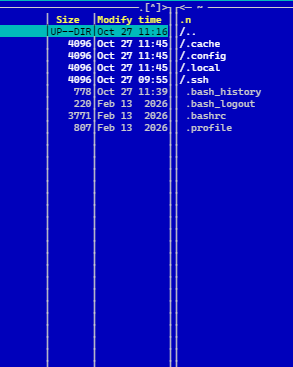
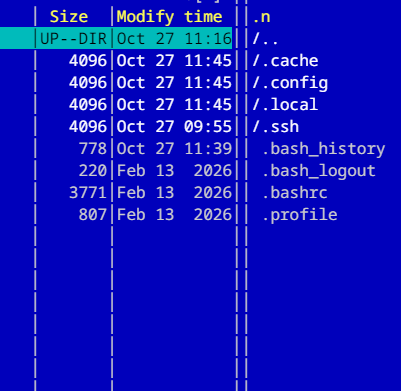
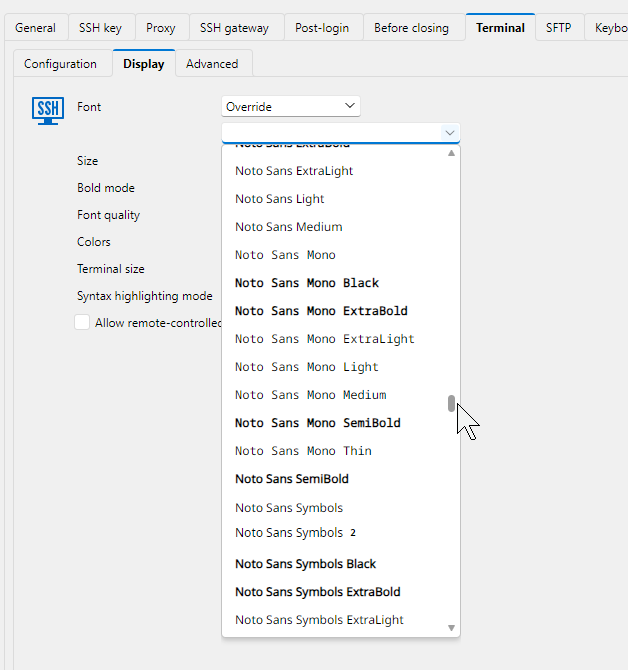
- You can also see that it doesn't draw those "boxes" properly, there's spacing that should not be there. Another manifestation of this issue is for example when using Midnight Commander. Look at the blue screenshot below, the vertical lines. They look like two lines are "glued" together, there's additional dots that shouldn't be there. This is Cascadia Code PL font, and the second screenshot shows Noto Mono - in which there are extra spaces.
I think those issues may be correlated, this is why I'm reporting them both here.
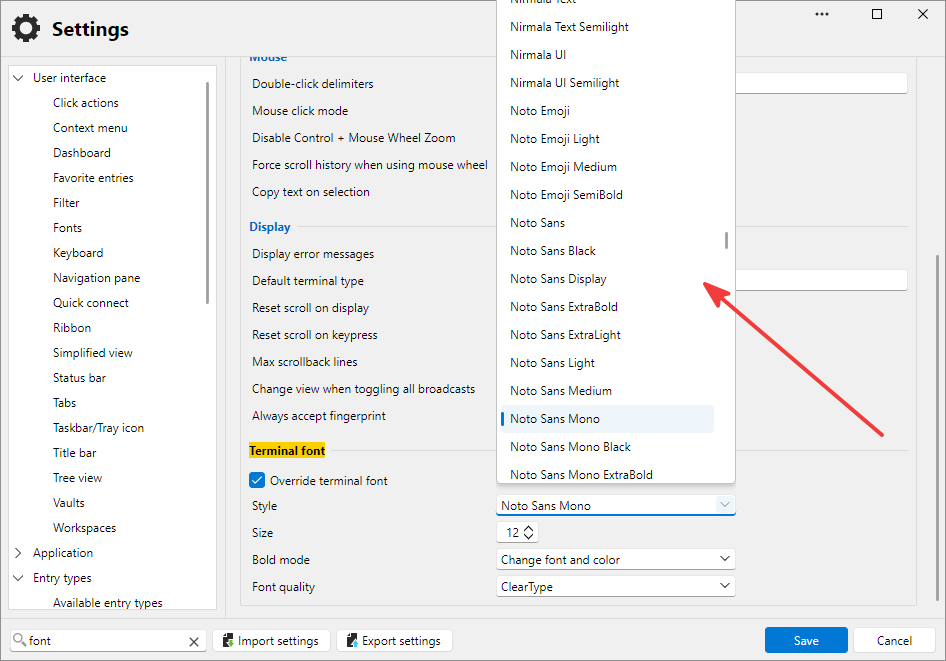
While we're at it, could you please in global settings use the same font selector combo that you use in SSH session settings, so that the font name is printed with itself?
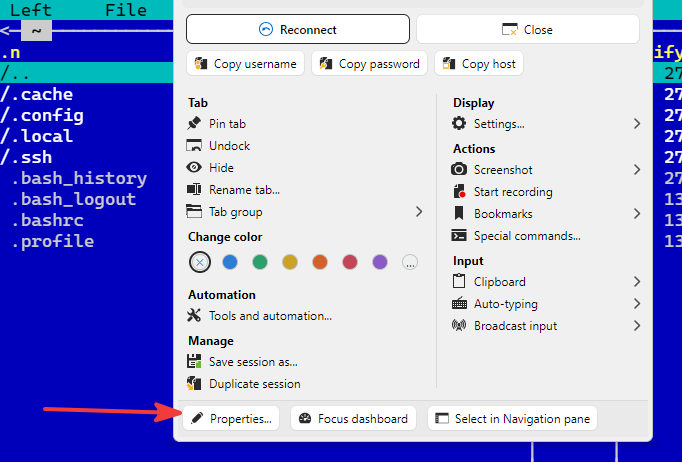
And another one: when I go to a live (open) session properties by right clicking on its tab, selecting Properties, and then try to change the font of the live session, it doesn't get changed. I expect it that when I change the font in the Display page, and click Save, that live session where I've done that will get redrawn using the new font.
Thanks in advance.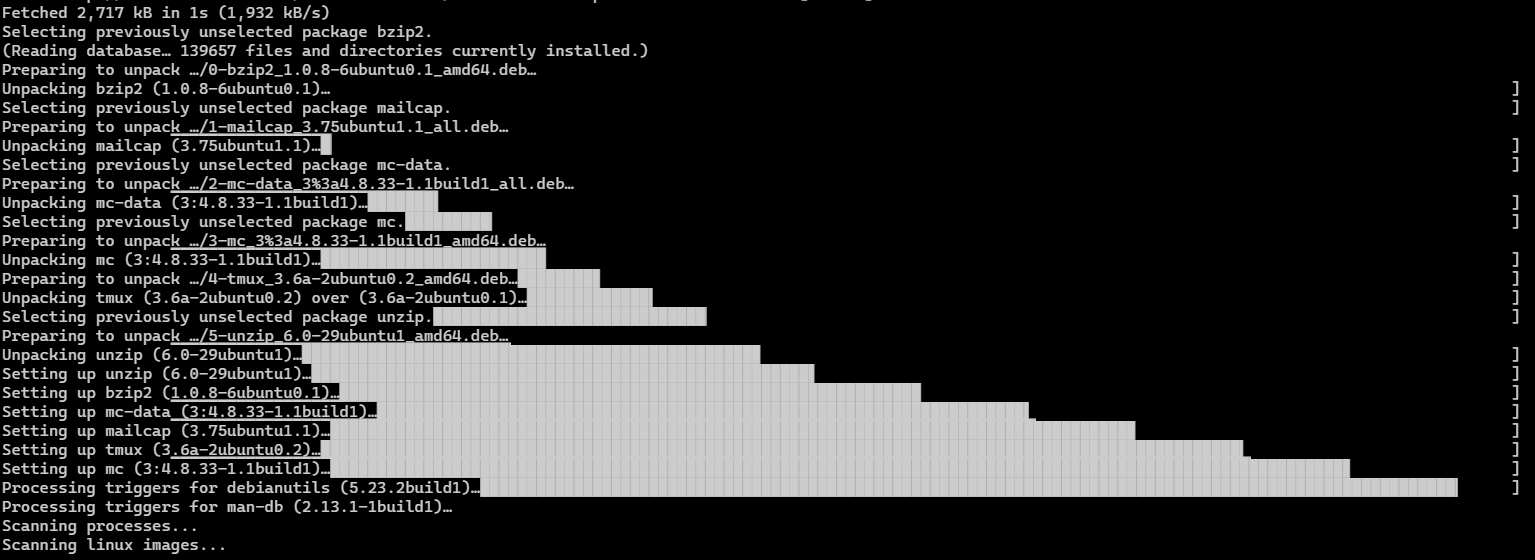
df1875c7-8d8e-4241-88bd-bc22f204b410.png
cb41422e-5e4f-46b8-8264-5a749938bf0f.png
5fedfb35-b895-4b65-aacc-d4babc5d27a9.png
495b59b8-192d-4d6e-a5b7-f1ff4072cd77.png
383c2d1c-3704-48b2-ba44-db0eb8955a74.png
093c2d6a-7eab-4282-8040-e65857bd2d26.png