More Then 1 QuickConnect Bar
1 vote

I would like the ability to have two QuickConnect options, one that i could set for SSH, the other for RDP. Im often attempting to connect to a system via RDP, when it should be SSH because the last time i used it was for RDP.
having a dedicated SSH and RDP Quick Connect would solve this annoyance.
All Comments (7)
Hello,
There’s a way to get this with the single Quick connect bar. You can use a Host template, which will ask you which protocol to use every time you connect:
In Administration > Templates, create an RDP template and an SSH template.
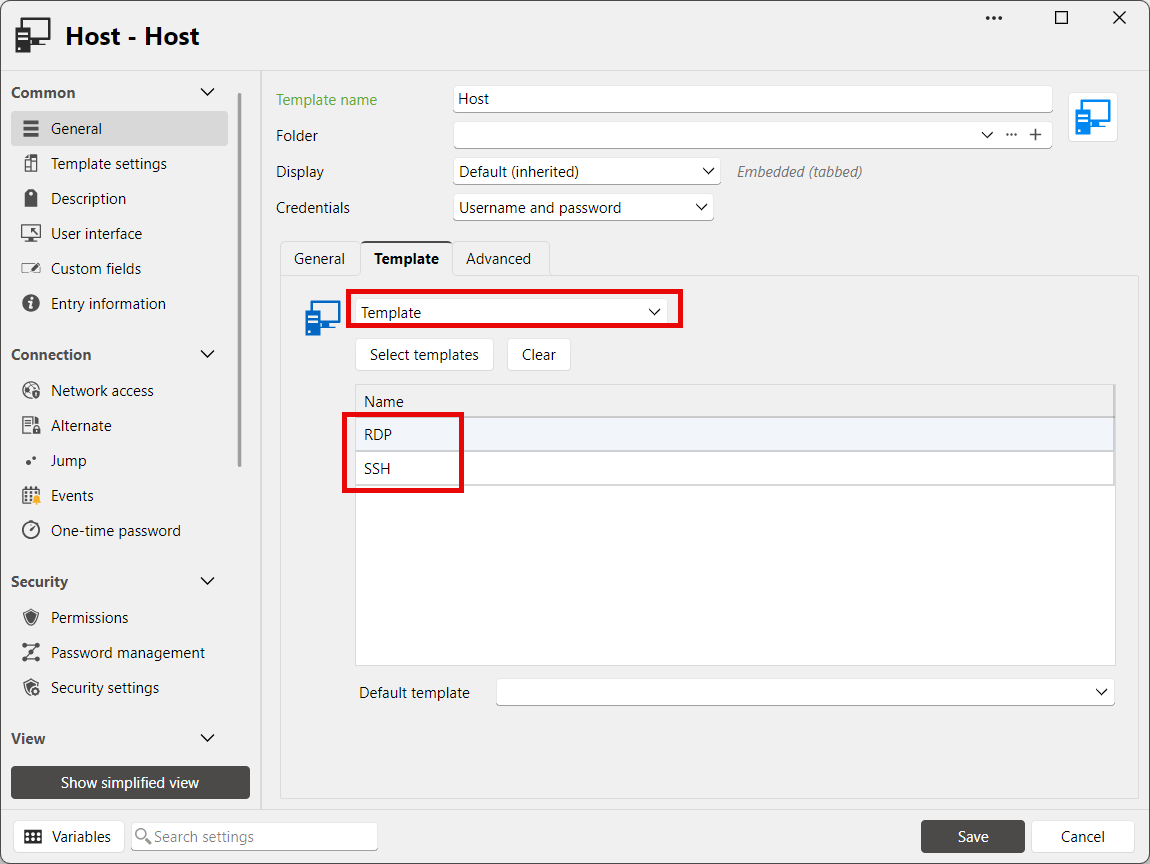
Create a third template of type Host. Put $QUICK_CONNECT$ in its host field. In the Advanced tab, click Select templates and add the RDP and SSH templates.
In the Quick connect bar, pick that Host template from the type list (custom templates are at the bottom), type the host and connect. RDM will then ask whether you want RDP or SSH.
This way the bar doesn’t reuse whatever you picked last time. You make the choice each time you connect.
Let me know if that works for you.
Regards,
Hubert Mireault
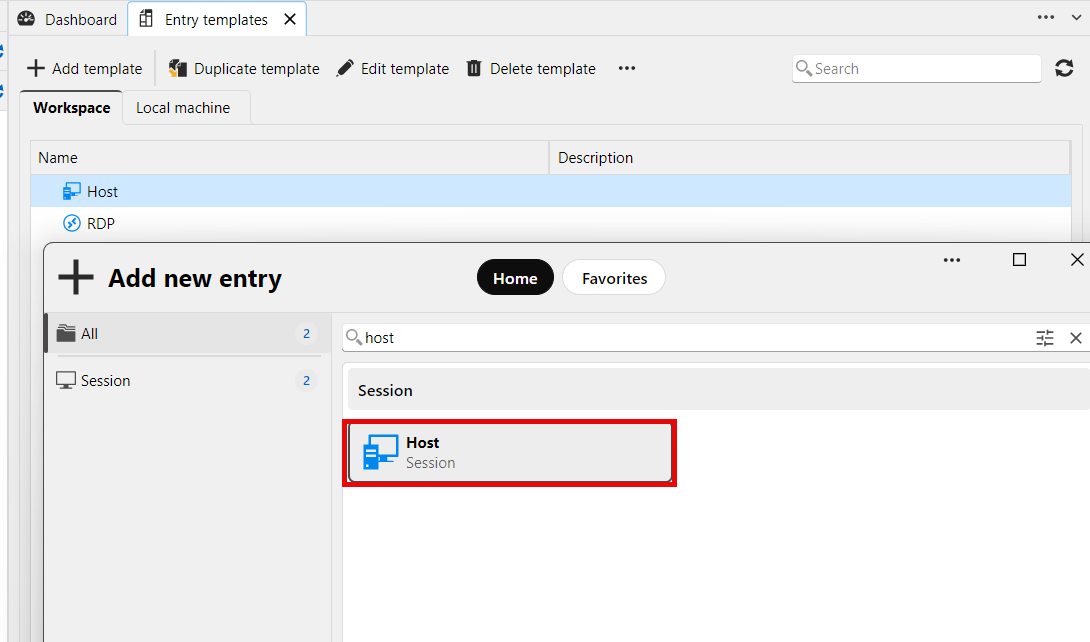
for the second step, im not finding a template type "host" where should i be looking for this?
When you are adding templates, search for "host" and it should show up:
In that Host template, you want to make sure you select both your RDP and SSH templates to be used:
Regards,
Hubert Mireault