Allow a browse to a text file for password
1 vote

What that would do is allow me to do a file browse to a txt file and the only value in that text file is my password and this would be stored securely of course.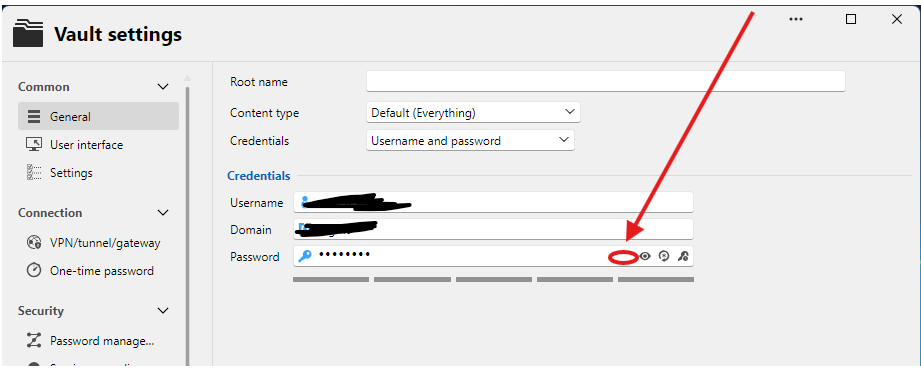
Screenshot 2026-10-20 184536.png
All Comments (1)
Hi joebruns,
Thanks for the suggestion! Before we look into it, could you tell us a bit more about how you would use it?
1. One-time import: you browse to the file, RDM reads the password, stores it encrypted in the entry, and the file is no longer needed.
2. Live reference: RDM keeps a link to the file and reads it every time you connect, for example because another tool rotates the password and rewrites the file.
Option 2 means the password stays in clear text on disk, which goes against the purpose of a password manager, so we'd be careful with that approach. If that's your scenario, these could already cover it:
- External credential providers: RDM can fetch credentials at connection time from Azure Key Vault, AWS Secrets Manager, HashiCorp Vault, CyberArk and others.
- PowerShell: with the RDM PowerShell module, you can read the file and update the entry with Set-RDMEntryPassword, for example from a scheduled task after each rotation.
Let us know which scenario matches yours and we'll go from there.
Best regards,
Sébastien Aubin
Product manager - Password Management