Remove undocked floating connection toolbar

Hi. How can I permanently remove the floating connection toolbar that appears within undocked RDP sessions? I'm sure this used to be possible.
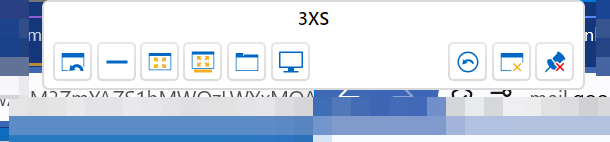
I know it hides itself but then re-appears when the cursor reaches the top of the screen.
All Comments (9)
Hi. How can I permanently remove the floating connection toolbar that appears within undocked RDP sessions? I'm sure this used to be possible.
I know it hides itself but then re-appears when the cursor reaches the top of the screen.
Hello,
The floating connection bar you see in undocked RDP sessions is a built-in part of Remote Desktop Manager. When the session is sized to the work area (Remote desktop size set to Current work area size), RDM treats it much like a full-screen session. The bar then hides automatically and reappears whenever the cursor reaches the top of the screen.
Unfortunately, there is currently no setting that permanently removes the bar in this scenario. The option Display the connection bar when in full screen mode (entry properties, Display tab) only applies to full-screen sessions. It has no effect on undocked sessions sized to the work area.
The bar is also the main way to close the session and reach the toolbar actions from an undocked window. Hiding it completely would leave you without those controls, especially on a single-monitor setup. That is probably why no such option exists today.
If you want, you can post a feature request about this on our forum at https://forum.devolutions.net/forums/17/remote-desktop-manager--feature-request, where other users can vote on it. Requests with more votes tend to get more attention. I can't promise whether or when it will be implemented.
Best regards,
Alexis Beauparlant
Thanks for the reply. I'm fairly sure the "Show close button on undocked windows" option used to hide the toolbar, but now it doesn't appear to do anything.
I used to use the Taskbar to close the window, so didn't need the toolbar.
It gets in the way for me as it appears when the cursor is at the top of the window, which can cause me to close the session by mistake, as it appears just before a mouse-click.
Thanks for the reply. I'm fairly sure the "Show close button on undocked windows" option used to hide the toolbar, but now it doesn't appear to do anything.
I used to use the Taskbar to close the window, so didn't need the toolbar.
It gets in the way for me as it appears when the cursor is at the top of the window, which can cause me to close the session by mistake, as it appears just before a mouse-click.
Hello,
You're right!
I went back to 2026.2.19.0 to see if there was any difference and found that in 2026.3, the option "Show tab bar on undocked windows" is missing. This is the setting that would hide your tab bar before.
I'm asking the development team if it is intentional or a regression, and will get back to you.
Best regards,
Alexis Beauparlant
Thanks Alexis. Glad to hear I didn’t imagine it then!