Issue with credentials promp on connection

I have configured credentials with "promp on connection" on the folder, the RDP has inherited.
What I noticed now is on starting the connection it is missing an underscore from the username.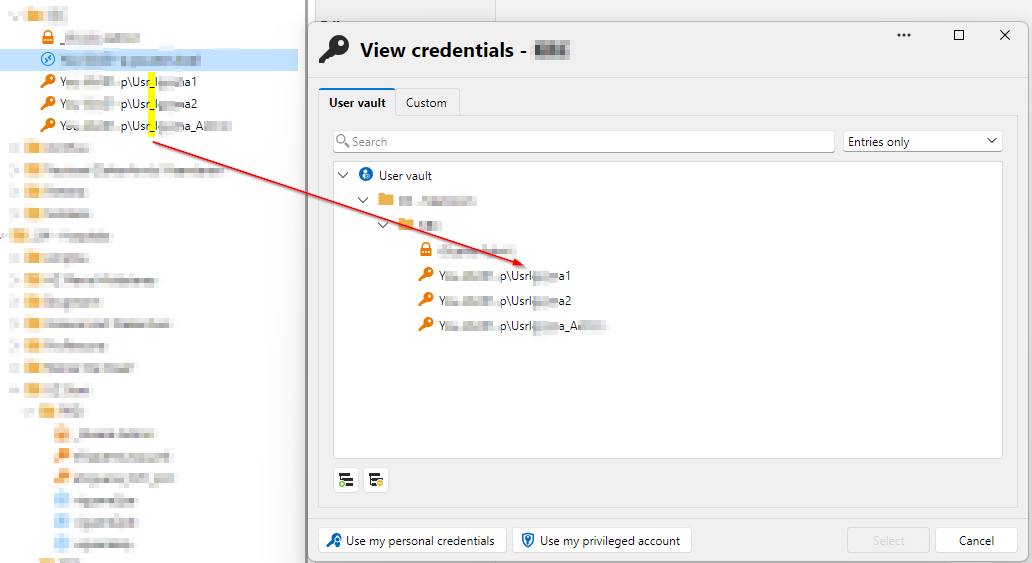
So I went to check the settings on the folder, but I get this error: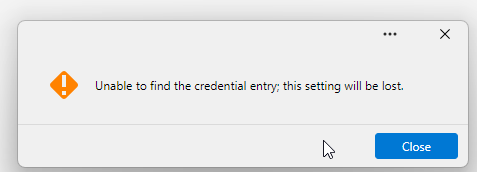
After I click close, the settings open. But here it does not show anymore select a folder.
In this post there is a screenshot where it shows how it used to be.
https://forum.devolutions.net/topics/51192/application-crash-when-changing-credentials-for-rdp-to-inherited#218804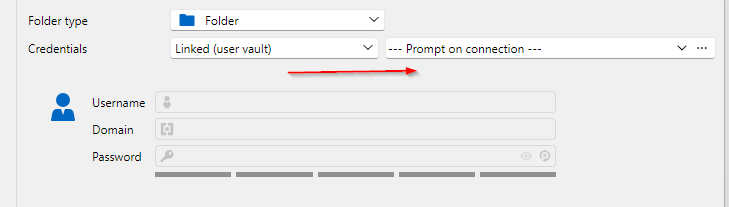
6d752433-ae9e-4bf6-864e-f8b0c4a6ab08.png
c08db39a-0d51-42ff-9c5c-3fb77d5a6561.png
cabe3b24-92db-47c5-8b2a-a42d78875f47.png
All Comments (3)
@gielenstijn Hello,
Could you tell us the version of RDM you are presently running and the type of workspace you are currently using? If it’s Devolutions Server (DVLS), please indicate to us the version that you are using.
Best regards,
Alexis Beauparlant
@Alexis Beauparlant : hello,
I'm using 2026.3.13.0.
Workspace is: Devolutions Hub Personal.
@Alexis Beauparlant : Hello,
I'm using 2026.3.13.0.
The workspace is: Devolutions Hub Personal.
@gielenstijn
Hello Stijn,
Thank you for the version and workspace details.
We reproduced the missing underscore in the "View credentials" window, and I have reported it to our development team.
It is a display issue only, and the connection still uses the username saved in the entry you pick.
Your folder now shows Linked (user vault) with Prompt on connection, and this mode does not offer the option to limit the prompt to one folder.
To help us find out why the folder showed that error and lost its folder selection, could you tell me more about it?
Did it happen directly after opening the folder properties, or after editing settings in it?
Is it still happening every time you go into that folder's properties? Does it also happen with other folders?
Until then, the prompt lists all the credentials in your user vault, so you can still pick the right one when you connect.
I will update you as soon as I hear back.
Best regards,
Alexis Beauparlant