Cannot open HTTPS entries over Devolutions Gateway

Hi all,
I have a Website entry that is tunneled through Devolutions Gateway. It works fine in RDM Windows, but RDM macOS crashes as soon as I open it.
Environment
- RDM macOS [current version], macOS 27
- RDM Windows 2026.2.17.0 (works)
- Devolutions Server and Devolutions Gateway on the current release
- RDP entries through the same Gateway work fine on both Windows and macOS
Entry configuration
- Type: Website, embedded browser (Safari/WebKit, the only option on macOS)
- URL: https://<internal-ip>:4343
- VPN/Tunnel/Gateway: Type = Devolutions Gateway, Open = Always connect
Current behaviour
RDM macOS crashes immediately when the entry is opened.
History
- Before updating DPS: the embedded browser stayed blank.
- After updating DPS (macOS 2026.3.0.5 and 2026.2.5.1, before macOS 27): error "Could not connect to the server. Error Code: -1004 - Proxy Address: 127.0.0.1:<port> - Gateway: True".
- At that time, lsof showed no listener on the announced proxy port (only [::1]:19443 for RDM), and curl through the proxy returned "Connection refused". The local Gateway proxy was never started.
- Since upgrading to macOS 27: RDM crashes instead of showing the error.
Expected
RDM macOS starts the local Gateway proxy and the embedded browser loads the page, as RDM Windows does with the same entry.
The Gateway itself works without issues for other session types, e.g. RDP connections work fine from both Windows and macOS.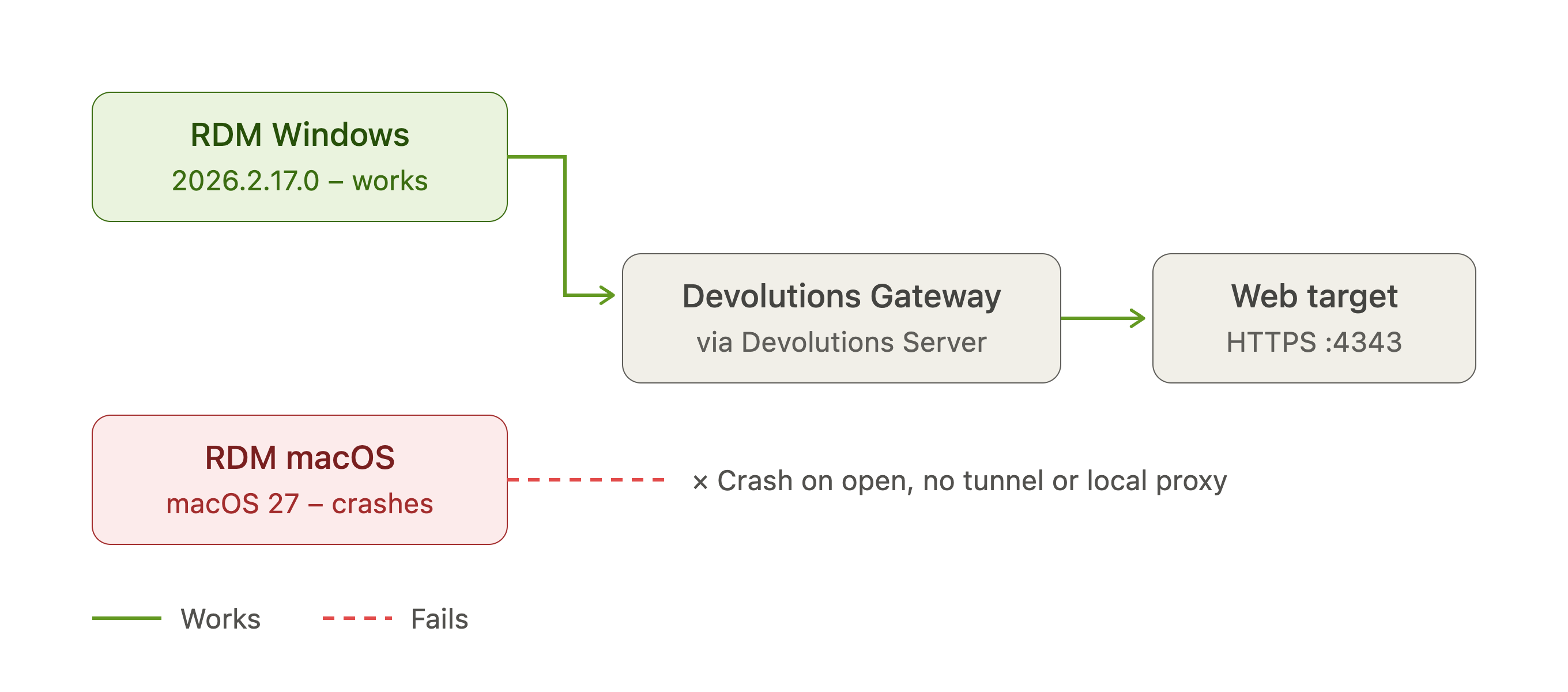 Thank you.
best regards
Lukas
rdm_macos_gateway_website_issue.png
All Comments (2)
Hello
The crash on macOS 27 is concerning and I will check that separately, at a high priority.
In terms of the connection not working through Gateway; can you please do one or both of the following:
- Zip the folder ~/Library/Application Support/jetsocat and send it to me PM
- in RDM, go to Tools > TLS Diagnostics
- Enter the Gateway HTTP listener address and port in "domain" (e.g. gateway.mydomain.loc:7171)
- Press "Start"
- Once the diagnostic finishes, use "Export" to get a .json file and again, send it to me by PM
Please, let me know if something isn't clear or you have further questions
Kind regards,
Richard Markievicz
Hello Lukas
Thanks for sending the files. I'm replying here for visibility.
Your Gateway is not serving the intermediate certificate. How is the certificate configured in Gateway? I'm guessing it's pointing to a local .pem file in %programdata%\Devolutions\Gateway (i.e. not using the Windows certificate store, but please correct me if I'm wrong).
So, right now that file contains only the leaf certificate for *.yourdomain.tld. You need to add the RapidSSL TLS RSA CA G1 intermediate certificate, immediately following the leaf. The file should look like this:
-----BEGIN CERTIFICATE-----
{pem-encoded leaf certificate}
-----END CERTIFICATE-----
-----BEGIN CERTIFICATE-----
{pem-encoded intermediate certificate}
-----END CERTIFICATE-----
Save the changes and restart the Gateway service (at a convenient time, of course restarting the service will terminate any active sessions) and your web sessions should work from the Mac client. Let me know if that's not the case.
The background is that not serving the intermediate is a misconfiguration, but it's such a common misconfiguration that browsers and some crypto APIs (like on Windows) will automatically download and follow the missing intermediate to mask the issue from the consumer. The crypto APIs that our proxy host uses on macOS do not follow these hints (it's called AIA) so the intermediate must be served by the Gateway in this case.
I will investigate separately the crash you got on macOS 27, but hopefully this information unblocks you moving forward.
Let me know if you have any questions or comments
Kind regards,
Richard Markievicz