When I logoff a RDP session...

RDM moves itself to the background, which is very annoying. It does not occur when we close a SSH session.
We upgraded to 2026.3.12.0 (from version 10) hoping that the fixed fixed our bugs which keep happening.
But this came instead. :-(
We use RDM on a RDS server (W2022)
Another annoying thing is that after a while we cannot type anything in the filter search bar, typing looks disabled; to fix it we need to close RDM and start it again.
All Comments (5)
RDM moves itself to the background, which is very annoying. It does not occur when we close a SSH session.
We upgraded to 2026.3.12.0 (from version 10) hoping that the fixed fixed our bugs which keep happening.
But this came instead. :-(
We use RDM on a RDS server (W2022)
Another annoying thing is that after a while we cannot type anything in the filter search bar, typing looks disabled; to fix it we need to close RDM and start it again.
@bramsoethof
Hello,
I have also seen this issue many times. I think this issue is fixed in our 2026.3.13 build which should be coming out soon. But it also depends on many factors of your RDP settings, for example if your are using FreeRDP or the Latest activex embedding for RDM connections, as well if you are using an undocked or full screen RDP window as well. But I think I fixed all those cases.
Thanks,
Paul Dumais
I came here just to report this problem, when I saw this post.
I am on: Remote Desktop Manager 2026.3.12.0 64-bit (PreJIT), Runtime: .NET 10.0.12, Platform: Microsoft Windows 10.0.19045
and this "going to background" problem is pretty annoying while having multiple active RDP connections in tabs.
Here is the common config i am using:
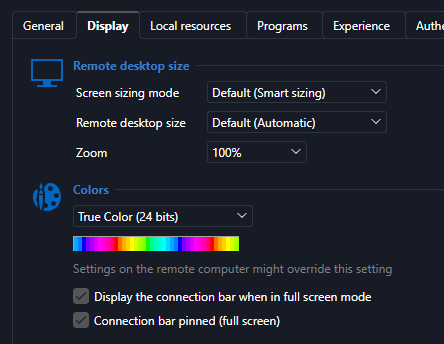
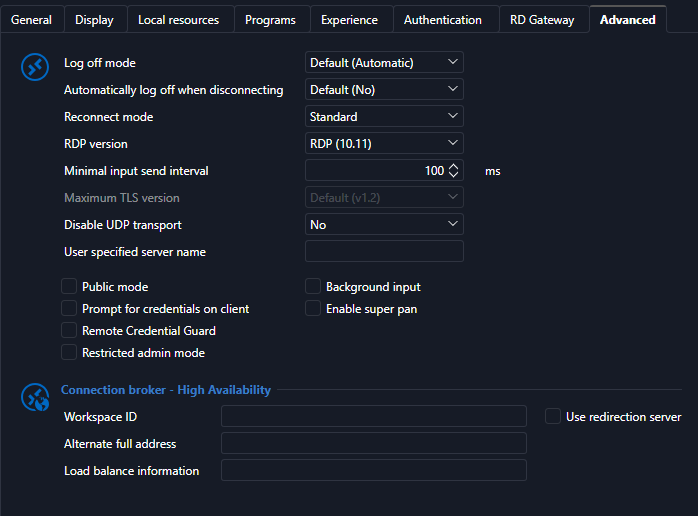
For clarification: If I just close the tab, all is ok, but when I log off on the remote system or the session disconnects for ever reason, then RDM goes into background.
If you need any more info, let me know please.
8144a626-8021-4273-9002-cf49c32ab8a2.png
0f64e30e-7593-4452-9e62-a1c4be19520d.png
28d042e7-32a6-4f14-b043-845413f7615c.png
Hello,
just want to Report the Problem still occurs with new Version.
Display: embedded (tabbed)
Remote Desktop Manager 2026.3.13.0 64-bit (JIT)
Laufzeit: .NET 10.0.9
Plattform: Microsoft Windows 10.0.17763
Workspace: Lokale Datenquelle
Zugewiesener Speicher: 699 MB
wbr Alex
I can confirm that the issue still exists in 2026.3.13.0
Thanks we will re-open the issue and investigate why it is still happening.
Best Regards,
Paul Dumais