How to show a list of all connections?

On the left side navigation panel I have my RDP connections within their own folders, but how can I see a list of all my connections?
If I click on a folder I can see all the entries for that folder on the right side panel under the "Entries" tab.
At the top of the navigation tree I have "Local Workspace" but when I click on that, and then on the right panel select "Entries" the panel is empty.
All Comments (7)
Hello,
You're looking in the right place, the "Entries" section at the root level should show everything in that vault.
Could you please tell me which version of RDM you're on, and which workspace you're using (I'm assuming SQLite)?
Thank you
Jonathan Del Signore
How do I tell which workspace type I'm using?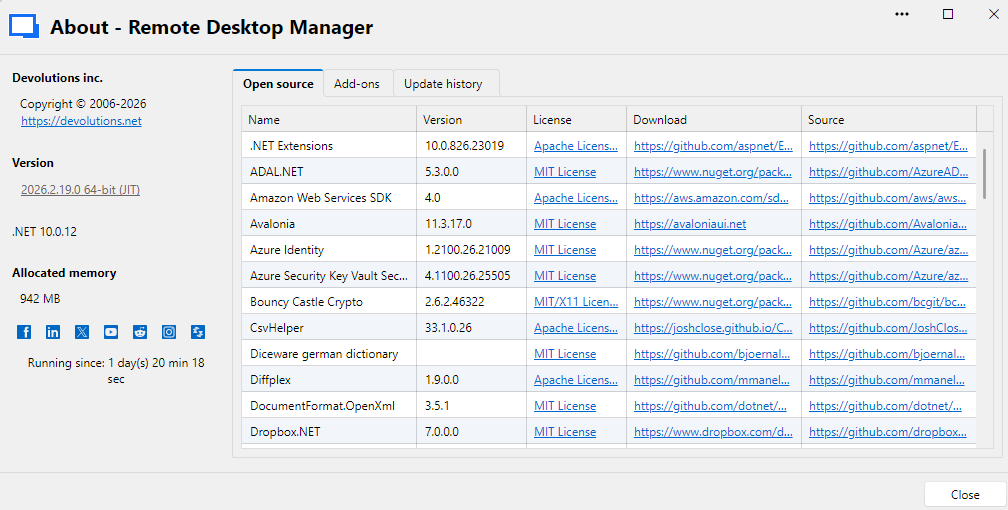
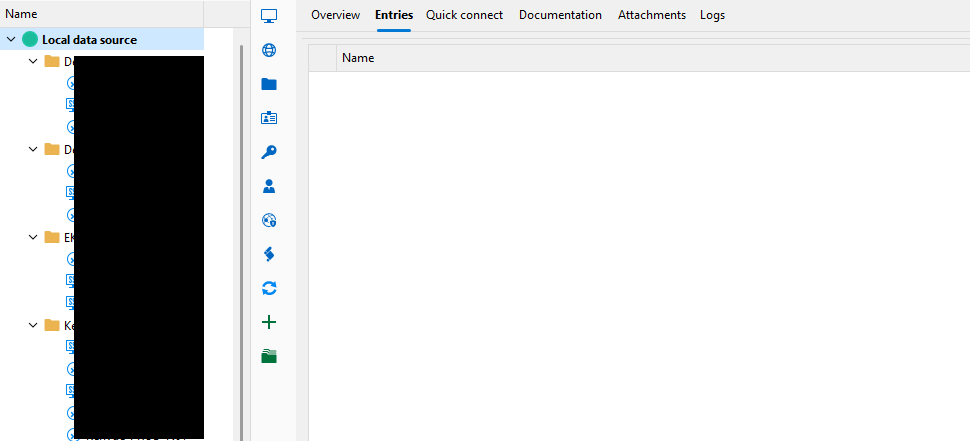
9c5ecaba-85c0-490b-8c68-8ac948601945.png
c8aa679f-e0f8-4ec9-95dc-ca2671494ce2.png
Ah I misspoke earlier, this view doesn't show everything in the vault, it shows what's at the root level. It doesn't show entries that are in folders.
Could you please explain why you want to show all entries from there? Since it would virtually be the same as the navigation panel that already shows everything?
PS: If you want to know your workspace type, you can see it in Help -> System diagnostics -> Workspace
Regards
Jonathan Del Signore
What I am trying to do is to select multiple sessions and have them open together rather than 1 at a time. I can do this from the folder selected, entries tab, shift select / ctrl select a group of servers, right click - Open Selection (4 entries).
It then opens 4 sessions, perfect.
I noticed you can do the same ctrl select from the navigation panel which I could probably work with, but I need to ensure all the folders are expanded.
It would be nice to see ALL entries at the root level or even have an option to show/hide folder level items.
Data source type: SQLite
Ok that makes sense, we'll open a ticket to add all entries to the dashboard view, but with an option like you said.
We'll let you know once it's done.
Regards
Jonathan Del Signore
Hello,
When you have the root dashboad selected (in the Entries tab), at the bottom right, there is a meatballs menu (3 dots). In there, you can select "Show all entries", and all entries will be displayed in this section. This is already available.
Regards,
Jafran Majeau
2cbafb80-bae8-4b6e-b8b1-d21e2a97df61.png
Oh yeh! I didn't even see that.
Thanks!