RDM 2026.3.1.2 - search everywhere

Hello
the search everywhere textbox can retrieve also folder items, but the SELECT command doesn't expand the treeview to reach and open the folder searched.
Windows version work well.
Thanks 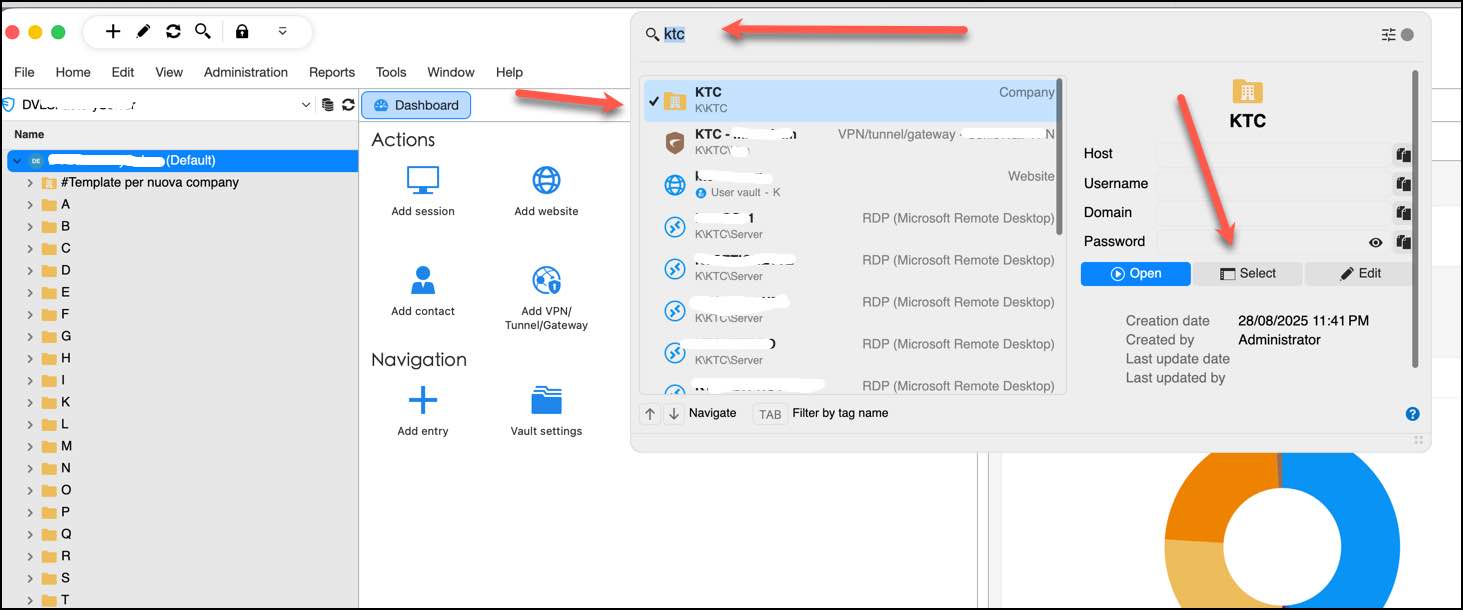
2026-09-30_10-37-07.jpg
All Comments (7)
Hi, I'd also like to share my findings regarding the Search everywhere function. It seems that this RDM version has broken the ability to open the searched/found connection(s) by pressing Enter. When I open Search everywhere, start typing and then try to open the found connection by pressing Enter, nothing happens. 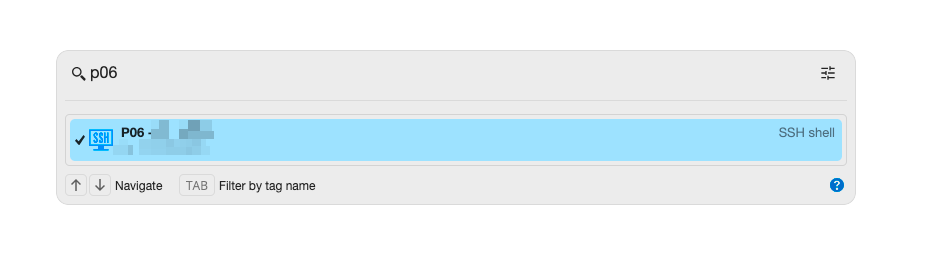 This functionality worked correctly before the update.
I also checked the settings to see if there was an option to allow/disable this behavior, but I didn't find anything like that: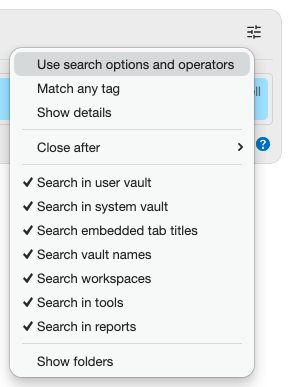
Could you please also look into this?
Thank you.
Best regards,
Tomas
afa57482-80fe-449c-9d96-d8335cfee668.png
53fb8392-3c5b-4857-9475-746a9a3252c1.png
Btw - essentially the same thing was already discussed in this thread - https://forum.devolutions.net/topics/45052/keyboard-shortcut-to-quick-find-and-connect-directly#242009. A new option "Launch on Enter" was added as a result of that discussion, but I can't see it there any longer.
Btw - essentially the same thing was already discussed in this thread - https://forum.devolutions.net/topics/45052/keyboard-shortcut-to-quick-find-and-connect-directly#242009. A new option "Launch on Enter" was added as a result of that discussion, but I can't see it there any longer.
@tfabo
Hi,
This option has been replaced with Ctrl + Enter, which opens the entry.
Best regards,
Jesse Galarneau
Hi @Maran Michele - FactorySolver srl,
After further testing, I identified several issues with folder selection. I have opened a ticket and will follow up once they have been resolved.
Best regards,
Jesse Galarneau
Btw - essentially the same thing was already discussed in this thread - https://forum.devolutions.net/topics/45052/keyboard-shortcut-to-quick-find-and-connect-directly#242009. A new option "Launch on Enter" was added as a result of that discussion, but I can't see it there any longer.
@tfabo
Hi,
This option has been replaced with Ctrl + Enter, which opens the entry.
Best regards,
@Jesse Galarneau
Is there a way to get the original functionality back? Having to reach to the control key to do this instead of just Enter seems a step in the opposite direction and makes the original feature less productive. I've already actively opened the search everywhere textbox so I shouldn't have to do another keyboard shortcut to actually open what I searched for.
Hi, I support davisoncaleb's statement. If reverting to the original Enter-only behavior is not possible, then having the possibility to choose would be highly appreciated.
Hi,
Sorry for the inconvenience, everyone. In the next release, there will be a new settings page under File > Settings > User Interface > Click Actions, where you can customize various actions in RDM. The setting relevant to this discussion is Quick Search > Enter Key, which will let you choose whether pressing Enter opens the selected entry or performs another action.
Best regards,
Jesse Galarneau