2026.3.10 RDP

When connected to an RDP session, my key strokes do not enter automatically. I am just using the windows start menu button as a test. The first time it opens on my computer, then the second press it will then open in the RDP session. This should have opened the first time after I connected. Can do a remote session if that would help.
All Comments (6)
Hello,
Thank you for contacting Devolutions Support.
So we can look into the keyboard input issue, could you tell us how the RDP entry opens when you launch it? The display mode is set in the entry properties under General > Display. It is one of these:
- Tabbed: the session opens as a tab inside Remote Desktop Manager
- Undocked: the session opens in its own separate Remote Desktop Manager window
- External: the session opens in the Microsoft Remote Desktop client (mstsc.exe) outside of Remote Desktop Manager
If you can, please also check whether the same thing happens when you switch the entry to a different display mode.
Once we have this information, we can continue the investigation. A remote session is also an option if needed.
Best regards,
Carl Marien
I always use tabbed sessions.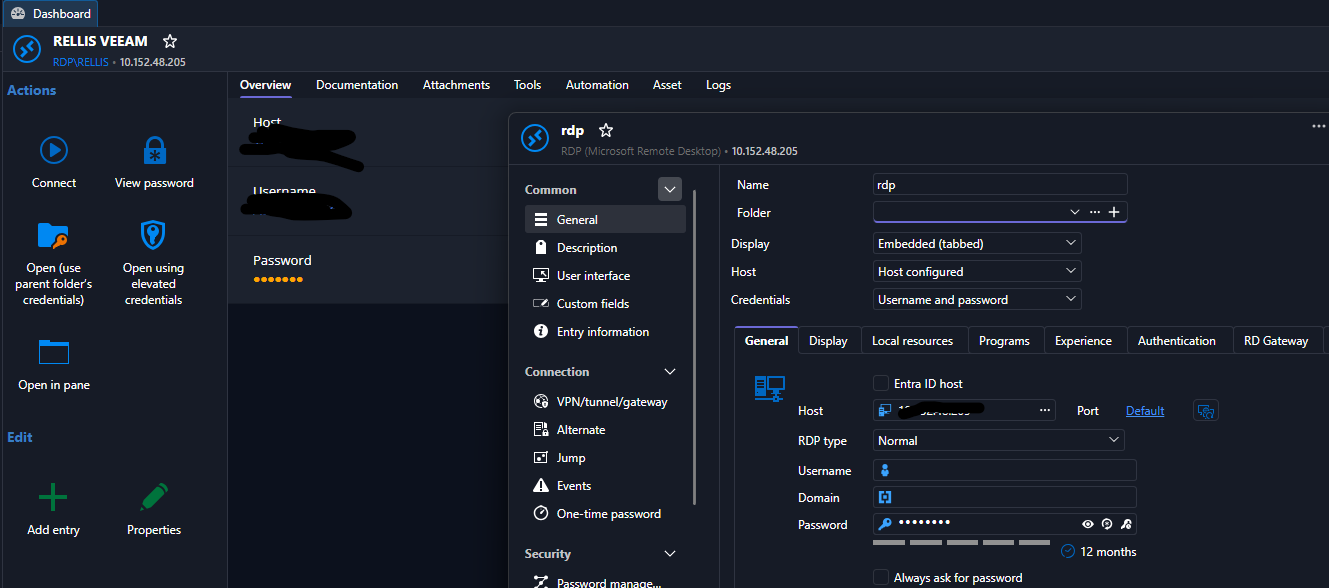
e080e69a-e749-4db5-bbbc-d324f83e7d2f.png
Hello,
Thank you for the information.
I was able to reproduce the issue on my end, and I have created a bug report for our development team to investigate.
I’ll keep you updated on any progress or additional findings.
Best regards,
Carl Marien
Good deal!
Hello,
Thank you for your patience while our team looked into the issue you reported.
I'm happy to let you know that the latest version of Remote Desktop Manager (2026.3.13.0) includes a fix for this problem. You can download it from our website here:
https://devolutions.net/remote-desktop-manager/download/
Once you have installed the update, could you please test it in your environment and confirm that everything now works as expected? If the issue persists, or if you notice anything unusual related to the same original problem, just reply to this email with a few details, and we will be glad to look into it further.
Thank you for your collaboration.
Best regards,
Érica Poirier
Good deal! Seems to be working!