Jump Host - Devolutions Agent not available

Hi,
after updating RDM (2026.3.10.0) and the Agent (2026.3.0.0) to the latest versions, a Jump Host connection is no longer possible.
Before the update, we were using the legacy RDM Jump, which is now deprecated.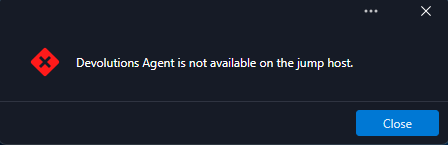
Does anyone have an idea why this is no longer working?
Thanks in advance.
Leon Schmidt
e82d17e4-d5ac-4bcd-82dd-346ed40079c9.png
All Comments (10)
Hello
We're tracking a few customer issues with Devolutions Agent and Jump after the 2026.3 update.
Just to try something really low-hanging and try to unblock you quickly, can you please try going to File > Settings > Performance, and under "Entry Images" uncheck "Show favicon cache".
Restart RDM and then try the session - does it work now?
Let me know if that helps
Kind regards,
Richard Markievicz
The setting didn't resolve the issue.
And no worry about unblocking me. I'm testing the new version in our testing environment.
Hello
Ok, thanks; it was worth checking.
What would concretely help me find and fix the issue(s) faster would be the following diagnostics:
- On the RDM client side, go to Help > Troubleshooting > Performance Profiling
- Set the Level to "131" and leave the window open
- Reproduce the "Devolutions Agent is not available on the jump host" issue
- Send me the output from the profiler window by PM. You could export it to a file, .zip it and attach it to a PM, that's probably the best workflow
- At the same time, if you are able, please send the corresponding logs from the Agent side. You can .zip both of these folders and attach them also if possible:
- %programdata%\Devolutions\Agent
- %appdata%\Devolutions\Session
Please let me know if you have some questions and thank you for your patience
Thanks and kind regards,
Richard Markievicz
PM send.
Hi Richard,
we are experiencing the same issue since updating to RDM 2026.3 and the new Devolutions Agent.
In our environment, the issue seems to occur especially after an RDP session to the jump host has been closed using the X button instead of logging off from Windows.
The Windows session therefore remains active/disconnected on the jump host. When trying to establish another connection through the jump host afterwards, RDM reports that the “Devolutions Agent is not available on the jump host.”
This behavior only started after the 2026.3 update.
Maybe this detail helps with reproducing and narrowing down the issue.
Regards
Sebastian
Hi Sebastien
Thanks for chiming in here, and I'm sorry for the inconvenience.
We've a number of users experiencing instability with this. I'm working currently on what I hope will be a comprehensive fix to make negotiation between RDM and the Agent completely robust. It should be ready within the next couple of minor RDM releases. I will update this thread with more information.
Thank you for your patience; and don't hesitate with other questions or comments in the meantime
Kind regards,
Richard Markievicz
After upgrading to 2026.3.13.0 on all servers running RDM, we have the same issue. Our Bastion is now running the new agent service, but I can't make it work. I get 'Devolutions Agent is not available on the jump host'.
Our workaround is to logoff the user and using the Agent is an once in session-time opportunity. If you reconnect to the same RDP session then you can not use the Agent connection once more.
Also the Agent status is shown as red x.
I hope Richard is working on that problem.
Hello
I would say for most users this feature is working well, but we do have a subset that are experiencing similar issues that I have not been able to reproduce. So the investigation here has been driven by trying to manually provoke the same circumstances, and a deep investigation of the code itself. That's why progress has been a bit slow, and I apologize for that.
I wanted to assure everyone that I am working on this, and thought it best to give an update explaining the issues and the work going in to fix them.
I'd like to start with my findings, so that everyone has a better understanding of what's going on.NOW (the channel RDM uses to open sessions *through* a jump host running Devolutions Agent) runs in an RDP dynamic virtual channel. On the host, that channel is owned not by the Agent service but by a small per-session helper, `DevolutionsSession.exe`, which the Agent starts when your RDP session connects and the desktop is ready (logon or unlock), and kills and restarts every time the session is (re)connected. So the channel is torn down and re-established on ordinary events: a fresh logon with profile load or logon scripts, RDS moving your connection between sessions, a reconnect to a disconnected session, an unlock after reconnect. When the helper starts before RDM's side is ready, it retries the channel open; each attempt that reaches RDM is a new "offer". The Agent itself waits a few seconds for RDM's handshake reply before giving up on an offer.
On the RDM side I found four weaknesses:
1. First offer wins RDM accepted the first channel, and a second one arriving while the first was being torn down was refused. Worse, if the first attempt was cancelled, RDM recorded "Agent not available" for the whole RDP session, so even a later successful offer was ignored. Every jump through that host then failed until you disconnected and reconnected RDP.
2. Short windows A jump waits 15s by default for the Agent (configurable per connection or globally; plus a 3s grace before the wait dialog appears). If the channel was mid-rebuild during those 15s, you got "Agent not available" even though it would have been ready a second later. After attach, RDM waits up to 120s for the host's RDM to report ready, and up to 10s when re-adopting sessions after a reconnect.
3. The attach ran on shared threads Negotiation, re-adoption and the readiness wait were queued on the .NET thread pool and made synchronous calls into the UI. A busy RDM (large vault refresh, export, many simultaneous connections, or just an open modal dialog) could delay the attach or time it out, and script output from the host could stall the channel's worker while the UI was busy.
4. No dead-channel detection against current Agents The shipped client armed a 60s heartbeat watchdog but effectively stopped checking after the first message; Agents only sent a heartbeat after a full minute of silence. Dead channels usually went unnoticed until the next jump failed.
I'm working on a set of fixes for the above issues.
- Every channel offer is now a numbered *generation*, and a newer offer supersedes the one being attached; stale closes from an older one are ignored. Several offers within one RDP connection - logon churn, the helper's retry ladder, a reconnect inside the same tab - converge on the latest, and readiness is reset per generation, so a cancelled attempt can no longer poison the session. A jump already waiting when a newer offer arrives follows it within its remaining timeout instead of failing.
- The whole attach chain runs on a dedicated thread per RDP session, independent of the thread pool and of the UI. Host script output no longer waits on the UI.
- Channel liveness is determined by any received message; the watchdog follows the Agent's advertised heartbeat.
- Closing a jumped session now reports success only when the host confirms it, otherwise you get the "may still be running" warning instead of a silent drop.
The changes are complicated and on my side it appears to make things significantly more robust; but I've been checking it by simulating adversarial conditions. As I said, I've not been able to actually reproduce most of these issues in normal usage. The next step will be to release these improvements and then iterate further if users are still having issues (I hope not).
I will update this thread when the fixes are available (should not be very long).
In the meantime, thank you for your patience and please don't hesitate with further questions or comments
Kind regards,
Richard Markievicz
Hello Richard,
Thank you for the detailed update on the issues.
Once the updates are available, I would be happy to test them in our environment and provide feedback.
Looking forward to the releas.
Kind regards,
Leon Schmidt